4-8 Service Manual
5041-030
Operator panel removal
1. Remove the operator panel bezel. See “Operator panel bezel removal” on page 4-7.
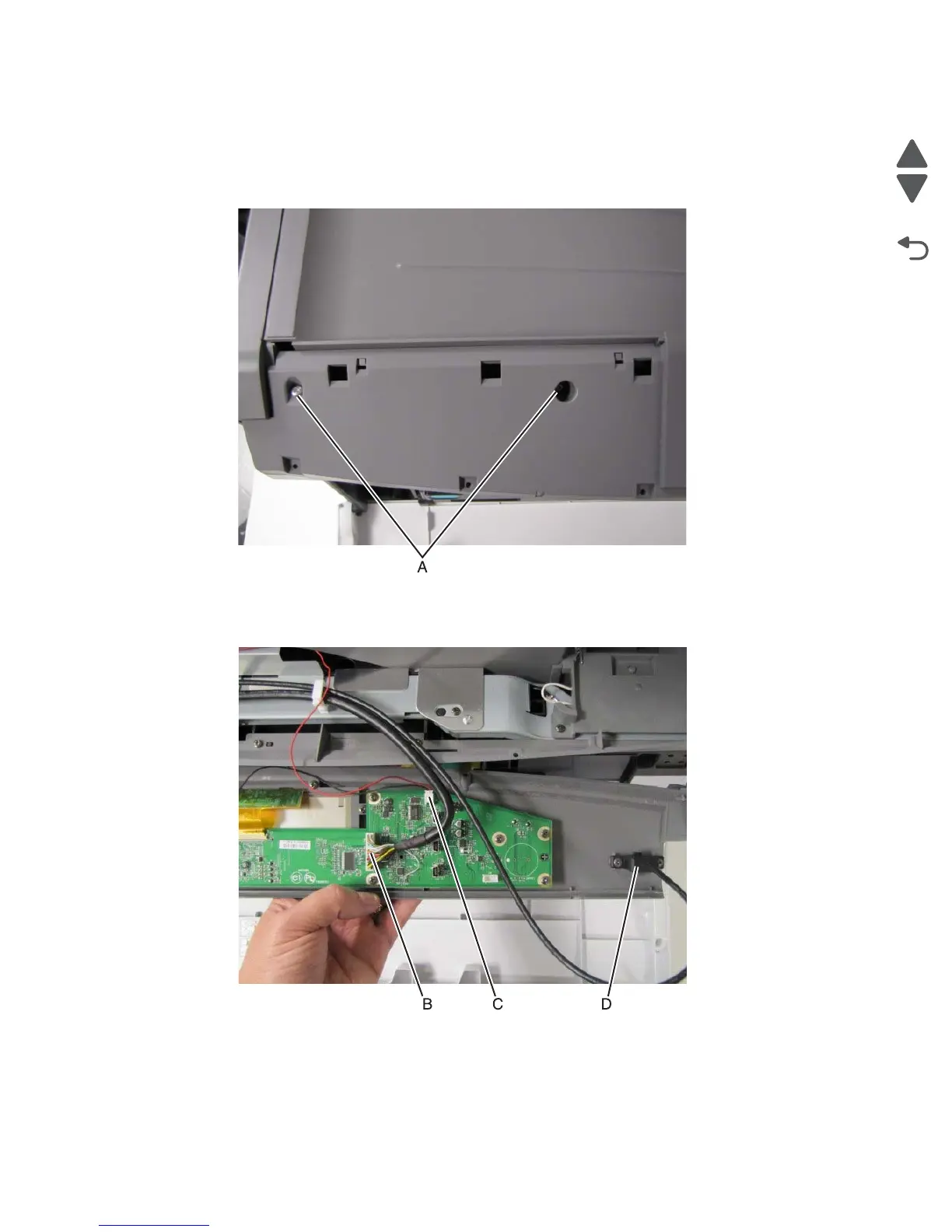
2. Remove the two screws (A) securing the operator panel assembly to the printer frame.
3. Turn the operator panel assembly over.
4. Disconnect the RIP-UICC cable (B).
5. Disconnect the speaker cable (C).
6. Disconnect the operator panel USB cable (D).



 To Next Page