Repair information 4-47
5041-030
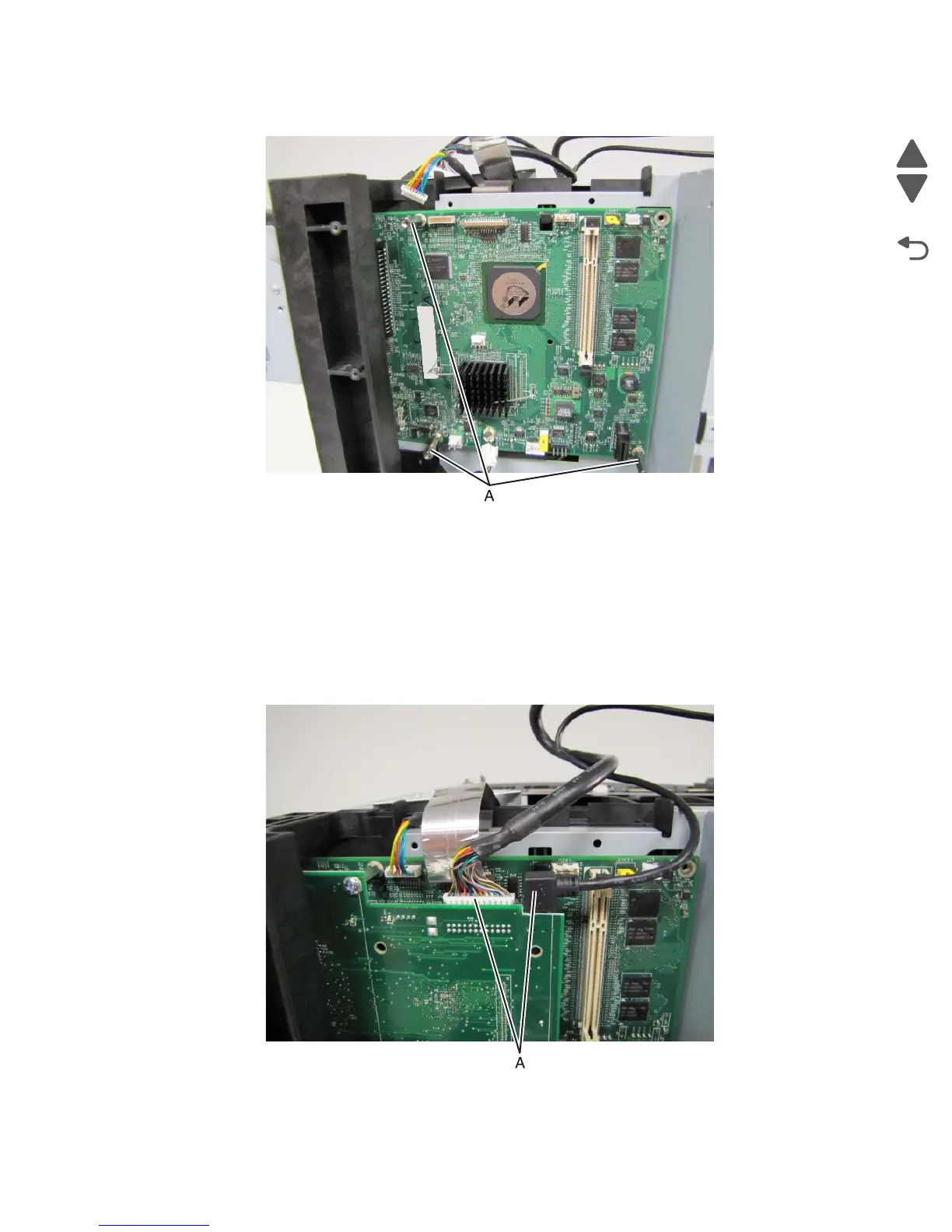
7. Remove the three standoffs (A) that secure the RIP board to the RIP cage.
8. Carefully remove the RIP board from the RIP cage.
Video board removal
1. Remove the rear cover. See “Rear cover removal” on page 4-5.
2. Remove the top cover. See “Top cover removal” on page 4-11.
3. Remove the left cover. See “Left cover removal” on page 4-13.
4. Remove the left EMI shield. See “Left EMI shield removal (not a FRU)” on page 4-39.
5. Disconnect the UICC cable and USB cable (A) from the video board.
6. Remove the three screw fastening the video board to the metal RIP board stand offs.
7. Carefully remove the video board from the RIP cage.



 To Next Page