L-Gate User Manual 107 LOYTEC
Version 3.2 LOYTEC electronics GmbH
6.10 BACnet Configuration
6.10.1 Scan for BACnet Objects
LOYTEC devices also support an online network scan on the BACnet network. In this scan
the device searches for other devices on the BACnet network and pulls in the BACnet
object information of these devices. These BACnet objects can then be used on the device
as the basis for client mapping.
To Scan for BACnet Objects
1. Go to the Datapoints tab.
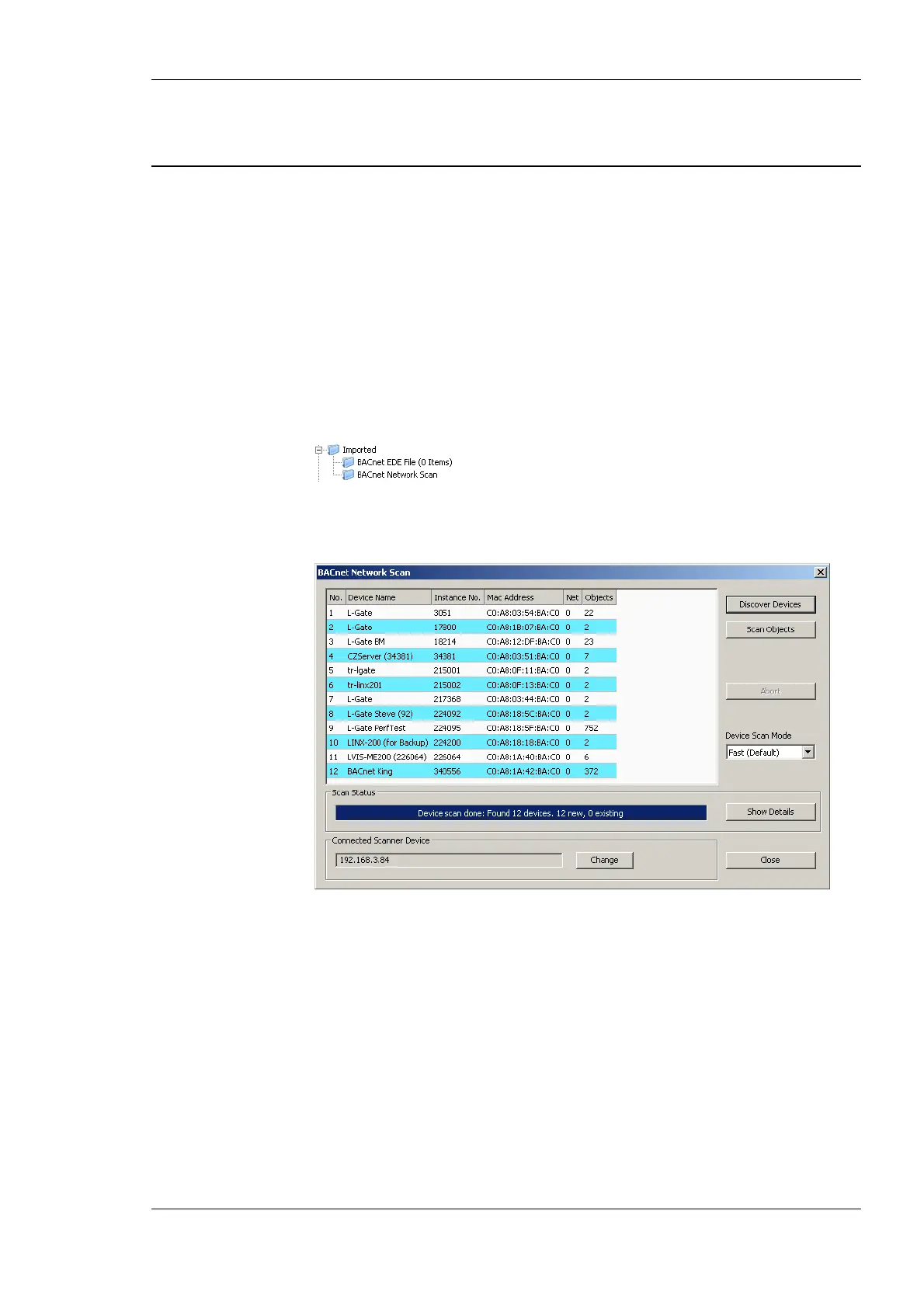
2. Select the folder BACnet Network Scan
3. Right-click on that folder and select Scan BACnet Network…. This opens the
BACnet Network Scan dialog as shown in Figure 95.
Figure 95: BACnet network scan dialog.
4. Click on the button Discover Devices. This starts a network scan. The results are put
in the device list box. A progress bar below indicates how many devices are being
scanned.
5. Select a device in the device list and click the button Scan Objects. This scans the
BACnet objects on the selected device and adds them to the BACnet Network Scan
folder as a separate sub-folder for the device as shown in Figure 96.



 To Next Page