L-Gate User Manual 109 LOYTEC
Version 3.2 LOYTEC electronics GmbH
4. This creates data points in the BACnet Port/Datapoints folder. All data points in that
folder will be created as client mappings. No server object is created automatically in
this case.
5. To also create server objects select the data points in question using the multi-select
feature. Then edit the property Allocate Server Object and set it to Yes.
6.10.4 Edit a Client Mapping
The client mapping information in BACnet data points can be edited after they have been
created. Usually, this is done to correct the remote BACnet object instance number.
To Edit a Client Mapping
1. Select the BACnet data point that has the client mapping to be edited.
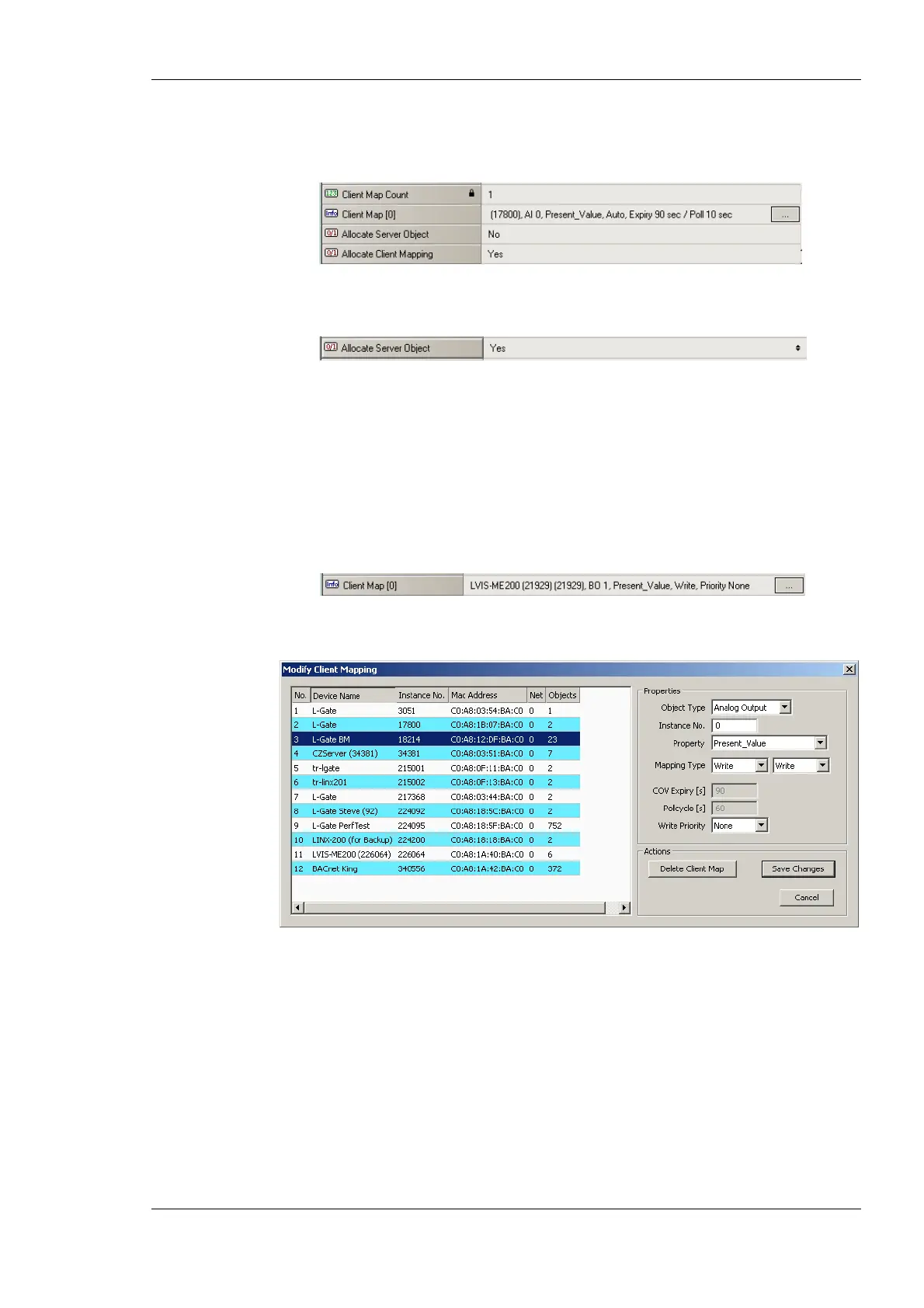
2. On the Client Map property click the … button
3. This opens the Modify Client Mapping dialog as shown in Figure 97.
Figure 97: Modify Client Mapping Dialog.
4. Edit the target device by selecting a different device in the Mapped Device list. Edit
the target object instance number. For read client mappings edit the COV expiry or
Pollcycle setting. For write client maps edit the Write Priority. When finished click
Save Changes.
6.10.5 Create Server Object
On the BACnet port server objects can also be created manually. These BACnet objects are
visible on the BACnet network and can be modified by other devices. They appear as data
points in the BACnet/Datapoints folder.



 To Next Page