L-Gate User Manual 44 LOYTEC
Version 3.2 LOYTEC electronics GmbH
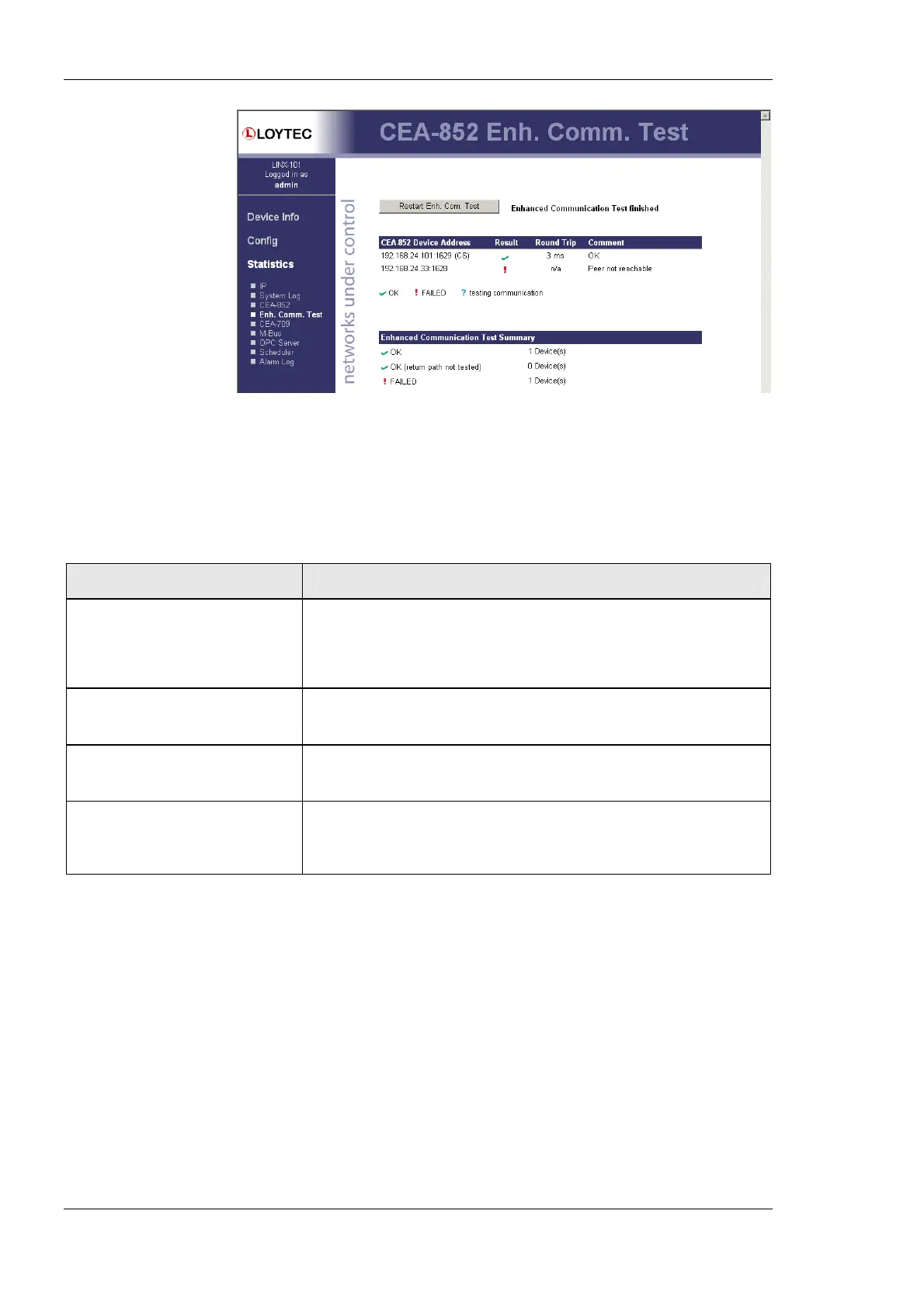
Figure 36: Enhanced Communication Test Output
The Round Trip Time (RTT) is measured as the time a packet sent to the peer device needs
to be routed back to the device. It is a measure for general network delay. If the test to a
specific member fails, a text is displayed to describe the possible source of the problem.
The reasons for failure are summarized in Table 6.
Text displayed (Web icon) Meaning
OK, Return path not tested (green
checkmark)
Displayed for a device which is reachable but which does not support the
feature to test the return path (device sending to this CEA-852 device).
Therefore a potential NAT router configuration error cannot be detected. If
the tested device is an L-IP, it is recommended to upgrade this L-IP to 3.0 or
higher.
Not reachable/not supported
(red exclamation)
This is displayed for the CS if it is not reachable or the CS does not support
this test. To remove this uncertainty it is recommended to upgrade the L-IP to
3.0 or higher.
Local NAT config. Error
(red exclamation)
This is displayed if the CEA-852 device of the LINX-10X is located behind a
NAT router or firewall, and the port-forwarding in the NAT-Router (usually
1628) or the filter table of the firewall is incorrect.
Peer not reachable
(red exclamation)
Displayed for a device, if it is not reachable. No RTT is displayed. The device
is either not online, not connected to the network, has no IP address, or is not
reachable behind its NAT router. Execute this test on the suspicious device to
determine any NAT configuration problem.
Table 6: Possible Communication Problems.
4.3.5 CEA-709 Statistics
The CEA-709 statistics page displays statistics data of the CEA-709 port on the L-Gate as
shown in Figure 37. This data can be used to troubleshoot networking problems. To update
the data, click on the button Update CEA-709 statistics.



 To Next Page