L-Gate User Manual 64 LOYTEC
Version 3.2 LOYTEC electronics GmbH
6.1.3 Operating Modes
The Configurator can be used in on-line, off-line, and stand-alone mode. On-line and off-
line mode refers to the 2 operating modes of your LNS network management software.
• On-line Mode: This is the preferred method to use the configuration utility. The
network management tool is attached to the network and all network changes are
directly propagated into the network. This mode must be used to add the device,
commission the device, extract the port interface definition, and download the
configuration into the device.
• Off-line Mode: In off-line mode, the network management software is not attached to
the network or the device is not attached to the network, respectively. This mode can
be used to add the device using the device templates, create the port interface
definition and to make the internal connections.
• Stand-alone Mode: The Configurator can also be executed as a stand-alone program.
This mode is useful for the engineer who doesn’t want to start the configuration
software as a plug-in from within network management software (e.g., NL-220,
LonMaker or Alex). Instead the engineer can work directly with the device when
online or engineer it offline.
6.2 Data Point Manager
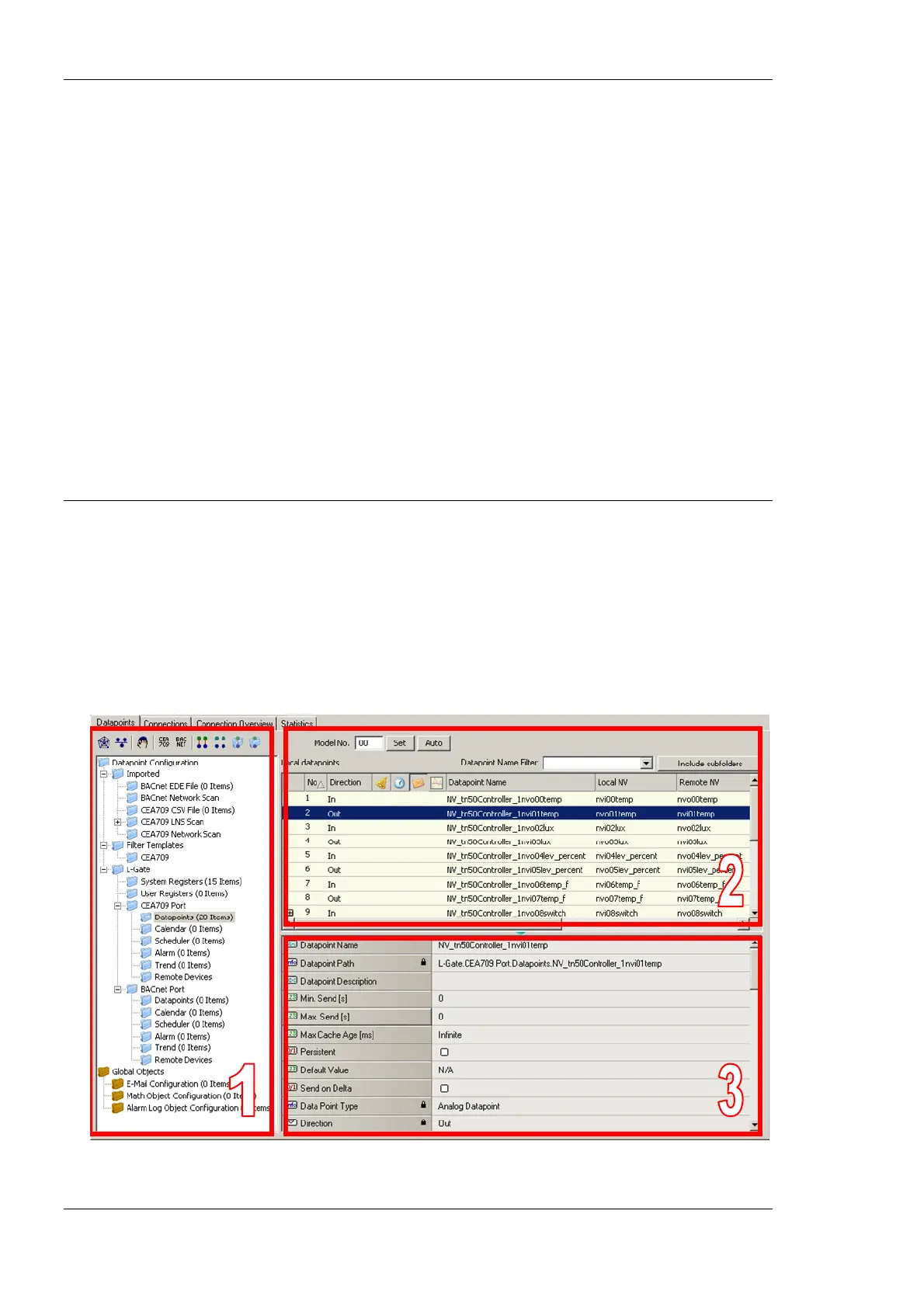
The configuration software uses a central concept to manage data points. The data point
manager as shown in Figure 48 is used to select, create, edit and delete data points. The
dialog is divided into three sections:
• The folder list (number 1 in Figure 48),
• The data point list (number 2 in Figure 48),
• And a property view (number 3 in Figure 48).
Figure 48: Datapoint Manager Dialog.



 To Next Page