L-Gate User Manual 58 LOYTEC
Version 3.2 LOYTEC electronics GmbH
For more information on the different types of network variables and their implications
please refer to the application note in Section 11.2. For CPs the allocation type “File” is
used.
5.5.2 Static Interface Changes
The L-Gate can be configured to use static NVs. Unlike dynamic NVs, static NVs cannot
be created in the network management tool. They are part of the static interface and are
usually compiled into the device. When static NVs are used, the L-Gate changes its static
interface and boots with a new one.
Each time the static interface of the L-Gate changes (i.e., static NVs are added, deleted, or
modified), the model number is changed. The model number is the last byte of the program
ID. Thus, a change in the static interface results in a change of the program ID and a new
device template needs to be created in the network management tool. A new device
template usually means that the device has to be deleted and added again in the database.
All bindings and dynamic NVs have to be created again for the new device.
When the L-Gate Configurator is connected via LNS, it supports the process of changing
the device template for the new static interface. It automatically upgrades the device
template of the L-Gate device in the LNS database and restores the previous bindings and
dynamic NVs. If the L-Gate is not configured with an LNS-based tool, this support is not
available. The new static interface is only available in a new XIF file or by uploading the
new device template into the database. For more information on the static interface and
device templates please refer to the application note in Section 11.2.
5.5.3 Limitations for Local CEA-709 Schedulers
CEA-709 schedulers and the CEA-709 calendar adhere to the LONMARK standard objects.
For CEA-709, certain restrictions exist that need to be kept in mind. Attached data points
can either represent an entire NV or individual elements of a structured NV. CEA-709
schedulers may have several different groups of data points attached, i.e., the value preset
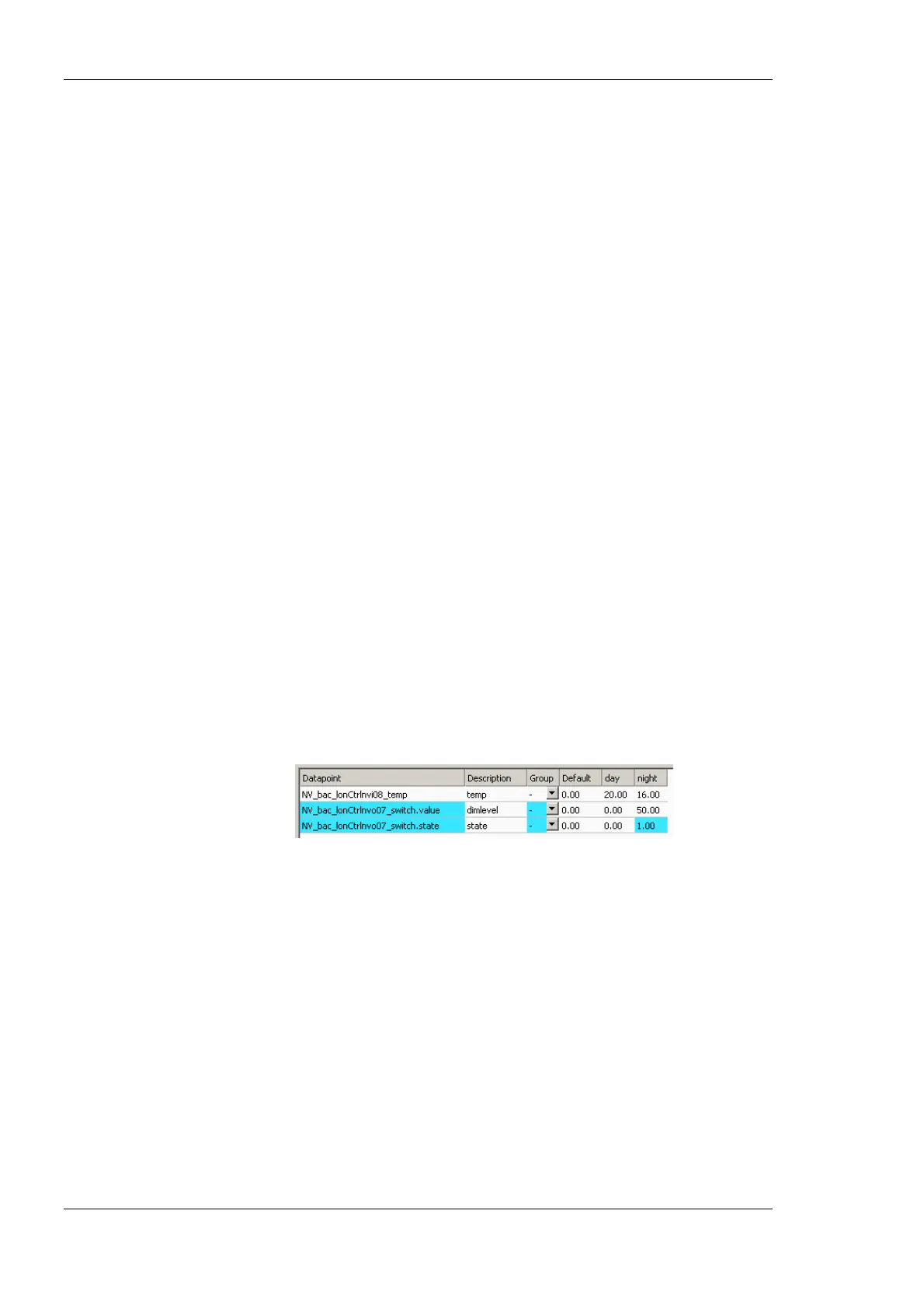
may consist of more than one element. For example, a CEA-709 scheduler might schedule
a SNVT_temp and a SNVT_switch and have 3 elements in each value preset as depicted in
Figure 44.
Figure 44: Example value presets in CEA-709 schedulers.
Priorities of exception days in a CEA-709 scheduler range from 0 (the highest) to 126 (the
lowest). The value 127 is reserved as a default for weekdays.
Further, the implementation as L
ONMARK standard objects requires the use of
configuration properties. If the number of CEA-709 schedulers or their capacities for daily
schedules and value presets is changed, the resource and static interface of the CEA-709
port changes. The resources reserved for L
ONMARK calendar and scheduler objects can be
changed in the project settings (see Section 6.3.4). When downloading a project, the
software verifies if sufficient resources have been configured. If it detects a problem, the
user is notified to update the project settings. The Auto-Set feature automatically selects the
right amount of resources.
5.5.4 Limitations for CEA-709 Alarm Servers
Local CEA-709 alarming supports only one alarm server object. This alarm server object is
represented by the device’s L
ONMARK node object and facilitates the SNVT_alarm2 output



 To Next Page