L-Gate User Manual 13 LOYTEC
Version 3.2 LOYTEC electronics GmbH
2 Quick-Start Guide
This Chapter shows step-by-step instructions on how to configure the L-Gate for a simple
network architecture, mapping CEA-709 network variables to BACnet server objects.
2.1 Hardware installation
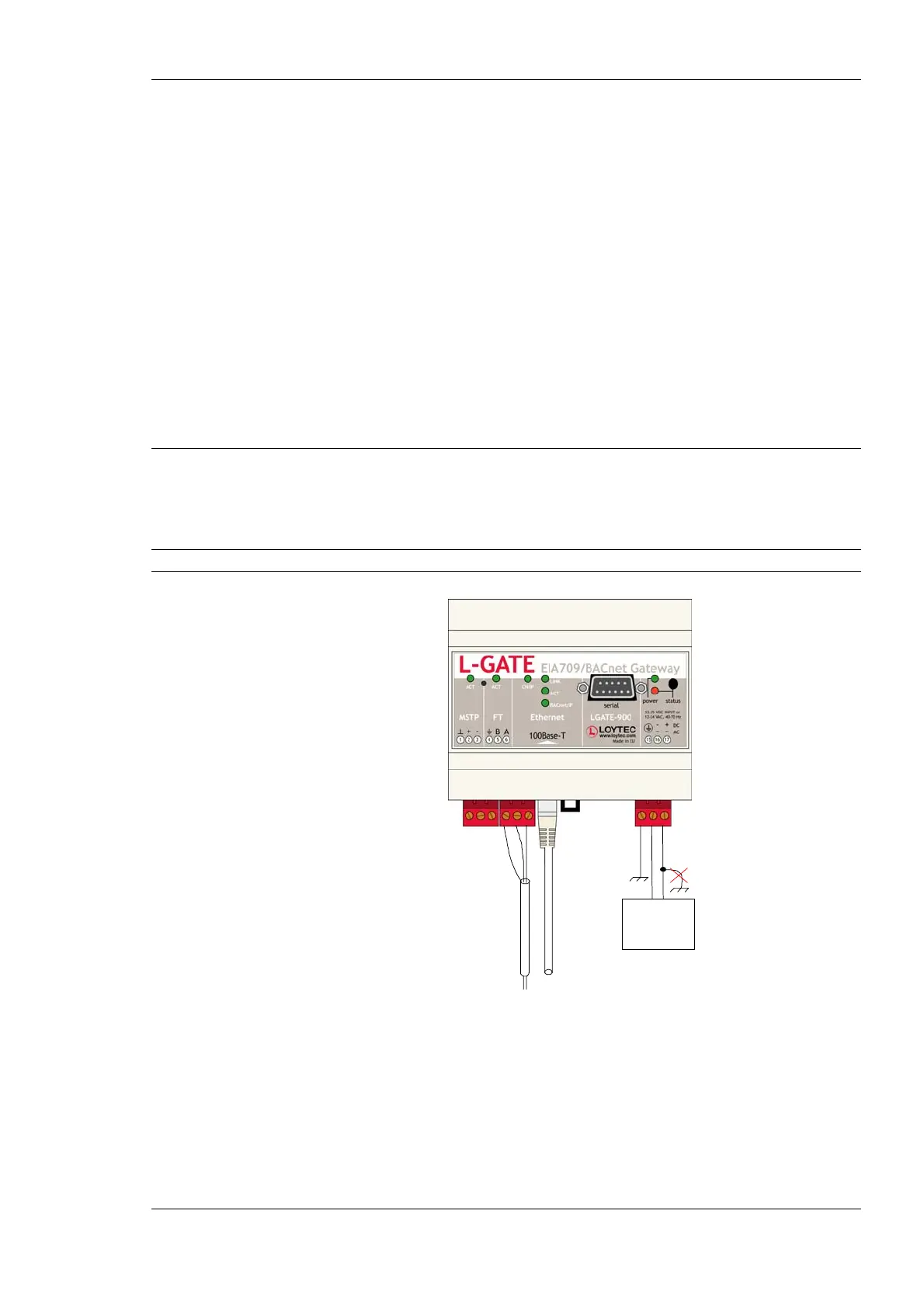
Connect power (12-35 VDC or 12-24 VAC), the CEA-709 network, and the Ethernet cable
as shown in Figure 1. More detailed instructions are shown in Chapter 3.
Important: Do not connect terminal 17 to earth ground!
Ethernet
Power Supply
Figure 1: Basic Hardware Installation
If the L-Gate is connected to a BACnet MS/TP network, the MS/TP network segment must
be properly terminated with an LT-04 network terminator connected at each of the two
ends of the segment media.



 To Next Page