L-Gate User Manual 41 LOYTEC
Version 3.2 LOYTEC electronics GmbH
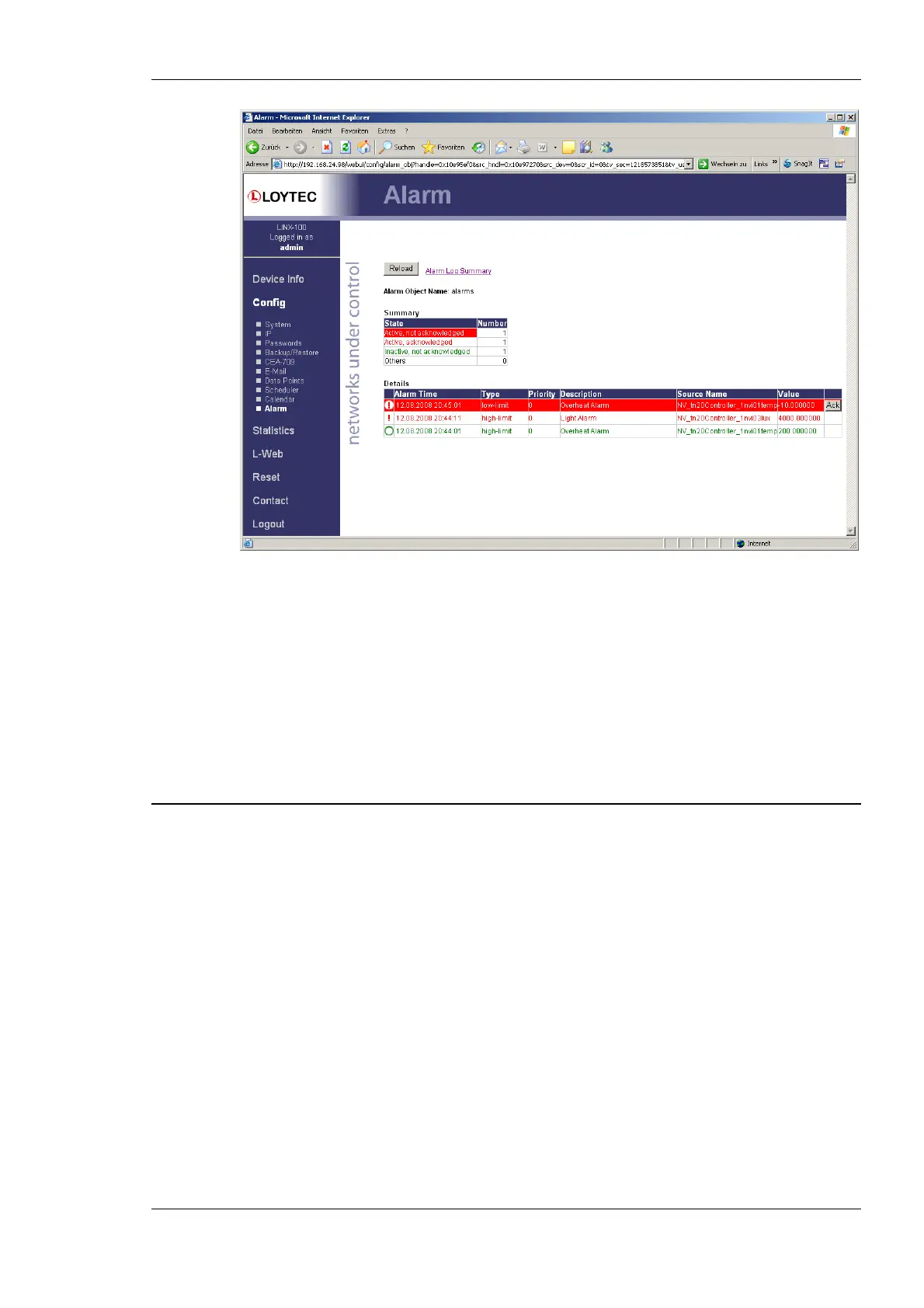
Figure 32: Alarm Summary Page
Active alarms are highlighted red. Inactive alarms which have not been acknowledged are
rendered in green. Alarms that can be acknowledged have an Ack button. Press on the Ack
button to acknowledge the alarm. Depending on the technology, this and older alarm
records will be acknowledged. Acknowledged, active alarms are rendered in red. Click on
Reload to refresh your alarm list.
Inactive alarms that have been acknowledged disappear from the list. To record historical
information about those alarms, the alarm log must be used. See Section 4.3.8 for the alarm
log Web interface.
4.3 Device Statistics
The device statistics pages provide advanced statistics information about the CEA-852
device, BACnet device, and the Ethernet interface.
4.3.1 System Log
The System Log page prints all messages stored in the system log of the device. An
example is shown in Figure 38. This log data is important for trouble-shooting. It contains
log entries for reboots and abnormal operating conditions. When contacting LOYTEC
support, have a copy of this log ready.



 To Next Page