L-Gate User Manual 67 LOYTEC
Version 3.2 LOYTEC electronics GmbH
that the data point contains sub-points. These can be structure members for structured
SNVTs. Clicking on the plus
sign expands the view.
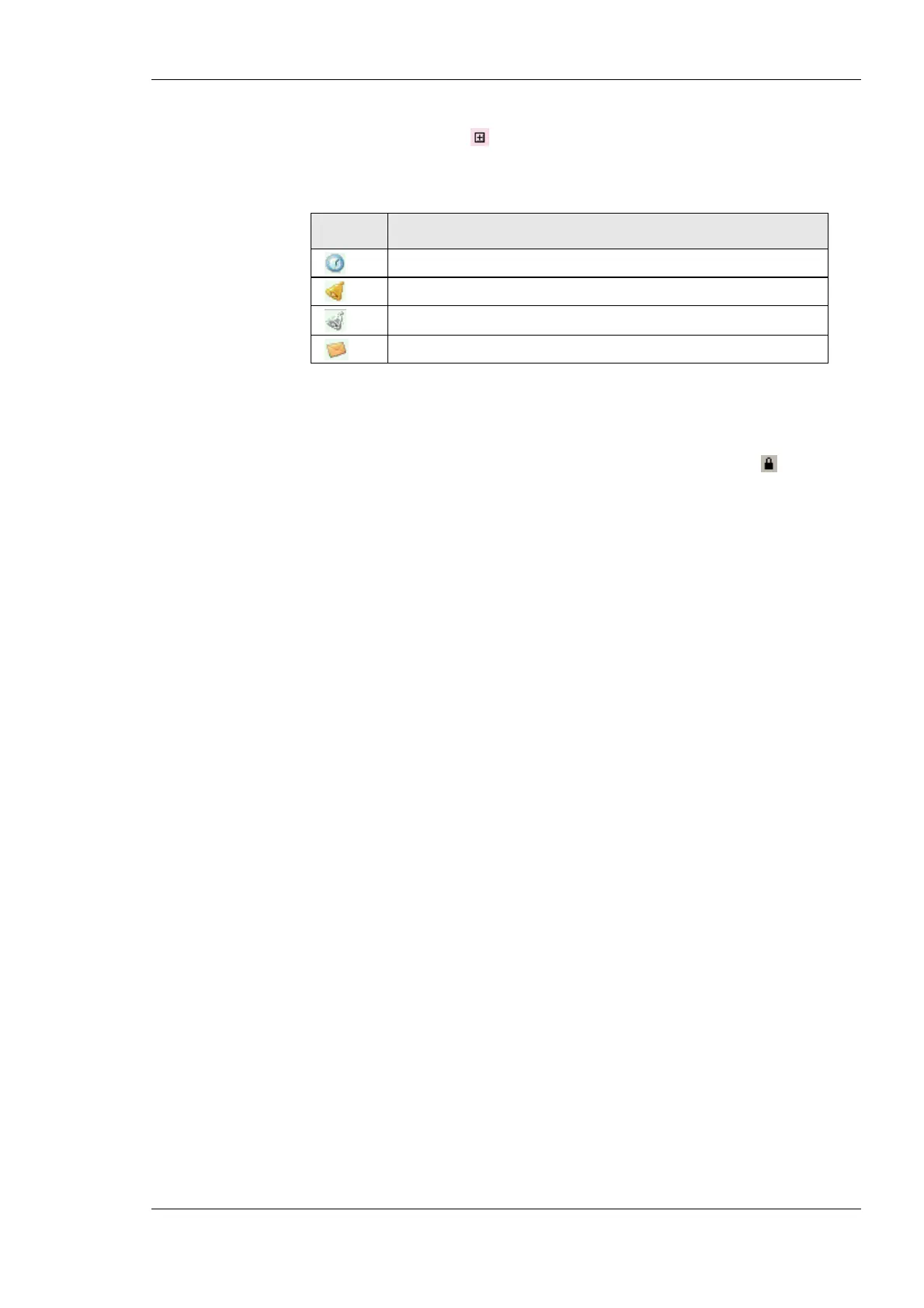
For the alarming, scheduling, trending (AST) features, there are columns, which display
icons for data points that are attached to an AST function. See Table 7 for details.
Icon Data Point Usage
Data point is scheduled
Data point has an active alarm condition
Data point has an inactive alarm condition.
Data point is a trigger for E-Mails
Table 7: Icons for used data points in the data point list view.
6.2.4 Property View
When one or multiple data points are selected, the available properties are displayed in the
property view. Properties which are read-only are marked with a lock
sign. When
applying multi-select, only those properties common to all selected data points are
displayed. Depending on the network technology and data point class, different properties
may exist.
Data point properties common to all technologies:
• Datapoint Name: This is the technology-independent data point name. This name may
be longer than and different to the name of the native communication object (i.e.,
network variable). Data point names must be unique within a given folder. The
maximum length is limited to 64 ASCII characters.
• Datapoint Path: This informational property specifies the entire path of the data point
within the data point hierarchy. The maximum length is limited to 64 ASCII
characters.
• Datapoint Description: This is a human-readable description of the data point. There
are no special restrictions for a description.
• Use Pollcycle value as: For input data points, this property defines whether the input
shall use a receive timeout or be constantly polling. See Section 5.2.2.
• Poll on Startup: For input data points this property defines, whether the data point
shall be polled once at start-up. Poll-on-startup can be enabled independently of the
poll cycle. See Section 5.2.2.
• Pollcycle: For input data points, this property defines the poll cycle in seconds. Set this
property to 0 to disable polling. See Section 5.2.2.
• Receive Timeout: For input data points, this property defines the receive timeout in
seconds. Set this property to 0 to disable polling. See Section 5.2.2.
• Min Send: For output data points, this property defines the min send time in seconds.
See Section 5.2.2.
• Max Send: For output data points, this property defines the max send time in seconds.
See Section 5.2.2.
• Send-on-delta: For output data points this property defines, if value updates shall be
sent only once they meet the COV condition of the data point. For analog data points
the analog COV increment is used. If not checked, updates are always transmitted
according to min and max send times. See Section 5.2.6.
• Use Linear Scaling: If this property is enabled, the analog values are pre-scaled from
the technology to the data point. This scaling is in addition to any technology-specific



 To Next Page