L-Gate User Manual 34 LOYTEC
Version 3.2 LOYTEC electronics GmbH
configured with the MS/TP max master configuration option. It must be unique within the
MS/TP channel. The baud rate on the MS/TP channel can be set to 9600, 19200, 38400,
and 76800 baud. It is strongly recommended to leave the MS/TP max info frames and the
MS/TP max master configuration options at their default settings.
4.2.10 BACnet BDT (Broadcast Distribution Table)
The BBMD function is only available on the L-Gate. The BBMD function is needed when
a BACnet/IP network spans over several IP subnets separated by IP routers. If the device is
configured as a BBMD (see Section 4.2.7), the BDT (Broadcast Distribution Table)
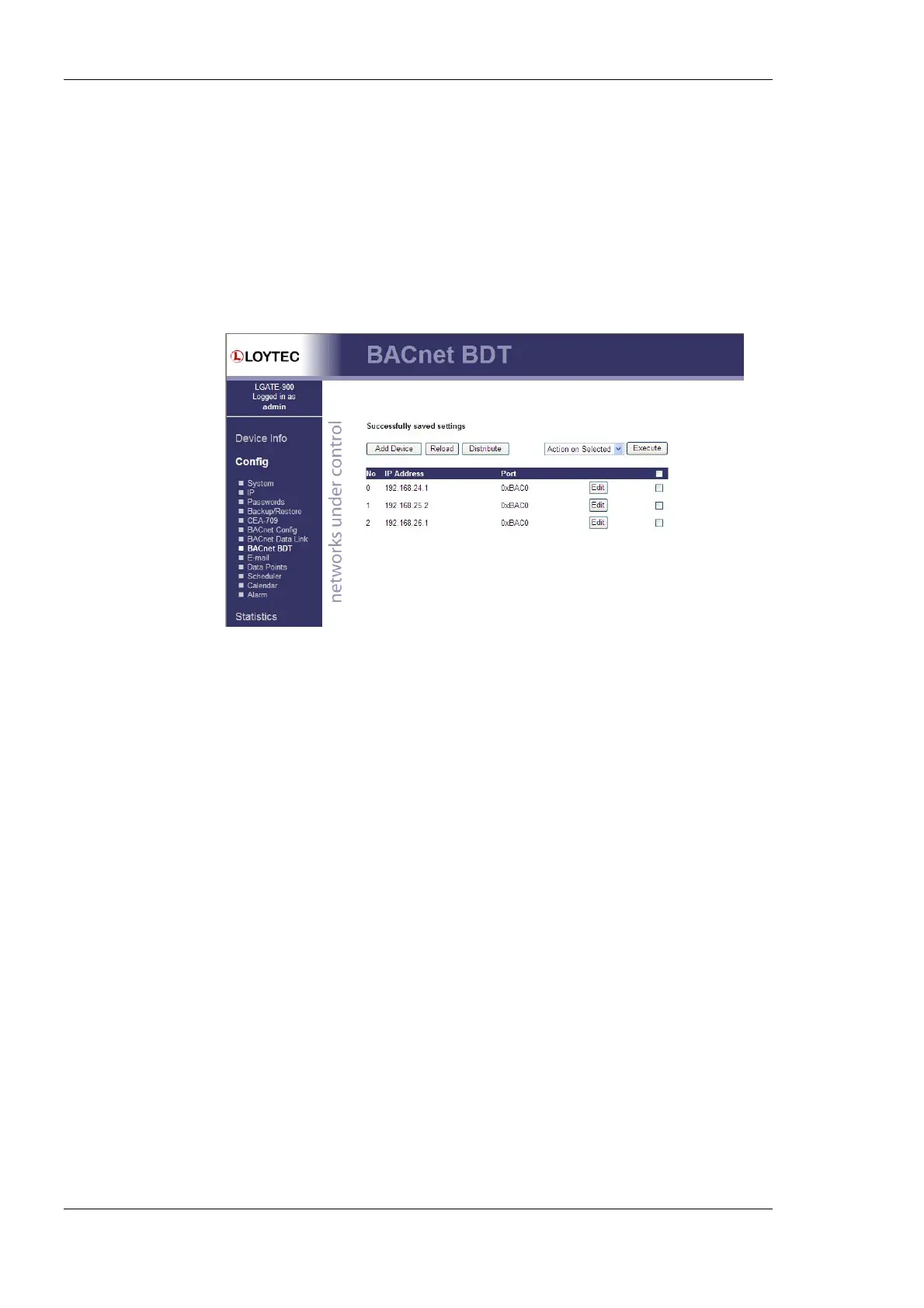
specifies all other BBMDs of the BACnet/IP network. The BDT is shown in Figure 23.
Figure 23: BACnet Broadcast Distribution Table.
By clicking Add Device new BBMDs (IP address and port) can be added. With Action on
Selected and selecting existing entries, certain BBMDs can be deleted again from the table.
To commit the finished table, device must be rebooted (see Section 4.4).
4.2.11 E-Mail Configuration
The Web interface provides the e-mail configuration page to set up an e-mail account,
which is used to send e-mails. The content and time when E-mails are sent is configured
through the Configurator software (see Section 6.11). The E-Mail configuration page is
shown in Figure 24.
In the field for the outgoing e-mail server, enter the SMTP server of your Internet provider.
Typically, the SMTP server port can be left at 25. In the field Source E-mail Address,
enter the e-mail address of the device’s e-mail account. In the field Source E-mail Sender
Name enter a name that the e-mail will display as the source name. Note, that only ASCII
characters are allowed in the name. If replies shall be sent to another e-mail address,
specify this in the Reply E-mail Address.
If the provider’s SMTP server requires authentication, enter the required user name and
password. Note, that only username/password is supported. SSL/TLS authentication is not
supported by the L-Gate (e.g., Hotmail, gmail cannot be used).
To verify the E-Mail configuration, reboot the device to let the changes take effect and
return to the E-Mail configuration page. Then press one of the Send Test E-Mail buttons.
Note, that a DNS server must be configured in the IP settings (see Section 4.2.4) to resolve
the E-Mail server host name. The Web UI displays a warning message at the top of the
page, if the DNS configuration is missing. Results of sending the test E-Mail are logged in
the system log for further analysis of an existing problem (see Section 4.3.1).



 To Next Page