L-Gate User Manual 124 LOYTEC
Version 3.2 LOYTEC electronics GmbH
5. For a BACnet alarm server, select the created object and edit the properties for
transition priorities (To-Normal, To-Fault, To-Offnormal) and the corresponding
check boxes, which define whether acknowledgements are required. These are the
standard BACnet settings in a Notification Class object.
6.13.2 Create an Alarm Condition
To generate alarms from data points, intrinsic reporting is used. For each data point an
alarm condition must be defined. This condition employs an intrinsic algorithm to generate
alarms based on the data point’s value. Depending on the data point type (analog, binary,
multi-state), different conditions are defined. The alarm is reported to the attached alarm
server. Currently, only BACnet data points can be configured with intrinsic alarm
conditions.
To Create an Intrinsic Alarm Condition
1. Select a data point.
2. Right-click and select Create Alarm Condition… from the context menu.
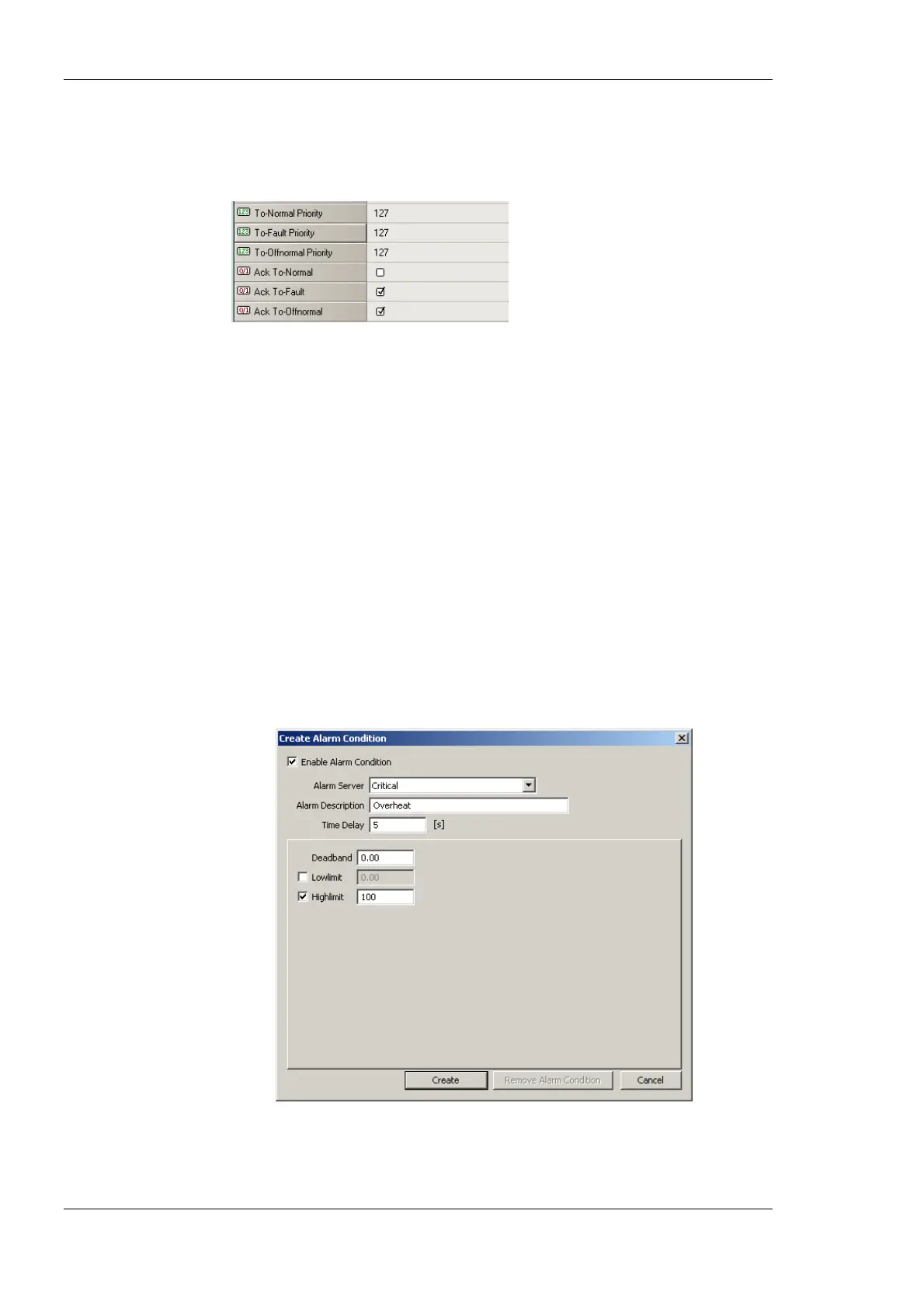
3. For an analog data point the dialog as shown in Figure 105 appears. Select the Alarm
Server. Optionally, enter an Alarm Description. If left empty, the description of the
data point is used. Enter a Time Delay, after which the condition is evaluated. Select
Low Limit and High Limit and put check marks, if they shall be employed. Enter a
Deadband, to account for hysteresis.
Figure 105: Alarm Condition for an Analog Data Point.
4. For a binary data point the dialog as shown in Figure 106 appears. Select the Alarm
Server. Optionally, enter an Alarm Description. If left empty, the description of the



 To Next Page