L-Gate User Manual 40 LOYTEC
Version 3.2 LOYTEC electronics GmbH
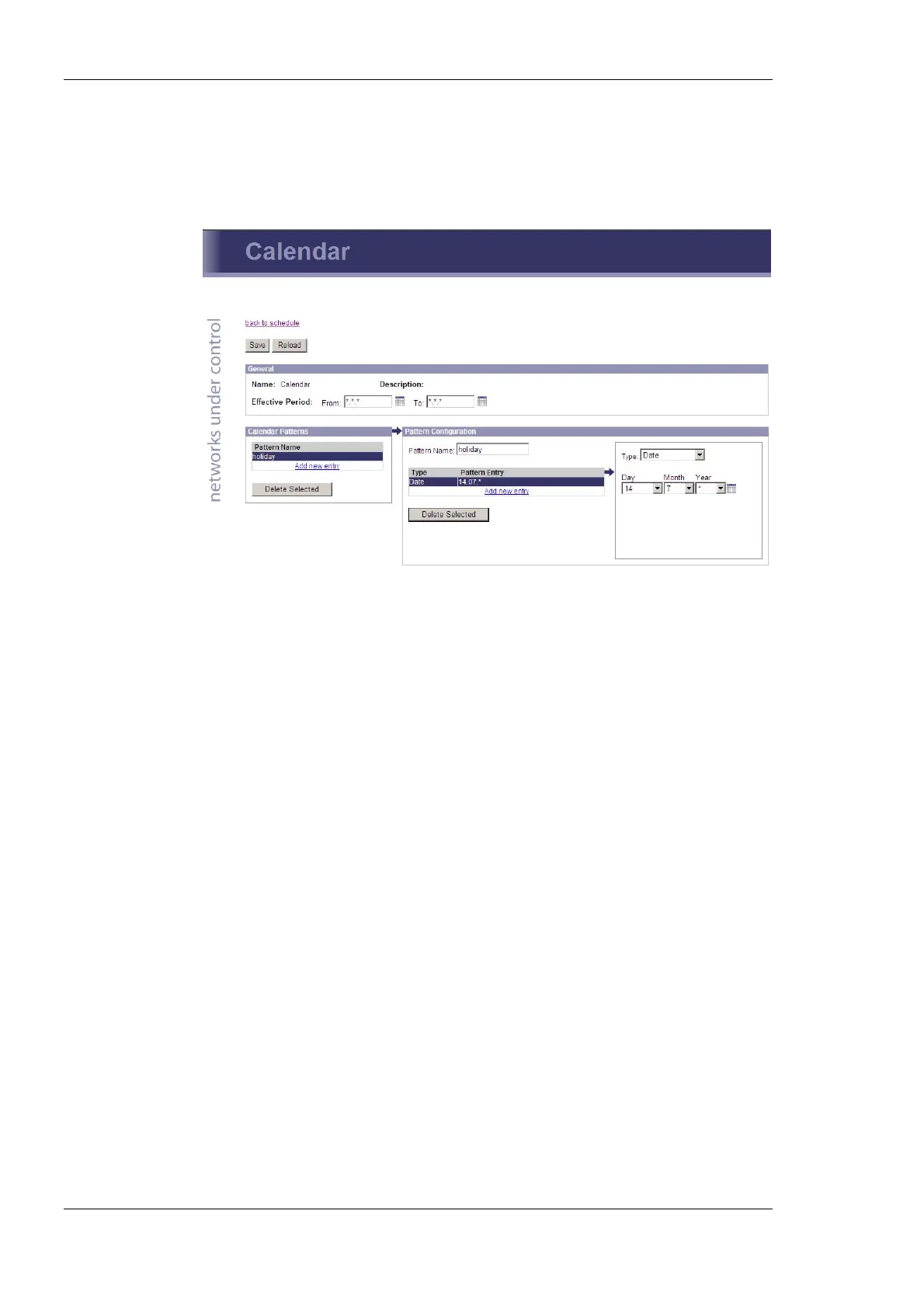
calendar to be edited. This opens the calendar configuration page. An example is shown in
Figure 31.
The effective period defines when this calendar shall be in effect. Leave From and To at
‘*.*.*’ to make this calendar always in-effect. Otherwise enter dates, such as ’30.1.2000’.
Figure 31: Calendar Configuration Page
On the remainder of this page work from left to right. Click on a calendar pattern or create
a new calendar pattern by clicking Add new entry. A calendar pattern defines a set of
pattern entries, which defines the actual dates or date ranges. In the example in Figure 31
the calendar pattern Holidays is selected.
In the Pattern Configuration box, the calendar pattern’s name can be edited. It also lists
the entries. New entries can be added by clicking Add new entry. Existing entries can be
selected and edited in the box on the right-hand side. In the example in Figure 31 the date
14.7.* is selected, which means “The 14.7. of every year”. Other entry types such as Date
Range and Week-and-Day can be selected. See Section 5.4.3 for more information about
defining exception dates.
4.2.16 Alarm
The Web interface provides the alarm page to view the currently pending alarms of its
alarm data points. The alarm main page displays all available alarm data points. Alarm
objects which have active alarms are displayed in red. Click on the alarm object to be
viewed. This opens the alarm summary page. An example is shown in Figure 31.



 To Next Page