L-Gate User Manual 134 LOYTEC
Version 3.2 LOYTEC electronics GmbH
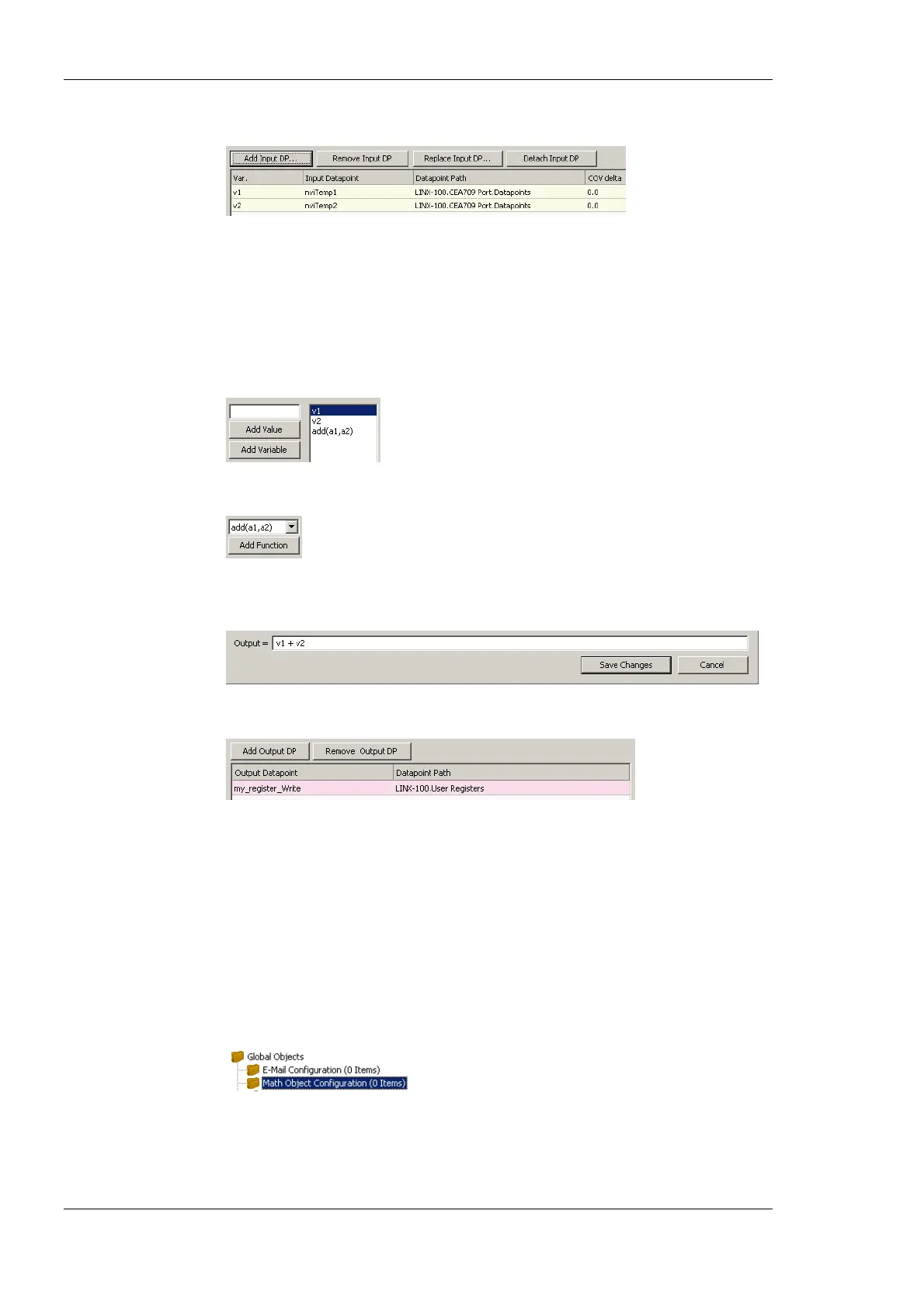
4. Attach input data points by clicking the Add Input DP button.
5. In the data point selector dialog, select the input data points and click OK. The data
points appear as v1, v2, etc.
6. If the data point shall trigger the math calculation only after a certain change-of-value,
enter a value into the COV delta column.
7. Select the input data point and click Add Variable to push the variable on the
evaluation stack.
8. Select a function to be applied on the variables and click the Add Function button.
9. The resulting formula is displayed at the bottom of the dialog. Alternatively, the
formula can be entered there.
10. Add output data points by clicking the Add Output DP button.
11. In the data point selector dialog select the output data points and click OK.
12. To create the math object click Create.
6.16.2 Editing a Math Object
Math objects can be edited once created. The formula can be changed, new variables
added, or additional output data points added.
To Edit a Math Object
1. Under the Global Objects folder, select the Math Object sub-folder.



 To Next Page