L-Gate User Manual 32 LOYTEC
Version 3.2 LOYTEC electronics GmbH
Also note that entering the MD5 secret on the Web interface may pose a security risk.
Since the information is transmitted over the network it can be subject for eavesdroppers on
the line. It is recommended to either use a cross-over cable.
In the field Location string the user can enter a descriptive test which identifies the
physical location of the L-Gate. A location string can have a maximum length of 255
characters. This is optional and for informational purposes only.
If the CEA-852 device on the L-Gate is used behind a NAT router, the public IP address of
the NAT router or firewall must be known. To automatically detect the NAT address leave
the Auto-NAT checkmark enabled.
The Multicast Address field allows the user to add the CEA-852 device of the L-Gate into
a multi-cast group for the CEA-852 IP channel. Enter the channel’s IP multi-cast address
here. Please contact your system administrator on how to obtain a valid multi-cast address.
To learn when it is beneficial to use multi-cast addresses in your channel please refer to the
L-IP User Manual [1].
4.2.7 BACnet Configuration
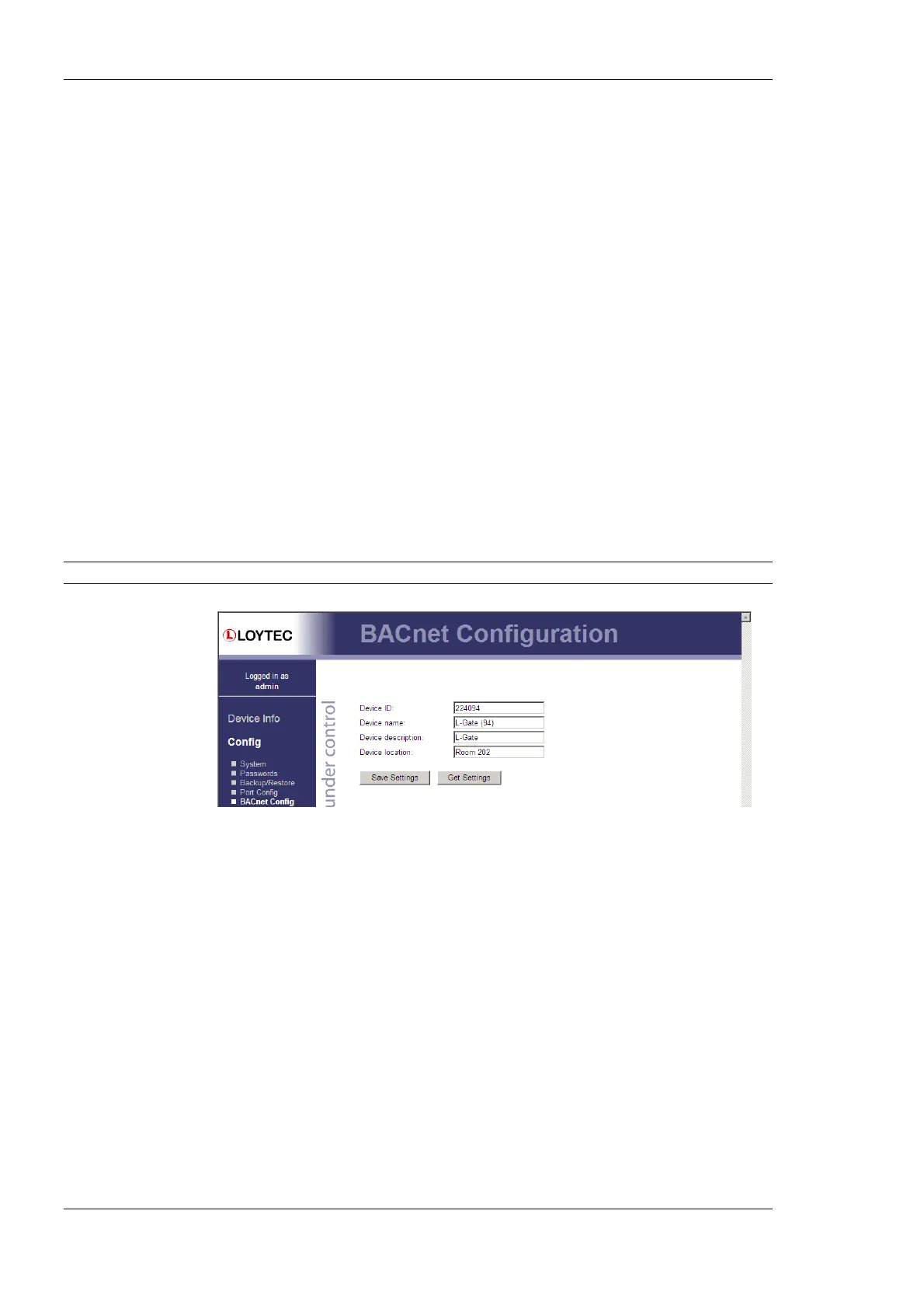
Figure 20 shows the BACnet device configuration page. This configuration page allows
setting the Device ID, which is the instance part of the Object_Identifier property of the
BACnet Device object. The field Device name holds the name of the BACnet device
object (property Object_Name).
Important: The device ID and device name must be unique within the BACnet internetwork.
Figure 20: BACnet Device Configuration.
Further, the description and location can be configured. These configuration items
correspond to the properties Description, and Location respectively of the BACnet Device
object.
On the settings for BACnet/IP refer to Section 4.2.8. For configuring the MS/TP data link
refer to Section 4.2.9.
4.2.8 BACnet/IP Configuration
The BACnet/IP protocol is available on the Ethernet port. To enable BACnet/IP on the
device, select the BACnet/IP checkbox on the Ethernet tab of the port configuration page.
Please note that on device models without a router, the BACnet MS/TP protocol on other
ports will be disabled (e.g., LINX-200, L-Gate).
The BACnet/IP protocol settings are displayed in the settings box on the right-hand side as
shown in Figure 21. If the BACnet/IP network uses a non-default UDP port number other
than 47808/0xBAC0, enter this port in the BACnet/IP port field. Enter ‘0’ in this field for
switching back to the default setting.



 To Next Page