L-Gate User Manual 29 LOYTEC
Version 3.2 LOYTEC electronics GmbH
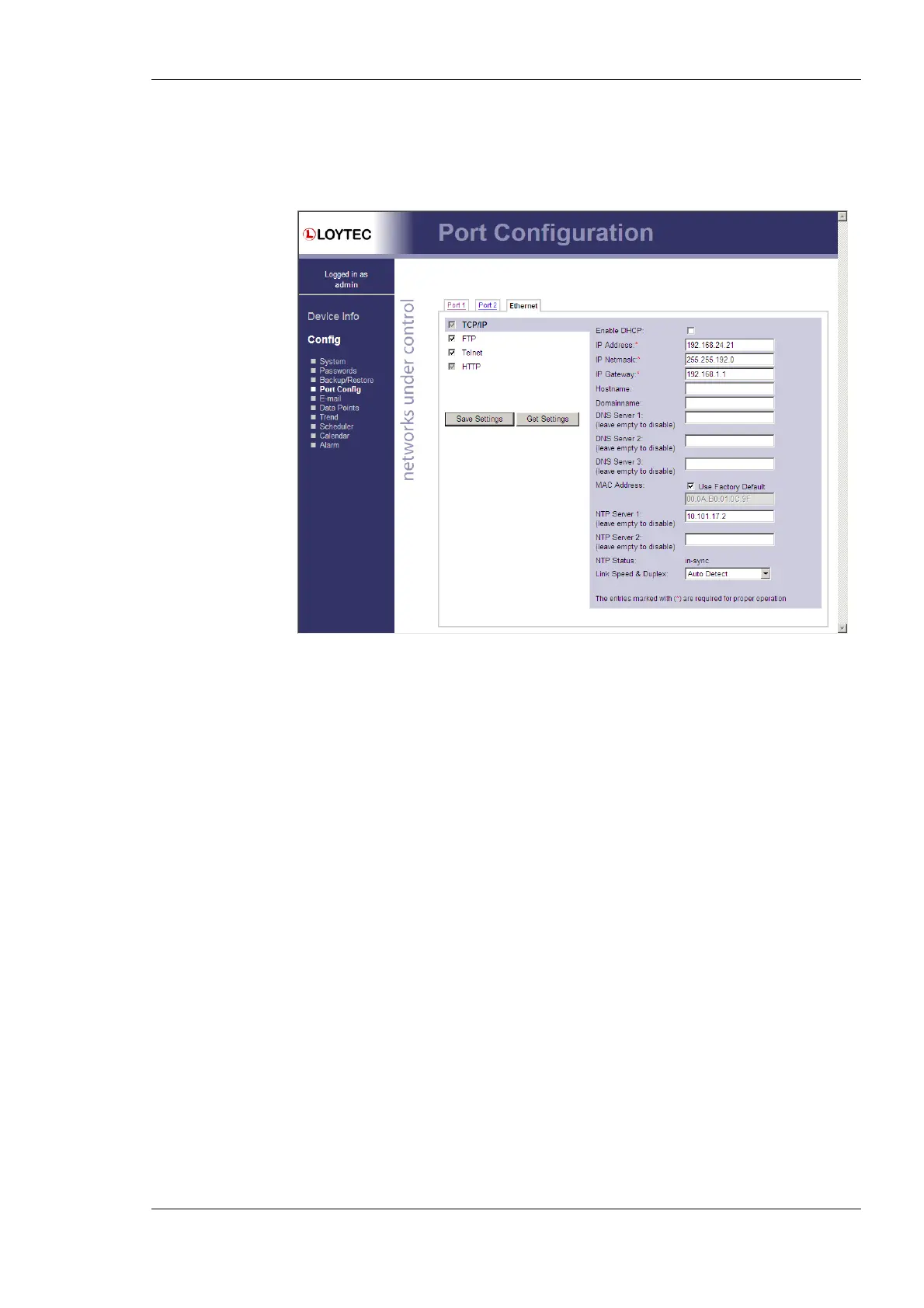
Hostname and Domainname are optional entries and can be left empty. For some DHCP
configurations it may be necessary to enter a hostname. Please contact your system
administrator on how to configure DHCP to acquire an IP address. Further, you can
configure up to 3 Domain Name Servers.
Figure 16: IP Configuration Page with DHCP disabled
The device comes configured with a unique MAC address. This address can be changed in
order to clone the MAC address of another device. Please contact your system
administrator to avoid MAC address conflicts.
The device can be configured to synchronize its clock with NTP time. Enter the IP address
of a primary and, optionally, a secondary NTP server. The L-Gate will use NTP as a time
source if the time sync source in the system configuration page is set to NTP (see Section
4.2.1). The field NTP status below the NTP server settings displays the current NTP
synchronization status (out-of-sync, or in-sync).
If the L-Gate is operated with a 10Mbit/s-only hub, the link speed should be switched from
Auto Detect to 10Mbps/Half-Duplex. With modern 100/10Mbit/s switches this setting
can be left at its default.
Other standard protocols that are bound to the Ethernet interface are FTP, Telnet, and
HTTP (Web server). By deselecting the checkbox, those protocols can be individually
disabled. The standard UDP/TCP ports can be changed in the respective protocol settings.
An example for the FTP server is shown for FTP in Figure 17. The FTP server is used for
instance to update the firmware (see Section 9.1) or to upload a new data point
configuration. Note that HTTP for the Web server can only be disabled on the console
interface or by using the device configuration of the Configurator.



 To Next Page