L-Gate User Manual 78 LOYTEC
Version 3.2 LOYTEC electronics GmbH
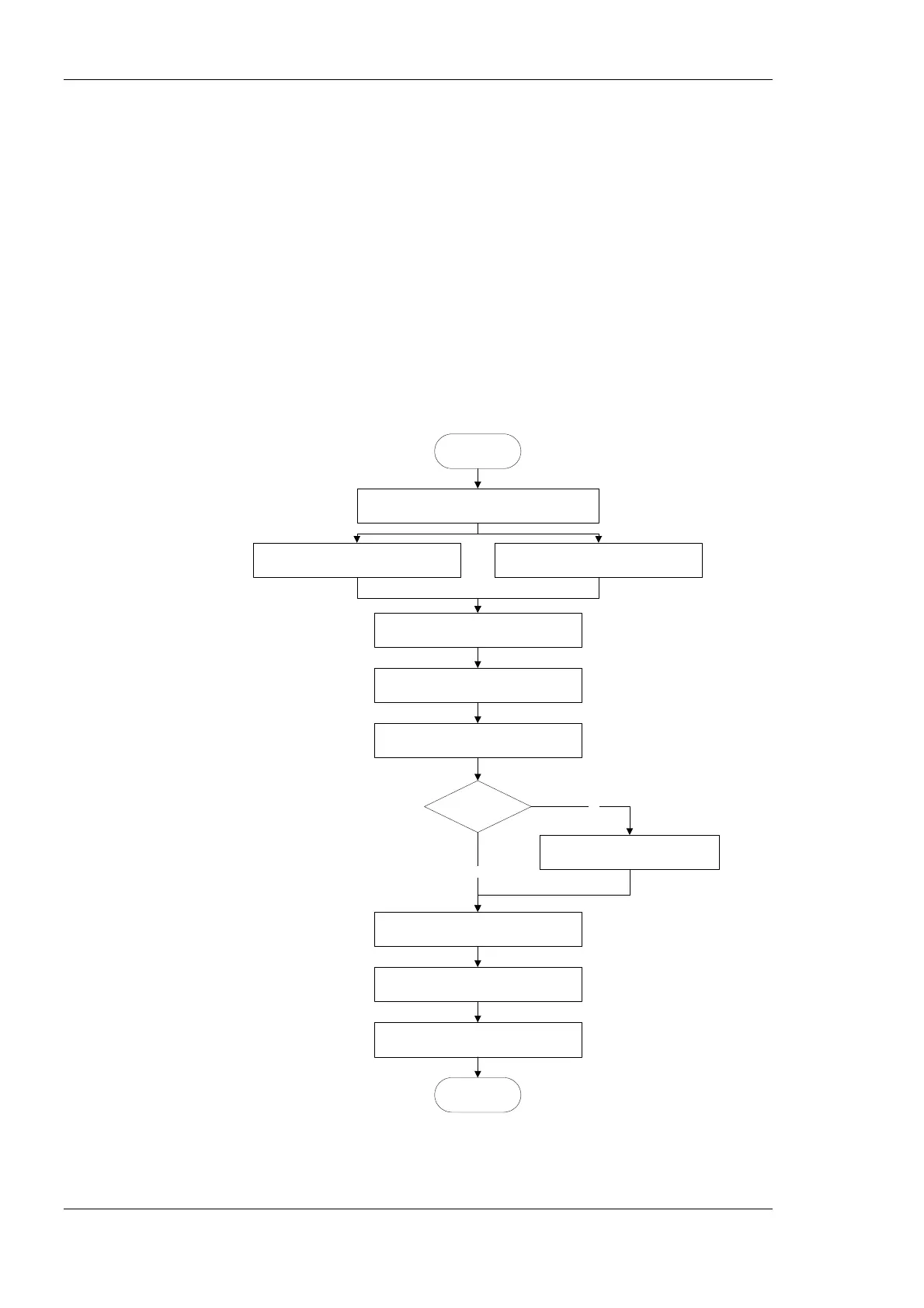
Start the L-Gate Configurator in stand-alone mode and connect to the L-Gate via the FTP
method (see Section 6.7.2). In the Configurator import data points from a CSV import file
(see Section 6.7.5) or scan a CEA-709 network online (see Section 6.7.6). Select the NVs
that the L-Gate shall expose to BACnet (see Section 6.7.7). For the NVs used on the
L-Gate select the “static NV” allocation type (see Section 6.7.8). Alternatively, you can
create static NVs manually (see Section 6.7.9).
For network management tools, which do not support the ECS (enhanced command set)
network management commands, the legacy network management mode must be
configured (see Section 6.7.15). Please contact the tool’s vendor for information whether
ECS is supported or not.
Generate BACnet objects and connections from the used NVs (see Section 6.7.11).
Download the configuration onto the L-Gate (see Section 6.7.13). Finally, export a XIF file
(see Section 6.7.14). It is recommended to save the complete configuration to a disk file for
being able to replace an L-Gate in the network.
Start the Configurator stand-alone
Section 6.7.2
Import network variables from file
Section 6.7.5
START
DONE
Download configuration to L-Gate
Section 6.7.13
Select NVs and use on L-Gate
Section 6.7.7
Create other static NVs manually
Section 6.7.9
Switch NVs to „static“
Section 6.7.8
Export XIF file
Section 6.7.14
Enable Legacy NM Mode
Section 6.7.15
Tool supports
ECS ?
yes
no
Scan NVs online from network
Section 6.7.6
Generate BACnet objects
Section 6.7.11
Figure 57: Basic design-flow without LNS using bindings.



 To Next Page