93
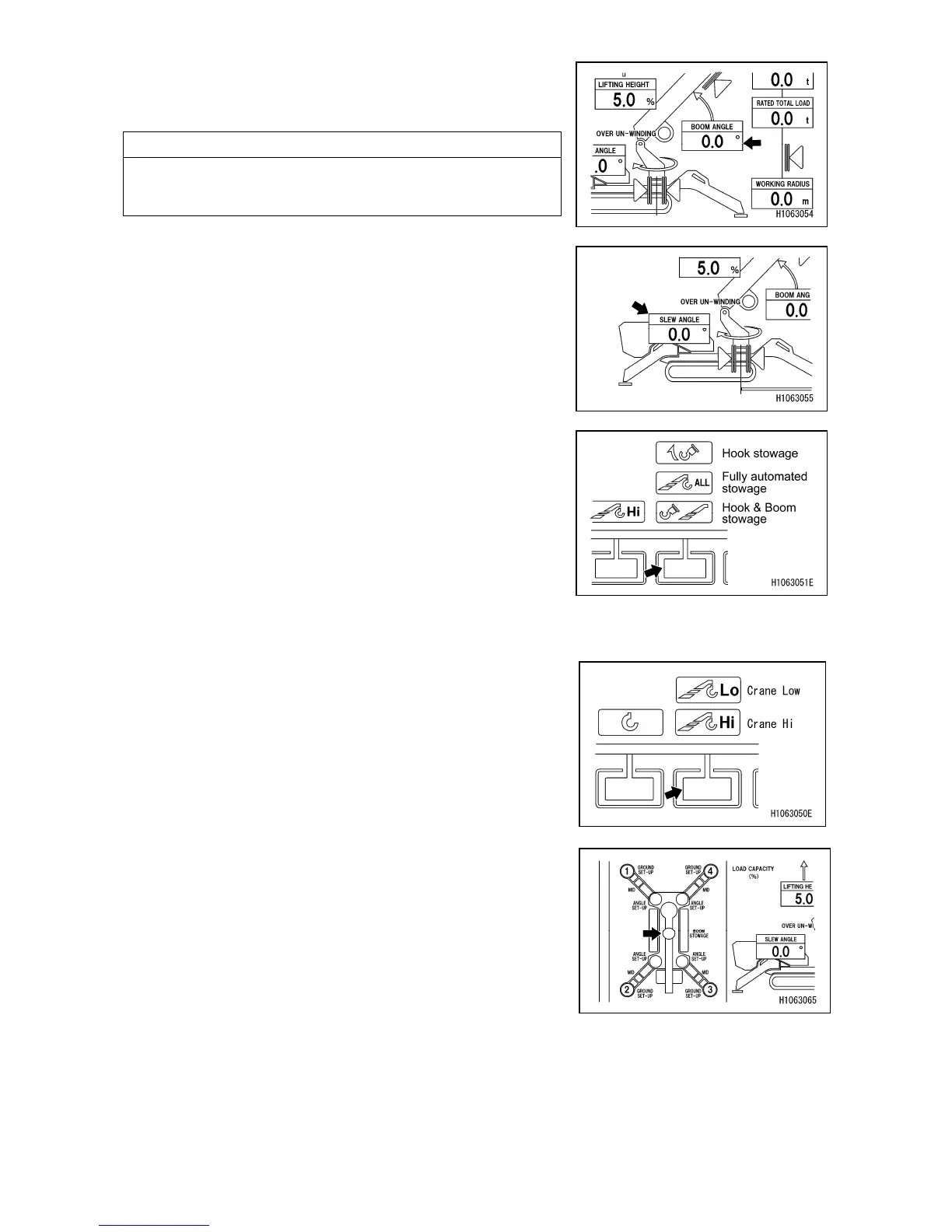
[18] Boom angle indication (BOOM ANGLE)
Continually displays the current boom angle during crane
operations.
NOTES
The boom angle refers to the angle which the boom forms
with the horizontal line.
[19] Slew angle indication (SLEW ANGLE)
Shows the current slewing angle when operating the
crane.
[20] Mode selector switch (3) (Hook stowage/Fully
automated stowage)
Use this switch to change the retracting operation of the
crane.
Push to display a pop-up screen. When the pop-up screen
appears, you can select the retracting operation of the
crane from “Hook stowage” or “Fully automated stowage”
with the pop-up select switch (up/down) or touch screen
operations.
[21] Mode selector switch (2) (Crane Hi/Low)
Use this switch to change the winding speed of the crane.
Push to display a pop-up screen. When the pop-up screen
appears, you can change the winding speed of the crane
between “Crane Hi” and “Crane Low” with the pop-up
select switch (up/down) or touchscreen operations.
[22] Crane stowage position
Illuminates in yellow when the crane is in stowed position.
The stowed state of crane is defined as below.
・Boom is fully retracted.
・Boom angle is 0°~3°.
・Slew angle is 0°~5.9°.



 To Next Page