171
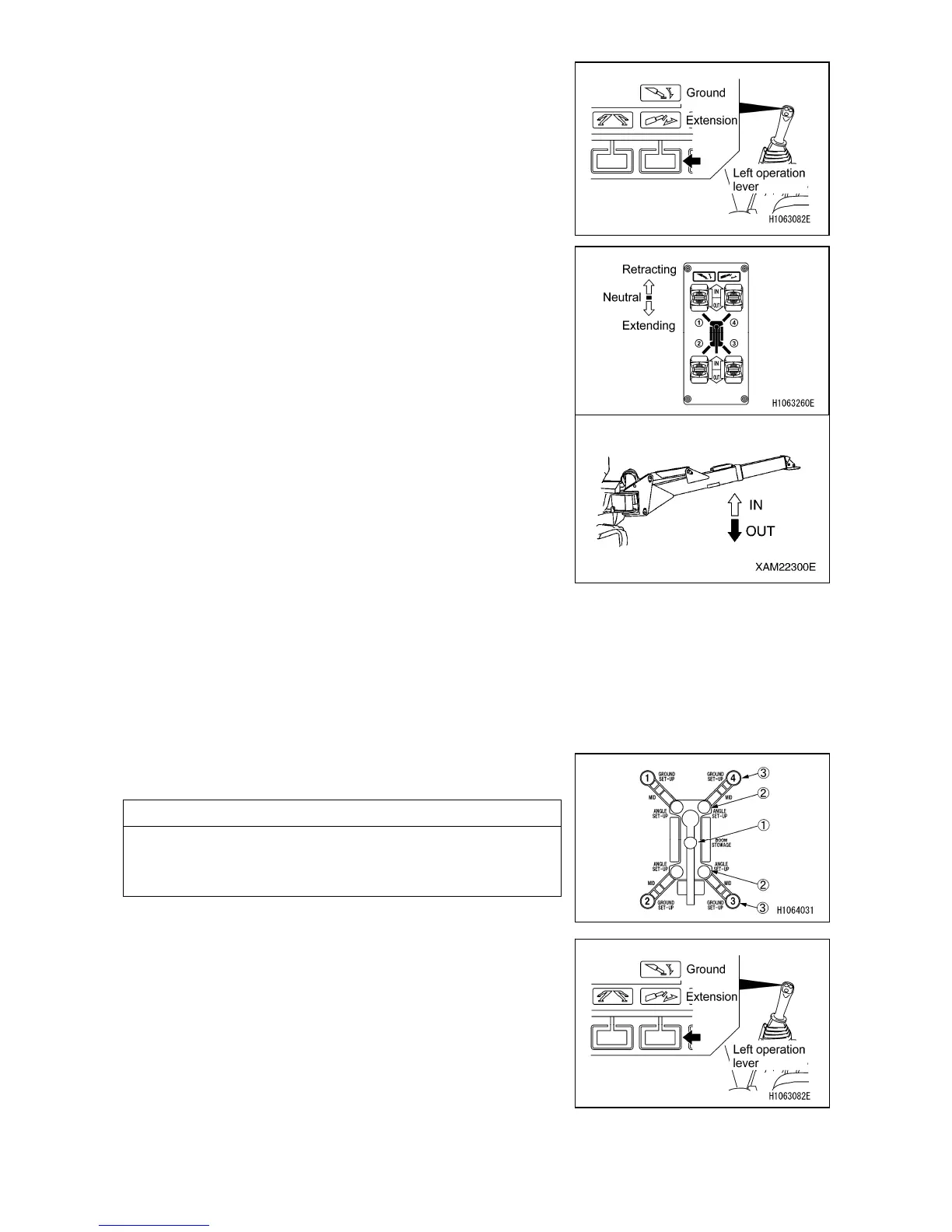
7. Select the Ground mode with the mode selector switch
(2) (Extension/Ground) in the monitor or the left control
lever.
8. Identify the outrigger to be operated by checking the
outrigger number shown on the operation nameplate
attached to each outrigger switch on the outrigger
operation panel.
9. Set the two outrigger switches individually or at the
same time to the “Retraction” position.
When the grounding cylinder begins to be retracted and
the machine starts lowering, set the switch to the
“NEUTRAL” position temporarily.
Repeat the above steps for the other two switches to
allow the four outriggers to lower the machine to a
certain height, and set the switches to the “NEUTRAL”
position temporarily.
Repeat this operation to gradually lower the machine
until the crawler belts are completely grounded.
10. After the right and left crawler belts come into complete
contact with the ground, press and hold two outrigger
switches, individually or simultaneously, to the “Retract”
position.
When the grounding cylinder has been completely
retracted and the top box is raised to the maximum
height, release your finger from the outrigger switch.
11. Make sure that the four outrigger grounding lamps (3)
on the outrigger indicator are blinking in red.
NOTES
On the monitor, the crane stowage lamp (1) is lit in yellow,
and the four outrigger extension lamps (2) and the four
outrigger grounding lamps (3) are blinking in red.
12. Select the extension mode by selecting the mode
change switch (2) (extension/grounding) within the
monitor, or operating the left lever.



 To Next Page