78
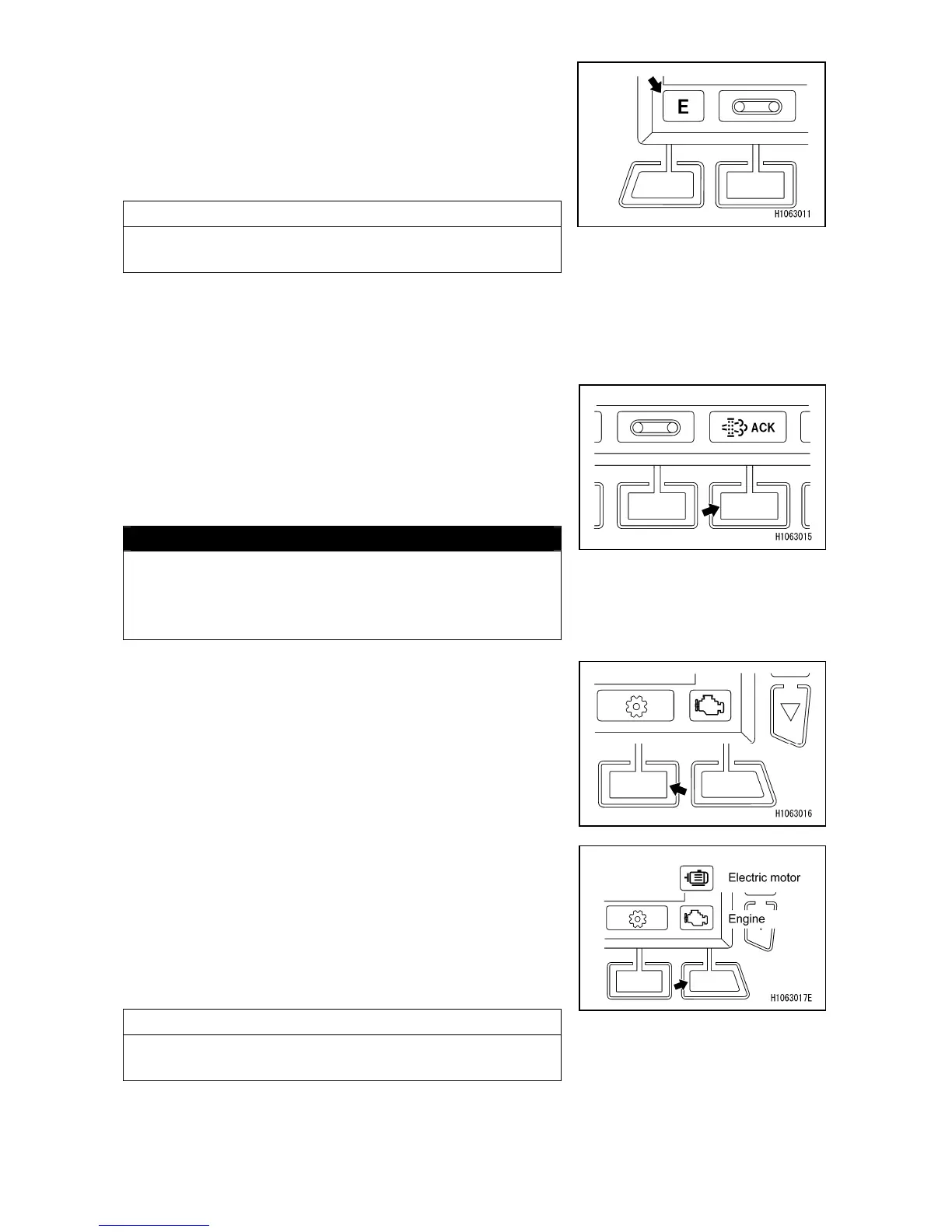
[5] Eco mode switch / Boom lift bypass switch
When Eco mode is selected, the upper limit for the engine
speed in crane mode is set, restricting the fuel
consumption.
・N : Normal Mode
・E : Eco Mode (setting upper limit for the engine speed)
NOTES
Note that Eco Mode can be selected only when the crane
is in Crane Mode.
While pushing the switch, or while touching the screen,
the boom raise restriction under overload condition is
canceled and you can raise the boom.
[6] DPF regeneration switch
If the DPF regeneration request lamp is lit, carry out DPF
regeneration by pressing the DPF regeneration switch.
For the procedures for regeneration, refer to
“OPERATION 2.27 DPF STATIONARY REGENERATION
METHOD” section.
CAUTION
The machine cannot be operated at all during DPF
stationary regeneration.
Regeneration takes about 25 to 30 minutes so
complete preparations before implementing
regeneration.
[7] Setting switch
Use this switch to change the current screen to the User
Initial Mode screen.
For details of the screen, refer to “OPERATION 1.2.1 [5]
MONITOR DISPLAY (USER INITIAL MODE)” section.
[8] Engine and electric motor switch
Use this to switch the power output source of the machine.
Pushing this switch when the starter switch is in the “ON”
position will display a pop-up screen. When the pop-up
screen appears, you can change the power source mode
between “Engine” and “Electric Motor” with the pop-up
select switch (up/down) or touchscreen operations.
CAUTION
The power source mode cannot be changed during
engine startup.



 To Next Page