(E) 7-21
7. Operation Method
LH71A / LH72
4. Touch sensor operations
Setting the datum point
Display
1 Press the key of the axis to be used.
The axis is selected by pressing the key. If no axis is
selected, all axes are switched simultaneously.
2 Press the key. (ABS lamp lights up.)
ABS mode is started.
If the ABS lamp goes out, press the key again.
3 Press the key.
The axis label flashes.
4 Press the key. (Flashes)
The touch sensor radius value flashes on the display.
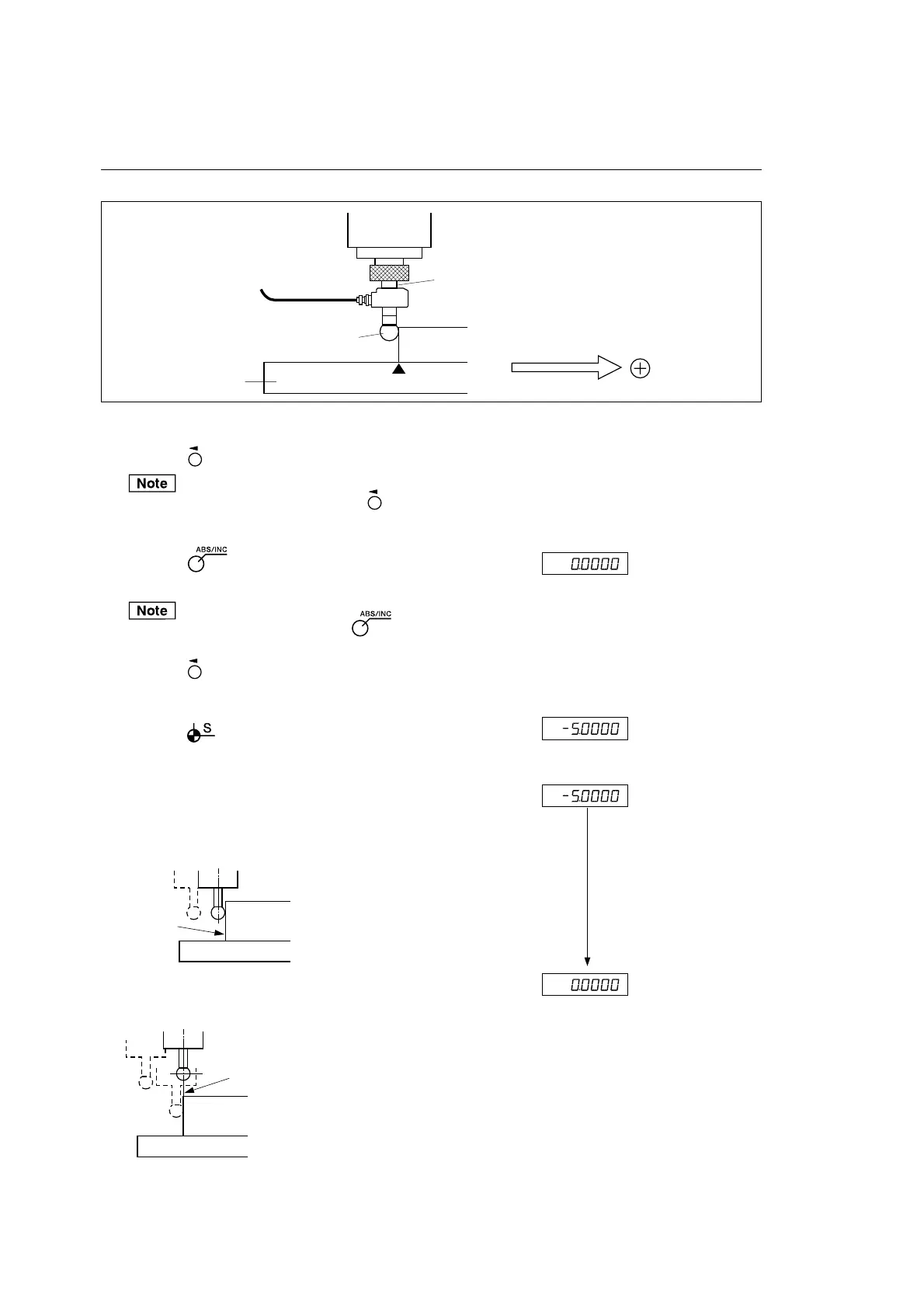
5 Touch the feeler ball of the touch sensor to the workpiece. Lights up
As soon as the workpiece is touched, a beep sounds and
counting is started.
6 Move the touch sensor. The position indicated as ”0” on the
display is the datum point.
Touch sensor
Shank
Workpiece
Spindle head
Machine table
Datum point
Direction of movement and polarity
Feeler ball
Contact
Workpiece
Datum point
Counting



 To Next Page