117 HD96-24-CC-TP User Manual
4. Deselect All – Clears all current selections.
5. Reset Matrix to Default – Sets the matrix back to zero. Use with caution!
6. Shout Out 1- 12 – Shout outs can be patched in the patching page. Long pressing a Shout Out button selects all shout in paths for quick level control
(horizontal selection).
7. Level – Adjusts the levels within the Matrix Mixer in by Absolute, Relative or Pass-thru mode. Maximum level into a shout out is 6 dB per shout in.
8. On – Turns selected shout sends on in the selected shout out path.
9. Unity – Sets the selected shout in sends to 0 dB with a long press.
Shout Inputs
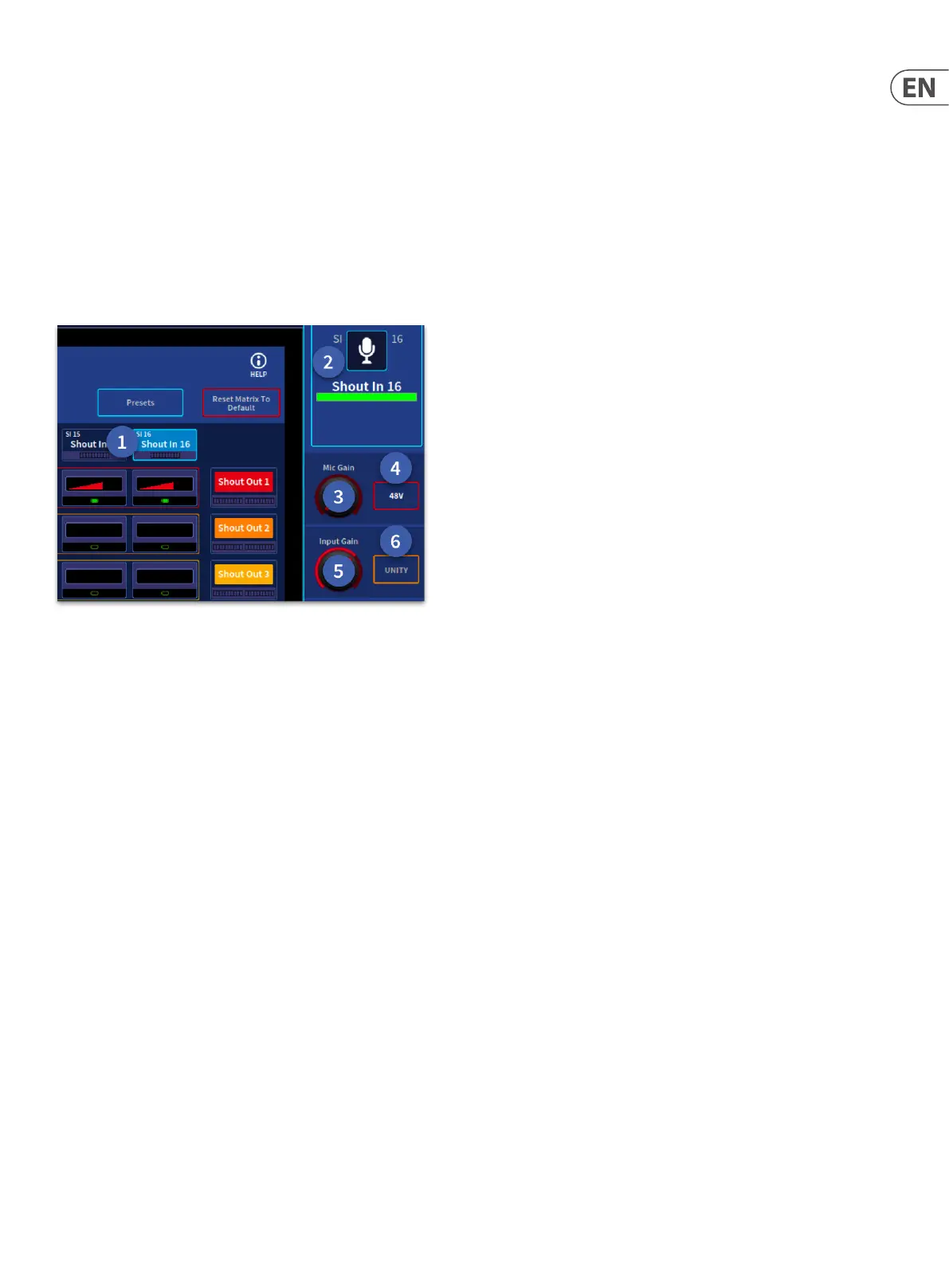
A shout input can be used to input a pre-amp or any output. The controls functions are listed below.
1. Shout In – When a shout in is selected, parameters can be accessed in the side bar. Metering of the input is displayed under the name.
2. Shout In Name – Here a Shout Input can be named, given an icon, change the colour and add tags in the same way as a regular channel.
3. Mic Gain – When patched to a microphone pre-amp the Mic Gain becomes available.
4. 48v – Add 48v Phantom power to the shout input when patched to a microphone pre-amp.
5. Input Gain - Trim the level of the post gain pre-amp signal from innity (∞) to 6 dB.
6. Unity – Sets trim to 0 dB with a long press.


 To Next Page
 Loading...