296 HD96-24-CC-TP User Manual
3. Add updates from a USB stick to the console.
4. Current available updates are listed here
5. Release notes for the currently selected update are shown here.
6. Install the selected update with a long button press.
7. Current software version.
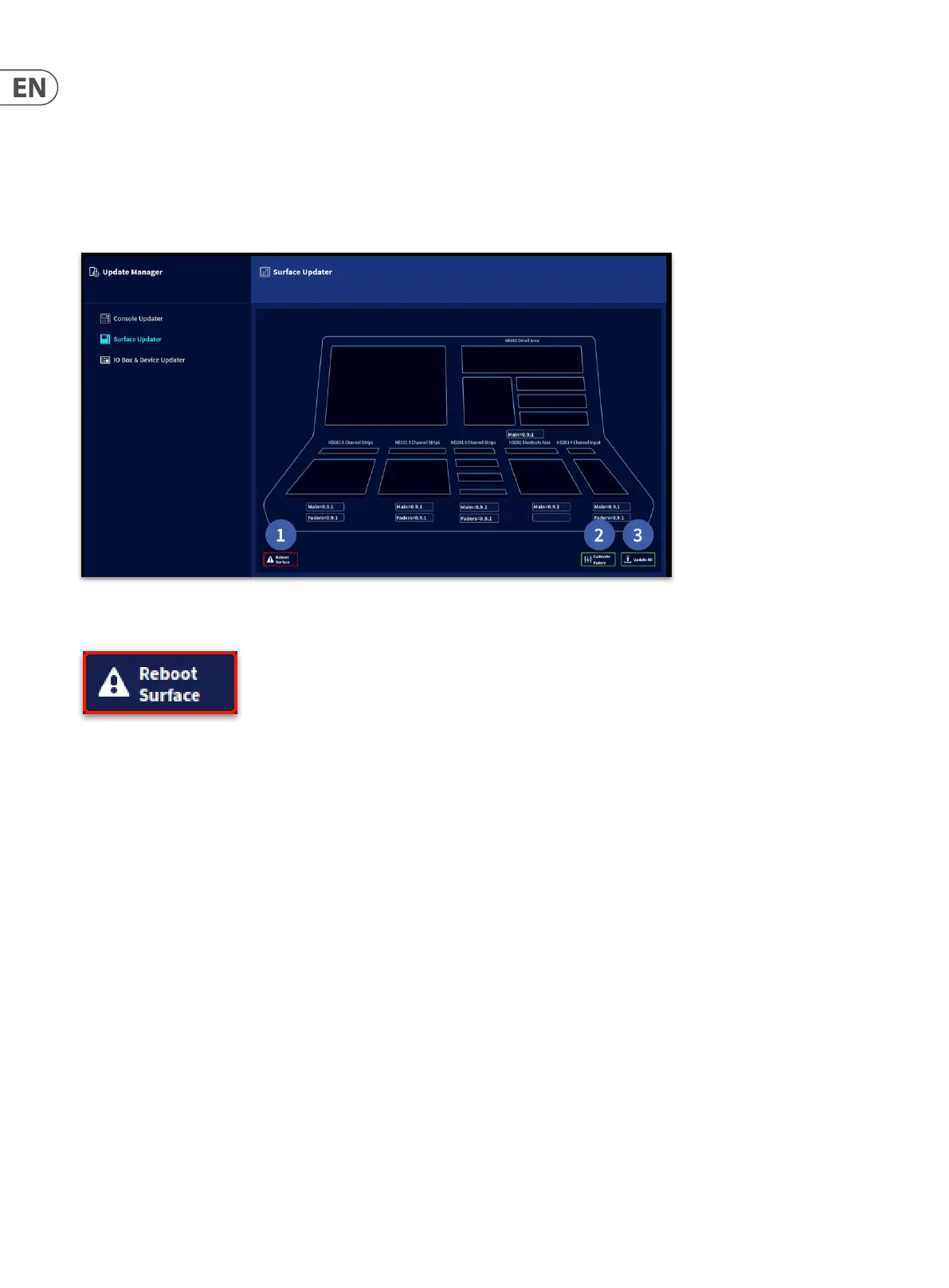
Surface Updater
1. Reboot surface - In the event of the Dream ow GUI freezing it is possible to restart the system. Audio will continue to pass during this process. A long press of
the Reboot Surface button is required to restart the surface.
2. Calibrate Faders - After a long button press the surface will enter fader calibration mode. The faders will then self-calibrate. This process takes a few minutes.
The calibration is nished once all faders have stopped moving.
3. Update All - This function updates all the surface boards if required. This update is only required if a board has been replaced within the console.


 To Next Page
 Loading...