130 HD96-24-CC-TP User Manual
Eect Sub-slots
Each slot in the eects rack has the ability to host up to 4 stereo eects if there is sucient DSP available depending on eect type chosen. For example, 4 stereo
R-comps can be used in 1 eects slot space.
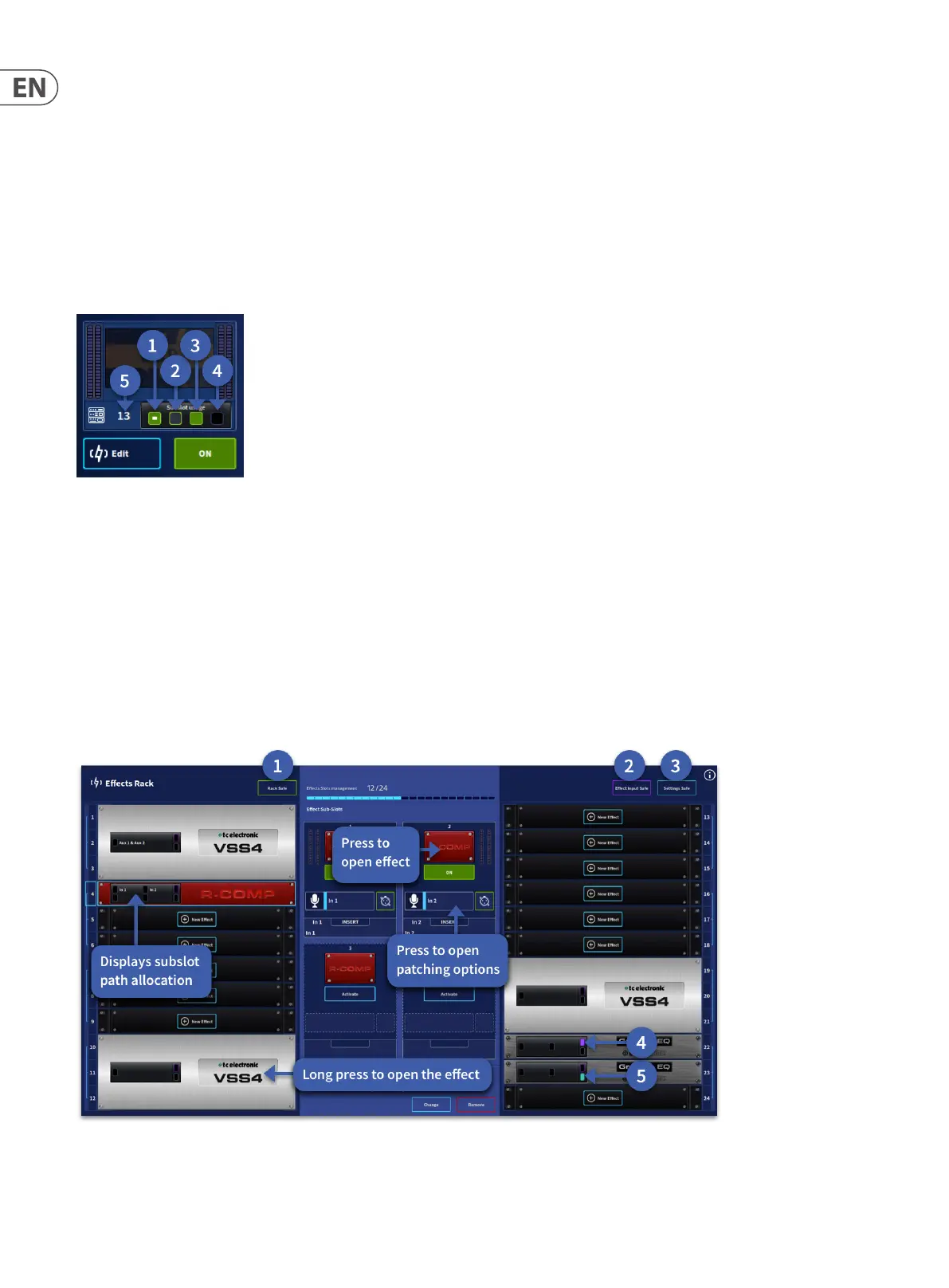
To indicate the status and of each sub-slot the following icons are used:
1. Eect is on. The white dot shows currently selected on the path in view.
2. Eect is assigned but not active.
3. Eect is on.
4. No eect assigned.
5. Eect slot position number
Eects Rack Safes
The Eects rack can be made “Safe” from certain parameter recall when using automation. Below is a description of how each function works:
1. Rack Safe – This “safes” the whole Eects rack from automation and stops any changes to eect types. Long press to engage. Press and hold to activate.
2. Eect Input Safe – This “safes” all input patching to eects. Eect returns need to be placed in safe mode independently via the channel cong page. Press and
hold, then select the eect(s) you wish to add to Patching Safe or select an eect then press Patching Safe.
3. Settings Safe – This “safes” any parameter changes to an eect if the same eect is used throughout all scenes. Note that if an eect is changed in a slot with
settings safe engaged, i.e. a delay to a reverb, the settings will change. Press and hold, then select the eect(s) you wish to add to Settings Safe or select an eect
then press Settings Safe.
4. Indicates a slot is in Eects Input Safe mode.
5. Indicates a slot is in Settings Safe mode.


 To Next Page
 Loading...