211 HD96-24-CC-TP User Manual
Chapter 21. Events (Automation)
This chapter shows you how to use the events of the HD96-24’s automation.
About Events
There are 3 types of event: Notes, Events and Global Events. Multiple events can be added to a scene. You can have any combination of each kind of event. You can
choose whether MIDI events are triggered via the HD96-24 surface or via connected I/O.
Notes: Each scene has a Notes area. This is the place to write information about that scene.
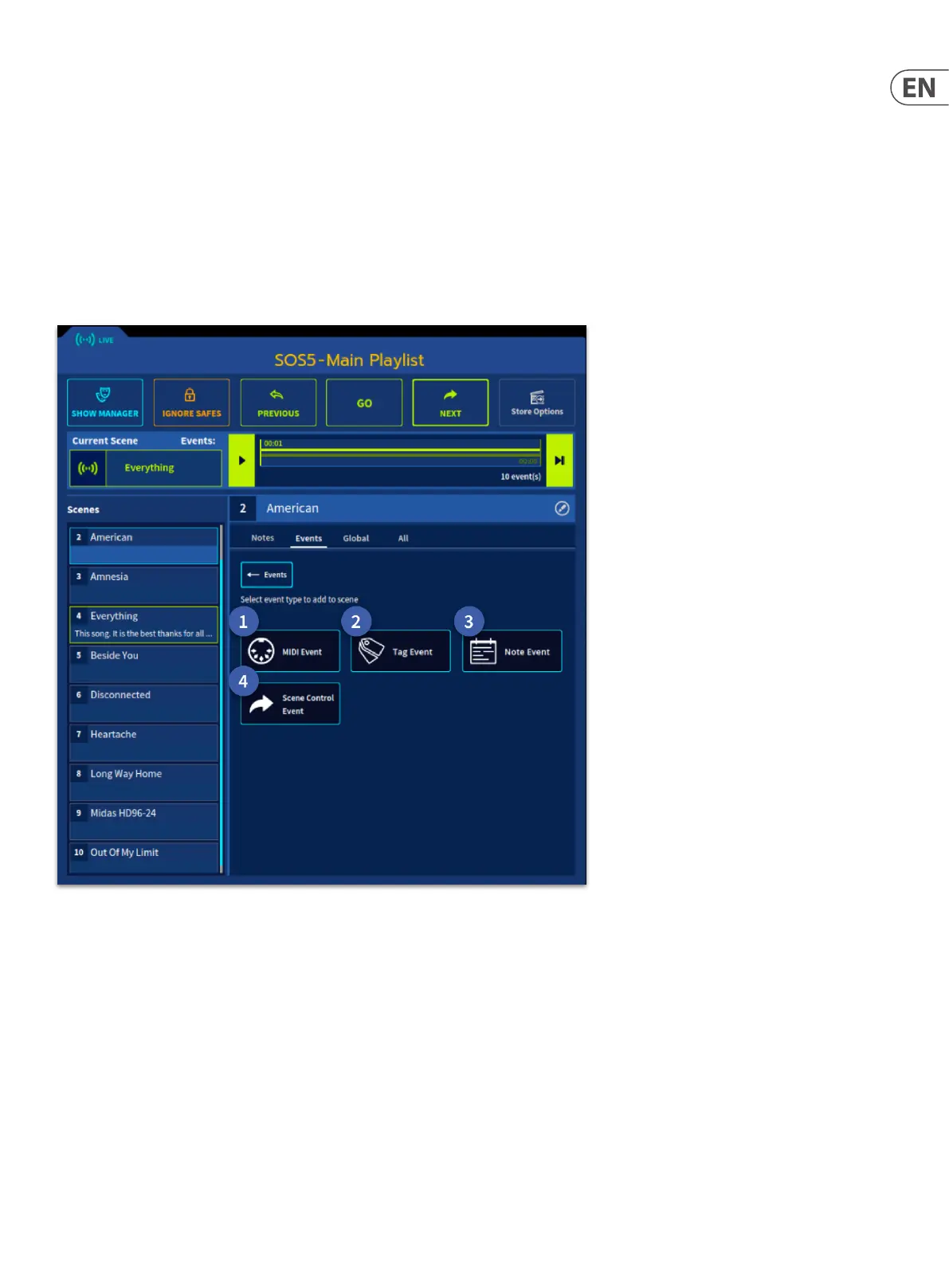
Events: There are 4 types of scene-based events that happen on a specic scene at a specic time if required. MIDI, TAG, NOTE or a Scene Control Event.
Global: There are 4 types of global-based events that happen every time any scene is red or can be delayed if required. MIDI, TAG, NOTE or a Scene Control Event.
ALL: Displays all events types, global and scene based.
The 4 event types, whether they are global or scene-based, control various dierent parameters as listed below:
1. MIDI Event - All dierent types of MIDI information can be sent or received.
2. Tag Event - Tagged channels can be controlled by Scene Recall or MIDI events.
3. Note Event - Notes can be displayed on scene recall or after a set time (Event Delay).
4. Scene Control Event - When a scene is recalled an action can be triggered, such as skipping to a later scene after certain amount of time.
Tip: There is no limit to the number of events that can be added to a scene.


 To Next Page
 Loading...