67 HD96-24-CC-TP User Manual
Adding new I/O Devices
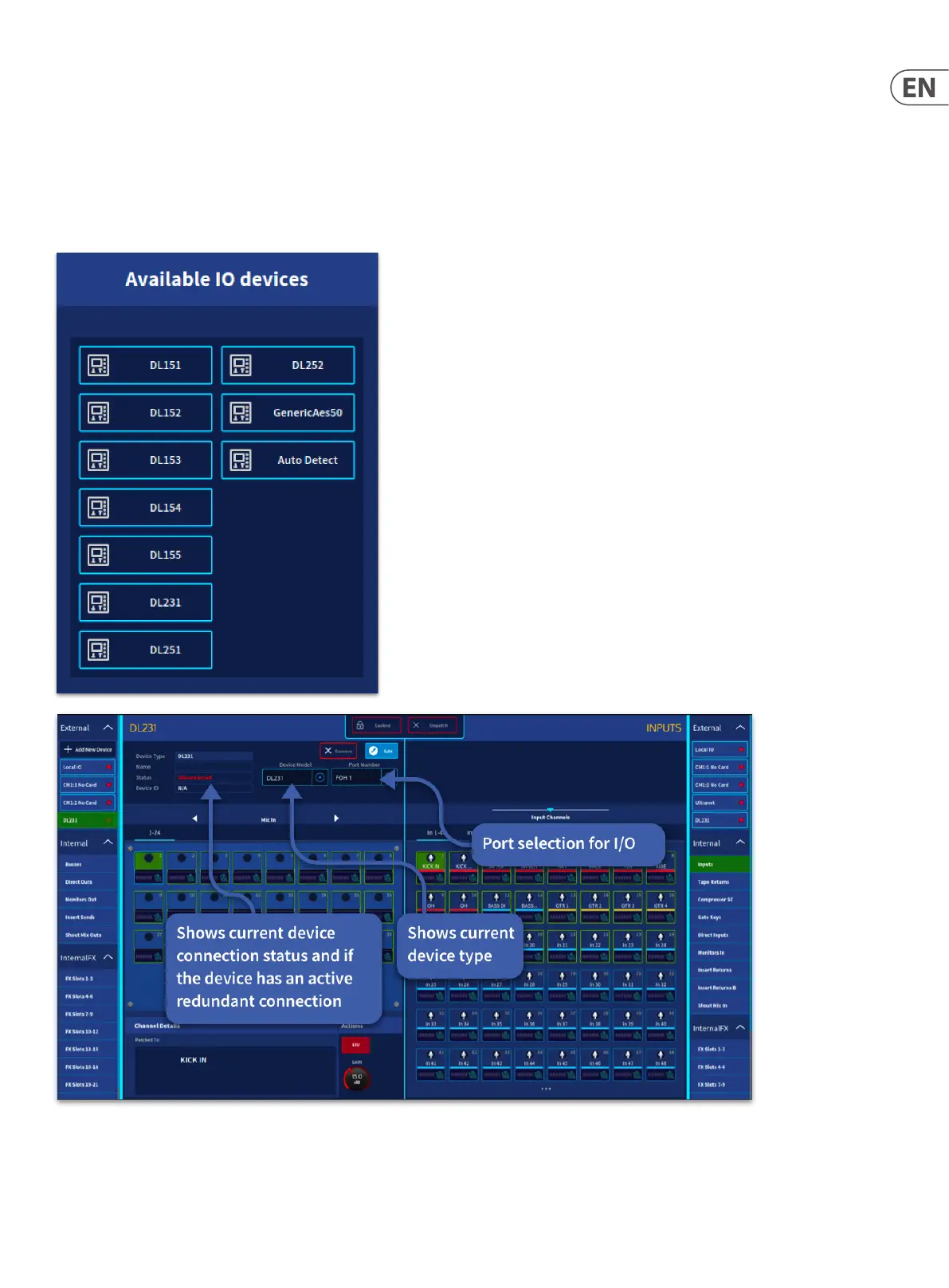
Press the + sign to add new I/O boxes. A list of currently supported I/O will appear. Select the type of I/O box required by pressing on the corresponding button. Or use
the Auto Detect function which will add the correct I/O device type.
NOTE: The DL231/431 has two preamps per channel (A&B) to use the B pre-amp connect to the B (X&Y if using redundancy mode) AES50 connections on the back of
the DL231/431. It is not possible to change which preamps (A or B) are used in the HD software.
I/O with inputs and outputs will be displayed in dierent named tabs. Inputs on the left, outputs to the right.
NOTE: The DL 251/252 use two AES50 ports. One I/O device should be added, and two ports (1&2 or 3&4) assigned in the edit I/O box.


 To Next Page
 Loading...