121 HD96-24-CC-TP User Manual
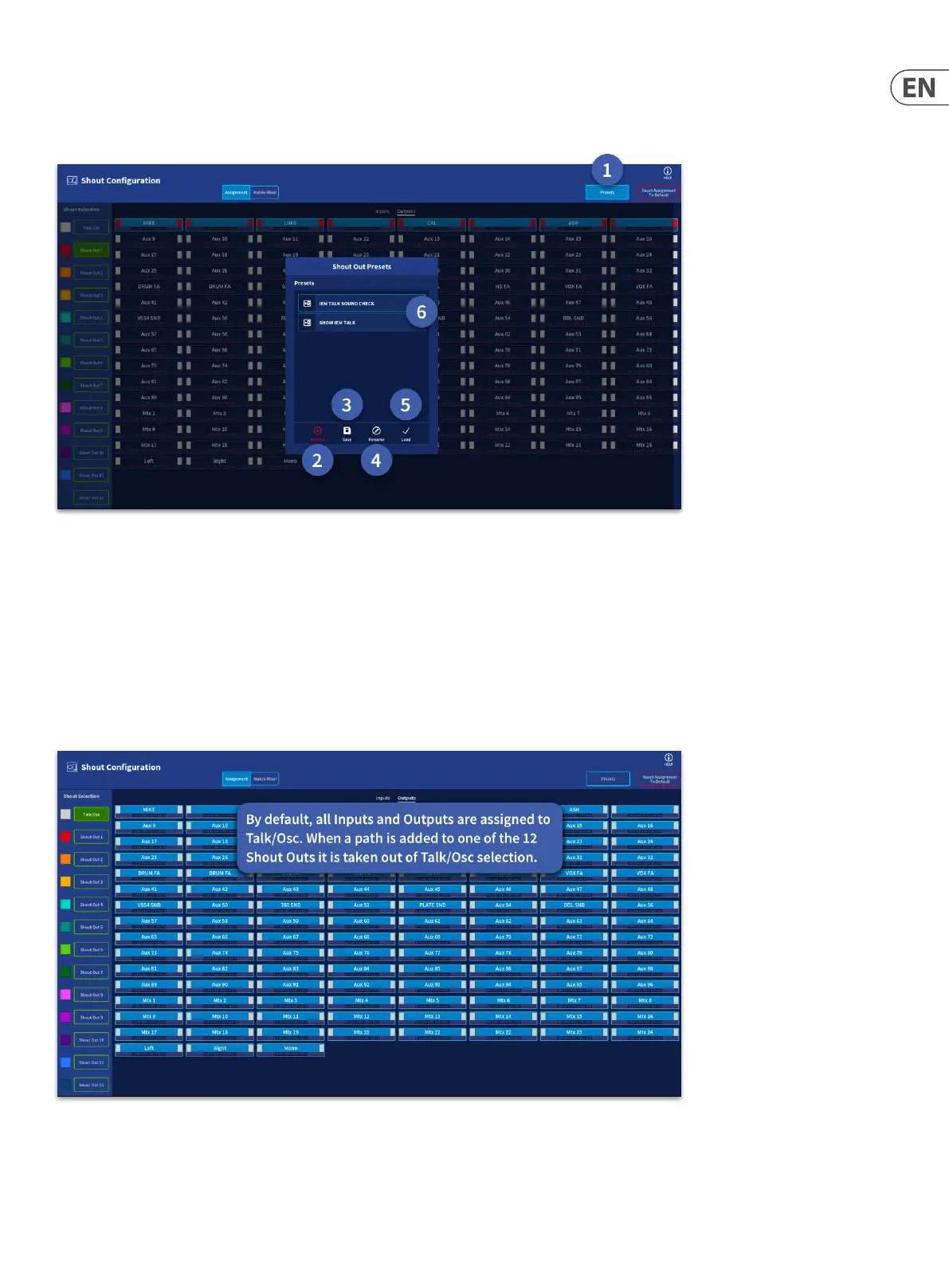
Presets
Presets allow dierent congurations of the shout mixer to be instantly loaded. For example, having a preset for sound check and one for the show. Presets can be
assigned to global assignable keys for instant changes of shout mixer set-up.
1. Presets – Press to open the presets manager window.
2. Delete – Deletes the currently selected preset.
3. Save – Saves the current Shout Conguration as a new preset (a keyboard pops up to allow naming. Press return on the keyboard after typing a name to store
the preset).
4. Rename – Rename the currently selected preset.
5. Load – Load the currently selected preset.
6. Stored Preset – Presets are stored in this list. When a preset is selected it is highlighted with a blue edge.
The Reset Assignments to Defaults button resets the shout mixer as shown below:


 To Next Page
 Loading...