Milestone Srl MA245-001 – ultraWAVE 3 – User Manual
98
Curve of internal pressure
MW, BLACK
Curve of the Microwave emission
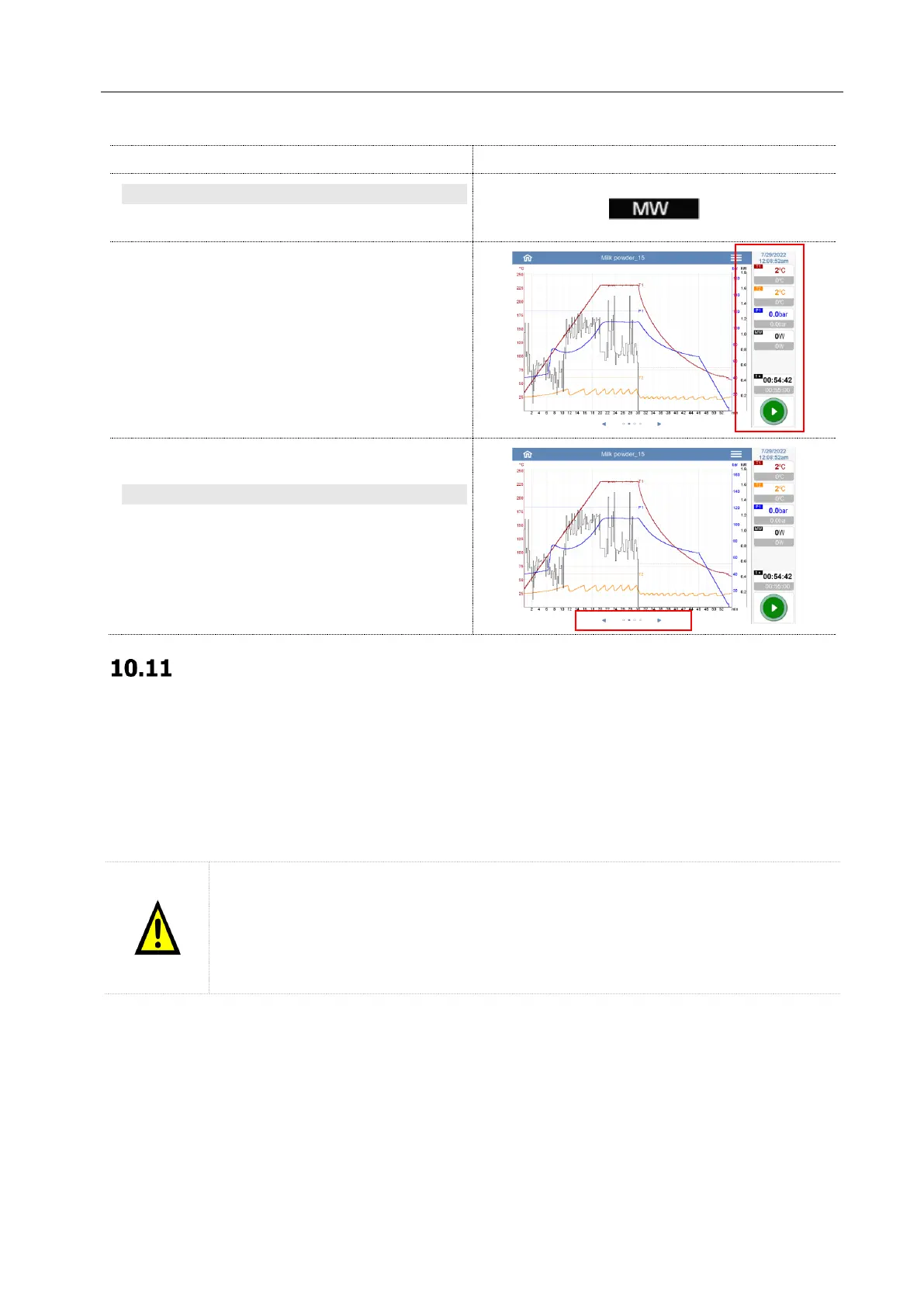
It is always possible to follow the digestion cycle
thanks to the lateral view that remains active
even when moving to other windows.
Here are all the details on the actual internal
temperature (set point and read temperature),
external temperature, pressure, microwave
energy, time.
MOVE TO OTHER WINDOWS
By pressing the arrows or swiping with a finger it
is possible to move through the various windows.
This can also be done while the instrument is
running
Sample table
Open new sample table
This part of the software allows the users to create a report of the run introducing more details about the
digestion method, type of samples and acids used.
The system also works without this information, and it is not mandatory to complete this table for
digestion purposes. However, the administrator of the lab can decide to make it mandatory to have more
details on each individual digestion cycle.
21CFR-11 note
The sample table can be created by all users regardless of their privileges (administrator,
manager, service, supervisor and user).
It is the user's responsibility to save the sample tables on a device (USB, Computer,
Server) validated by GMP, to preserve the integrity and reliability of the exported files.



 To Next Page