Milestone Srl MA245-001 – ultraWAVE 3 – User Manual
79
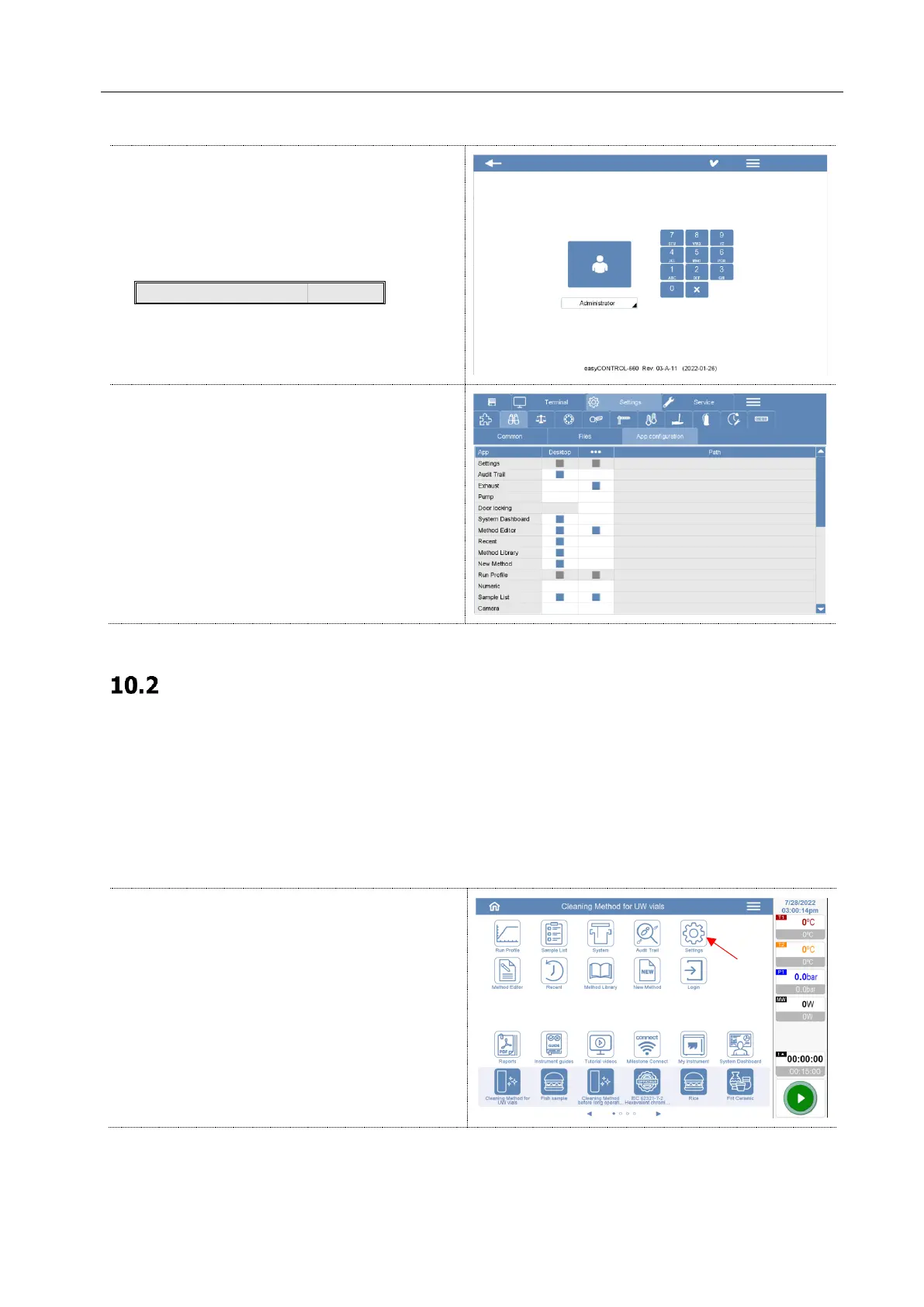
Log in with your administration password.
At time of the installation, the default
administrator password is:
This password can be changed in any moment.
Select Setting > View > App configuration
folders.
Here it is possible to choose which icon to show
on the home screen or in the menu.
General Operation tip
The software operations are carried out by a touchscreen. By touching the screen, the icons or the input
field are activated.
Activated field are ready for input via a keyboard. By touching again the activated field, a numeric or
standard keyboard appears on the screen.
Graphic color
You can change the color of the graphics.
Click on the settings icon



 To Next Page