Milestone Srl MA245-001 – ultraWAVE 3 – User Manual
102
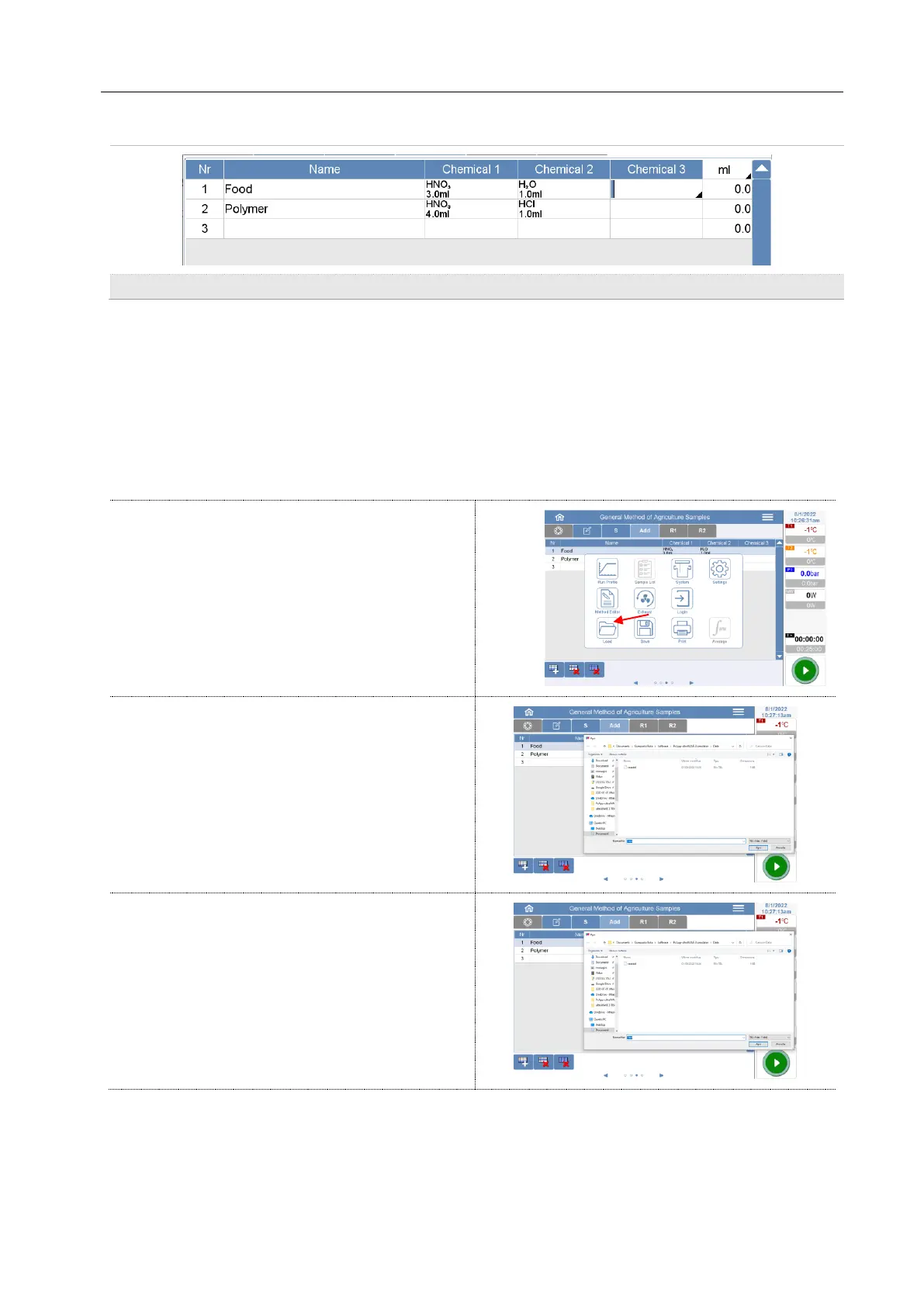
Here is possible to insert the chemical names, most used acids are already listed and can be selected
with a single click.
If you double-click the input line, the full keyboard to chemicals (in the formula or name) to enter with
the letter and number buttons, which are not listed in the list.
The added amount of chemicals can be entered using the numeric input in the unit millilitres or grams in
the [ml] or [g].
Sample Table open / save / delete
Load a sample table file
Select <Load > to open a file saved on the disk
sample table.
Select from the list the desired sample table. Click
on Open button and the selected table is loaded.
The name of the sample table appears in the
Name field.
Save a new sample table file
Select <Save> to save the current sample table.
For Name enter a name (15 characters max.).
The name is automatically added to the ending.
tbl (for table).
Tapping the Save button, the current table is
saved and the window closes.



 To Next Page