Milestone Srl MA245-001 – ultraWAVE 3 – User Manual
90
All modifications to the above parameters must
be approved by Milestone application specialist
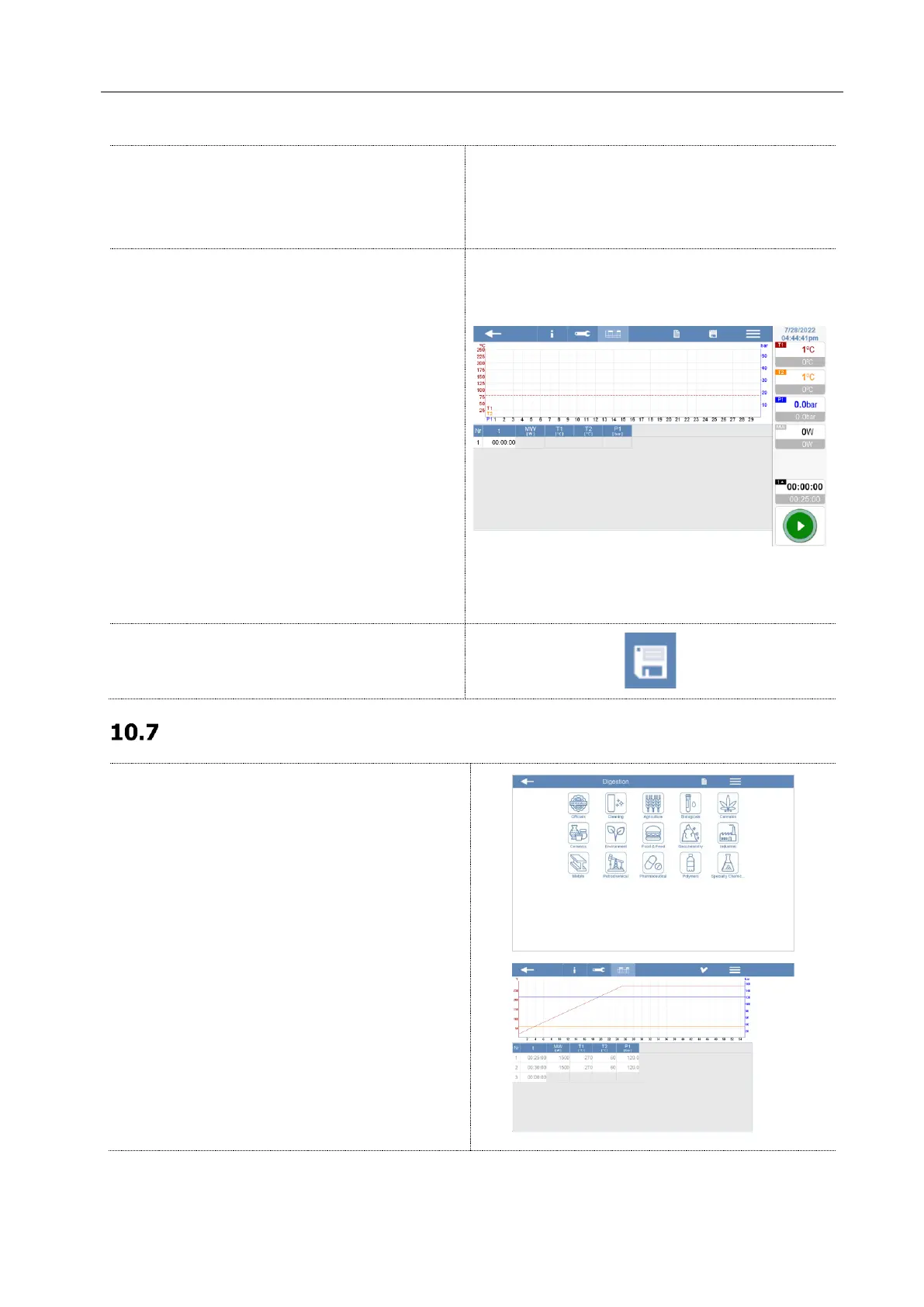
Program
Set the heating program according to cookbook
or application specialist instructions.
- Nr: number of step
- t: time of step
- MW [W]: Microwave energy
- T1 [°C]: Internal Temperature
- T2 [°C]: External temperature
- P1 [bar]: Internal Pressure
See the Application book guidelines or contact
Milestone specialist for more details about the
method.
Save the new method by clicking on the icon on
upper right side of the screen.
How to start a microwave program
Load a microwave program from the Milestone
library, from the “Recent” folder or create a new
one.



 To Next Page