Milestone Srl MA245-001 – ultraWAVE 3 – User Manual
124
How to save a temperature digestion profile
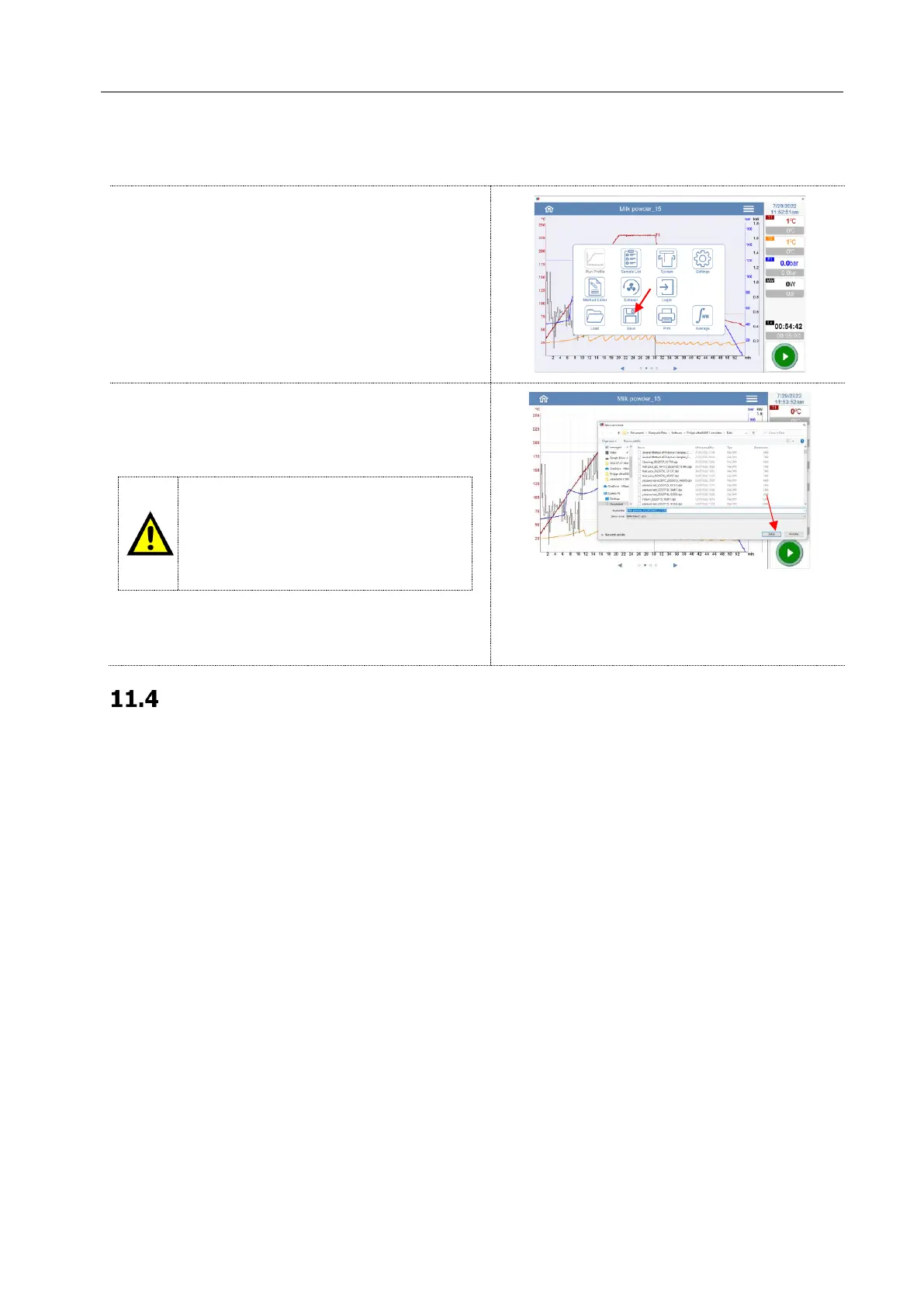
To save the microwave run open the scroll menu on
the upper left side of the display and select “Save”.
Choose the directory where to save the run.
• A:\(USB-Stick)
• B:\(Server)
It is the user's responsibility to save the
microwave runs on a device (USB,
Computer, Server) validated by GMP, in
order to
preserve the integrity and
reliability of the exported files.
Write the name of the file that you are saving and
press the upper right side of the display to confirm
the operation.
Files format and auto-save option (Administrator, Service)
There are two different ways of automatic saving:
• Continuous recording
• Saving of the final temperature profile
Here below the description of both automatic saving:



 To Next Page