Milestone Srl MA245-001 – ultraWAVE 3 – User Manual
89
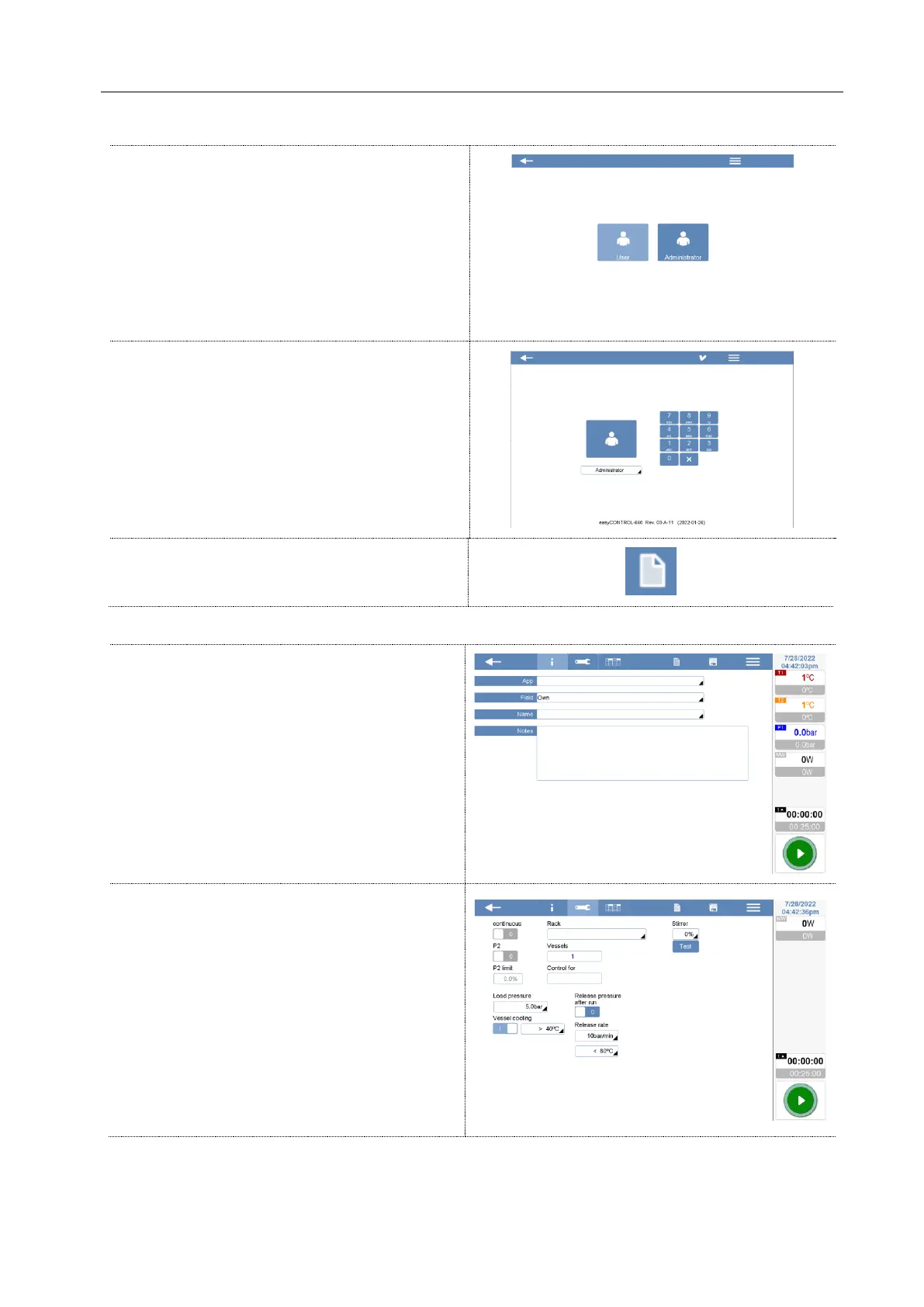
Log in as Administrator, to create a new method.
Log in with your Administrator password.
To create a new method, click on the showed
icon in the upper right side of the screen.
In the following registers, there are all method information and settings.
General information
App: Select the application type.
Field: Select the application field (application
folder where the method will be saved).
Name: Enter the name for the new method.
Notes: In the Note box you can specify further
info concerning the method.
Parameters
Edit the setting for the new method.
The parameters to set for all applications are:
- Load pressure
:
40 bar
- Vessel cooling
:
25°C
- Rack
:
Select the rack you are using
- Release pressure
:
8 bar/min and < 80°C
- Stirrer (optional): rotating speed of magnetic
stirrer (0 – 100%)



 To Next Page