Milestone Srl MA245-001 – ultraWAVE 3 – User Manual
104
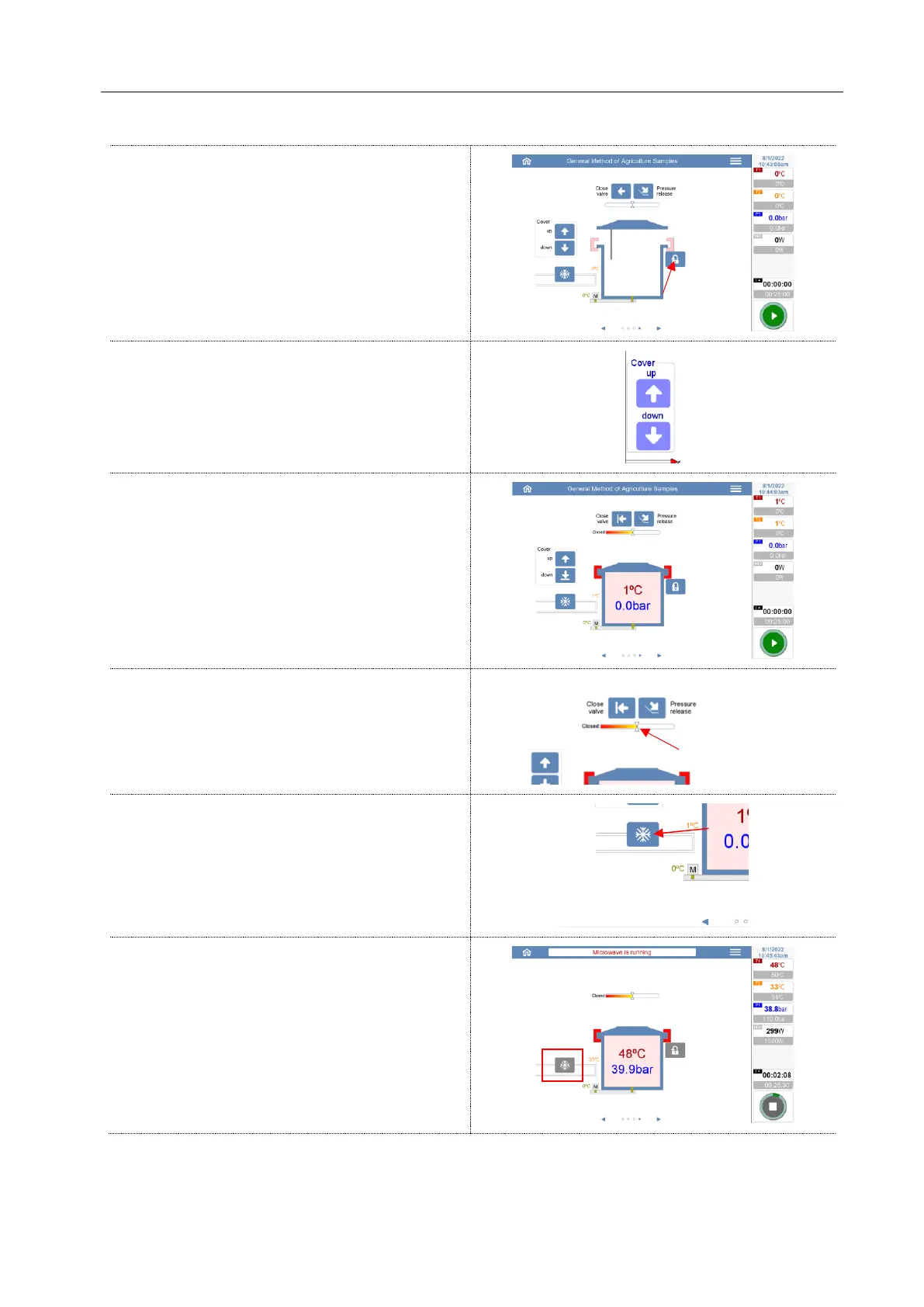
Press this button to lower the pin that closes the
clamps
Press these icons to open or close the cover of
reactor.
When the system is hermetically closed (with
clamps in closed position), the software will show
the internal pressure and temperature of reactor.
This graph shows the position (open / close) of
the main pressure valve.
This graph shows the position (open / close) of
the cooling water valve.
The cooling can be activated or deactivated by
this icon.
If the system is running a microwave program,
this function cannot be used.



 To Next Page