2 - P - 2
ADU PAPER EXIT/CONVEYANCE SECTION
[3] Disassembly and Re-assembly
1. Removing the ADU Paper Exit/Conveyance
Section
Caution: Be sure that the power cord has been unplugged
from the power outlet.
a. Procedure
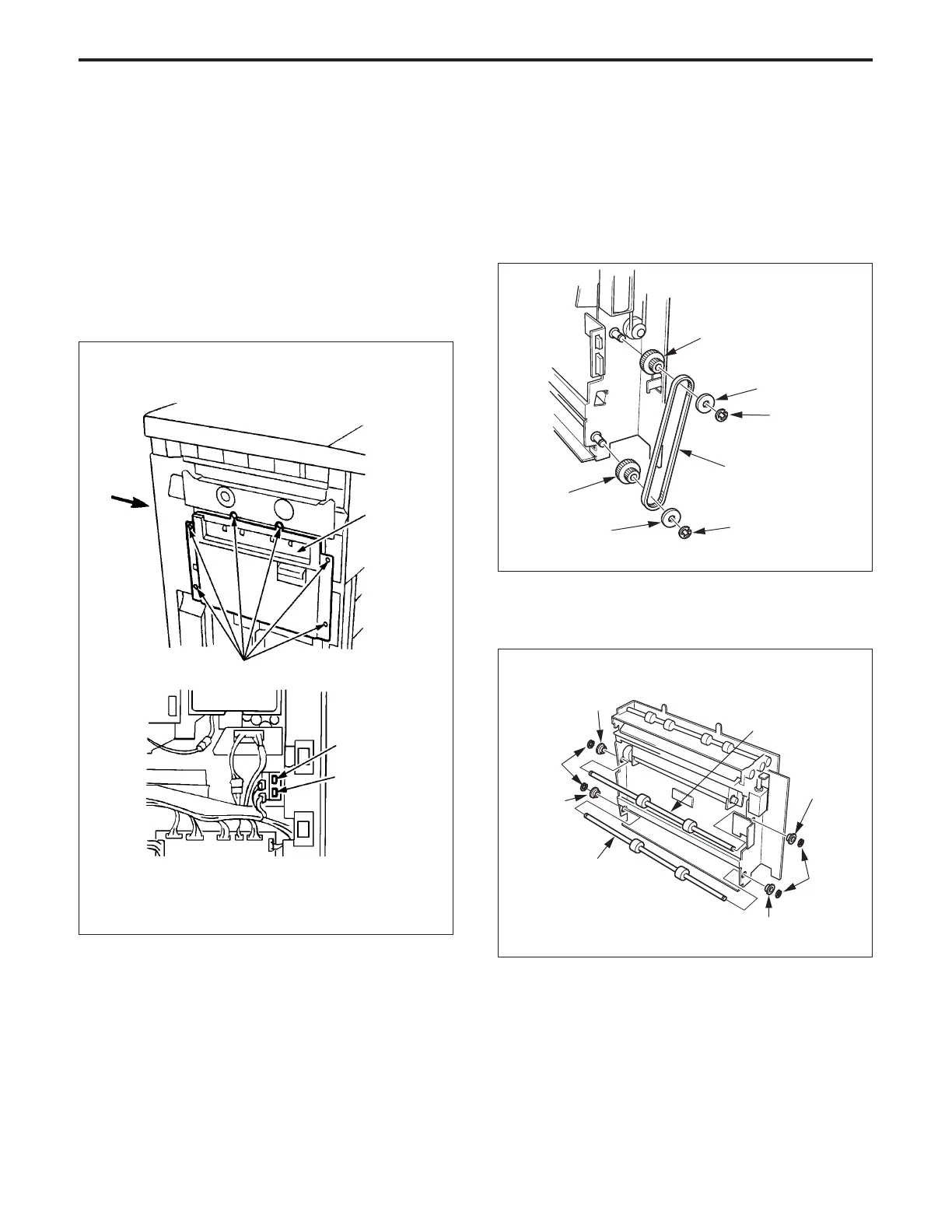
(1) Remove the main body left side upper cover and also
the main body rear cover.
(2) Disconnect the two connectors (CN94, 530), then
remove the six set screws, and remove the ADU paper
exit/conveyance section.
2. Replacing the Paper Exit Conveyance Pulley
and Paper Conveyance Roller
a. Procedure
(1) Remove the ADU paper exit and conveyance section.
(2) Remove the two E rings, then remove the two pulley
regulating spacers and paper exit conveyance belt (B).
(3) Remove the paper exit conveyance pulley.
Paper exit conveyance
pulley
Pulley regulating
spacer
E ring
Paper exit conveyance
belt B
E ring
Pulley regulating
spacer
Paper exit
conveyance
pulley
View in A direction
Paper exit/
conveyance
section
A
Set screws
CN94
CN530
(4) Remove the two E rings, then remove the two front and
the two rear bearings.
(5) Remove the paper conveyance roller.
E ring
E ring
Bearing
Paper conveyance
roller
Bearing
Bearing
Paper conveyance
roller
Bearing
(6) Re-install the above parts in the opposite sequence to
removal.



 To Next Page