2 - J - 2
TONER SUPPLY UNIT
[3] Disassembly and Re-assembly
1. Removing and Re-installing the Toner Supply
Unit
a. Procedure
(1) Open the front door, slacken the set screw, release the
lock of the toner supply unit, then swing the toner
supply unit out.
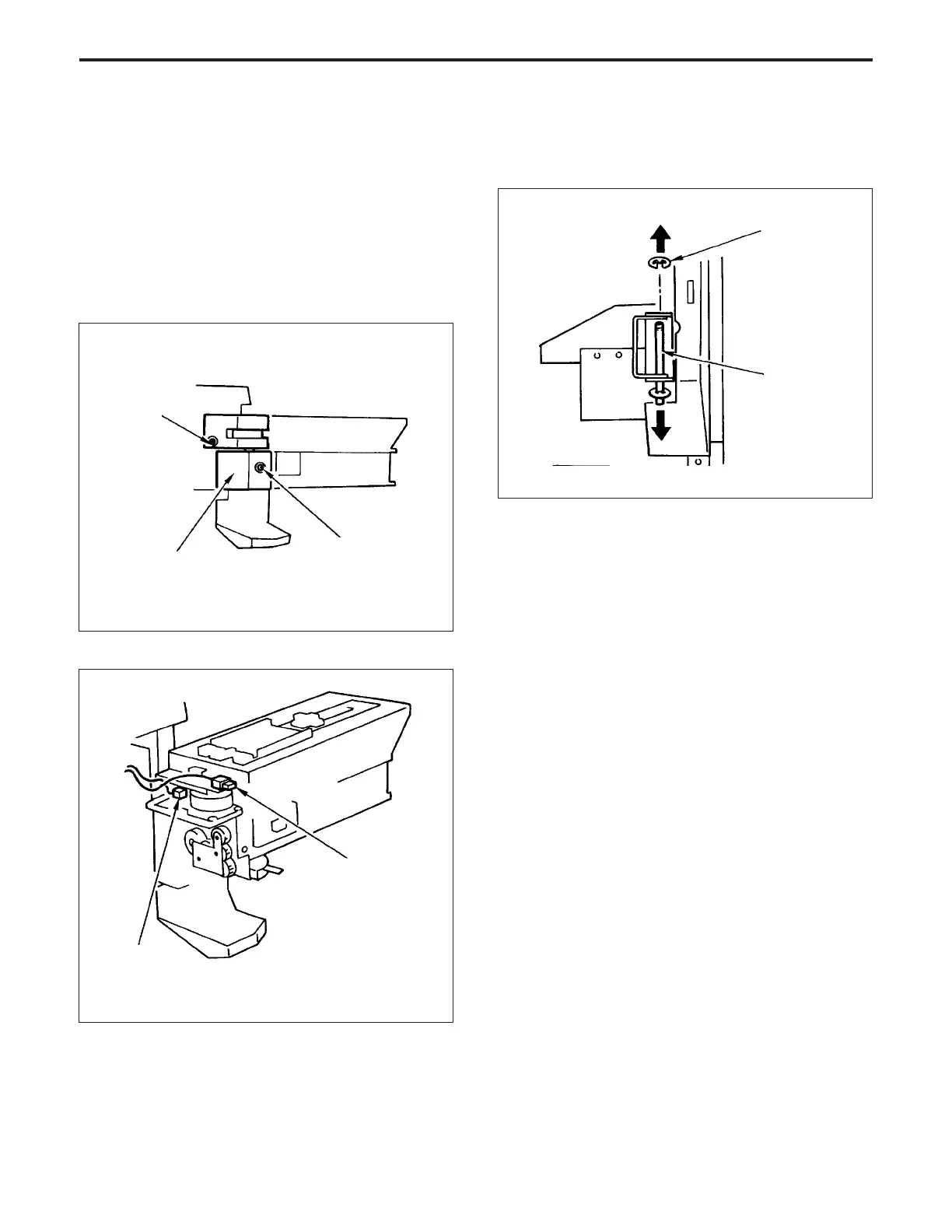
(2) Slacken the set screw shown at top left of the figure,
and remove the set screw shown at bottom right, then
remove the cover of the toner supply unit.
Set screw
Toner supply unit cover
Set screw
(slacken)
(4) Close the toner supply unit, then remove the E ring.
(5) Pull the shaft out toward the bottom, then remove the
toner supply unit.
E ring
Shaft
(3) Disconnect the two connectors (CN17 and 14).
Connector (CN17)
Connector (CN14)
(6) Re-install the toner supply unit in the opposite se-
quence to removal.
TONER SUPPLY UNIT-1



 To Next Page