ADJUSTMENT
4 - 24
Step
1
2
3
4
5
6
Operation
Enter the 25 mode.
[25 MODE SCREEN]
Press Password Setting.
[PASSWORD SETTING SCREEN]
Press EKC Master Key Code Setting.
[OPERATOR KEY PASSWORD SETTING SCREEN]
Using the numeric key on the screen, enter 8-digit
new EKC master key code.
Press
key to execute.
Press key to end setting.
6
2
SET
PREVIOUS SCREEN
[9] Setting EKC Master Key Code
This function sets EKC master key code.
1. Password setting screen selection
Select
6
Password Setting in the 25 Mode Screen to dis-
play Password Setting Screen as an initial screen.
In this screen, select the password to be set.
2. Setting method
Select
2
Set EKC master key code in Password Setting
Screen.
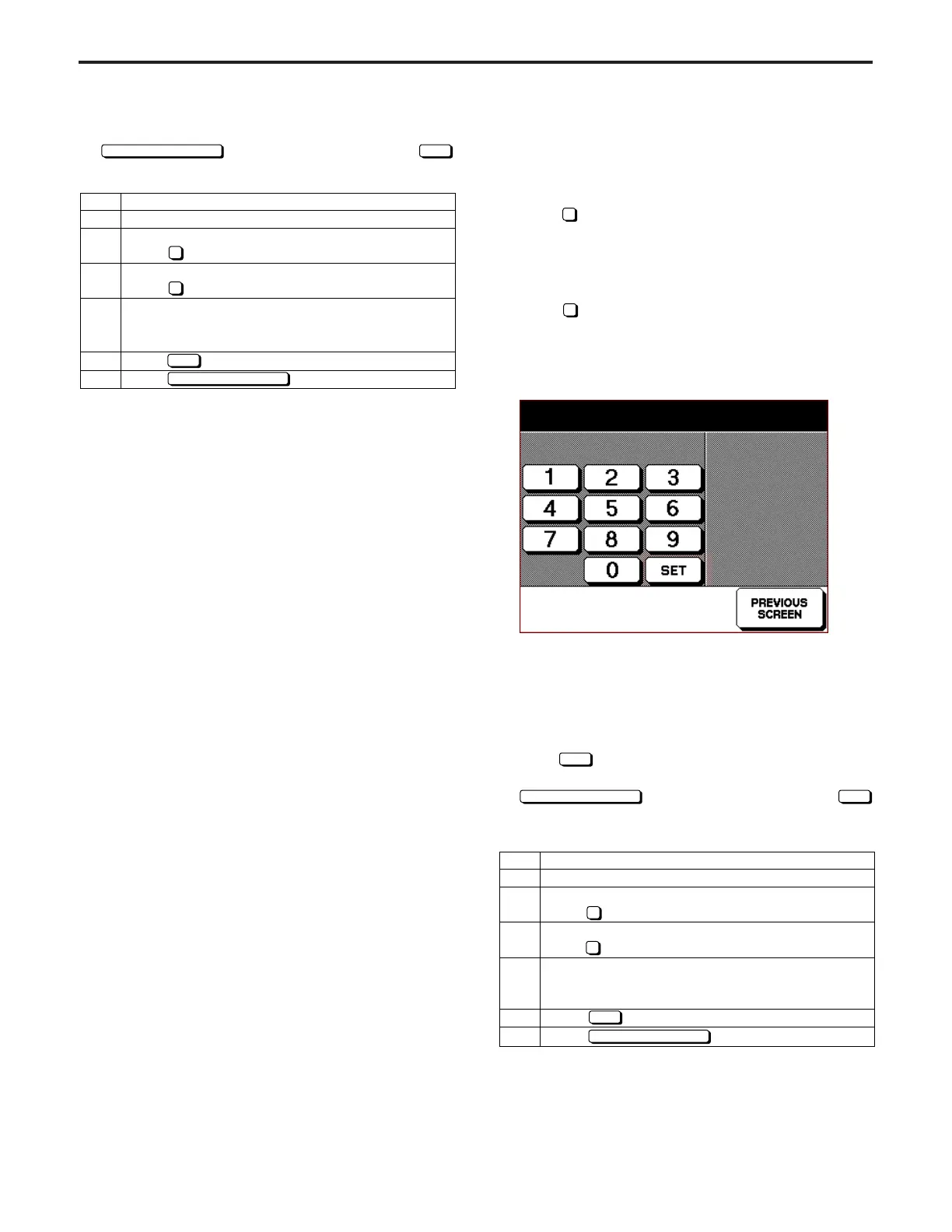
EKC Master Key Code Setting Screen will appear.
[EKC Master Key Code Setting Screen]
(1) Using the numeric key on the screen, enter 8-digit new
EKC master key code.
• Newly entered number will be displayed on the second
row of the message area.
• The firstly entered number will be shifted to the left end.
(2) Press
SET
key to execute.
(3) The screen will return to Password Setting Screen if
PREVIOUS SCREEN
key is pressed without pressing
key. In this case, no EKC master key code will be changed.
E.K.C. master key code setting
11111111
(3) The screen will return to Password Setting Screen if
PREVIOUS SCREEN
key is pressed without pressing
SET
key. In this case, no password will be changed.
Note:
Set the password to "0000" to enter the key operator mode
without any password. In other words, without displaying the
field for entering password, Key Operator Screen will appear
when the key operator mode is started.
Step
1
2
3
4
5
6
Operation
Enter the 25 mode.
[25 MODE SCREEN]
Press Password Setting.
[PASSWORD SETTING SCREEN]
Press Key operator password setting.
[KEY OPERATOR PASSWORD SETTING SCREEN]
Using the numeric key on the screen, enter 4-digit
new password.
Press button to execute.
Press button to end setting.
6
1
SET
PREVIOUS SCREEN



 To Next Page