ADJUSTMENT
4 - 23
[8] Setting Key Operator Password
This function sets the password to enter the key operator mode.
1. Password setting screen selection
Select
6
Password Setting in the 25 Mode Screen to dis-
play Password Setting Screen as an initial screen.
In this screen, select the password to be set.
[Password Setting Screen]
2. Setting method
Select
1
Set key operator password in Password Setting
Screen.
Key Operator Password Setting Screen will appear.
[Key Operator Password Setting Screen]
(1) Using the numeric key on the screen, enter 4-digit new
password.
• Newly entered number will be displayed on the second
row of the message area.
• The firstly entered number will be shifted to the left end.
(2) Press
SET
key to execute.
Password seting mode
Select one of following item
Key operator password setting
1111
Step
1
2
3
4
5
6
Operation
Enter the 25 mode.
[25 MODE SCREEN]
Press
Copy Count by Parts to be Replaced.
[COPY COUNT SCREEN BY PARTS TO BE REPLACED]
Press button.
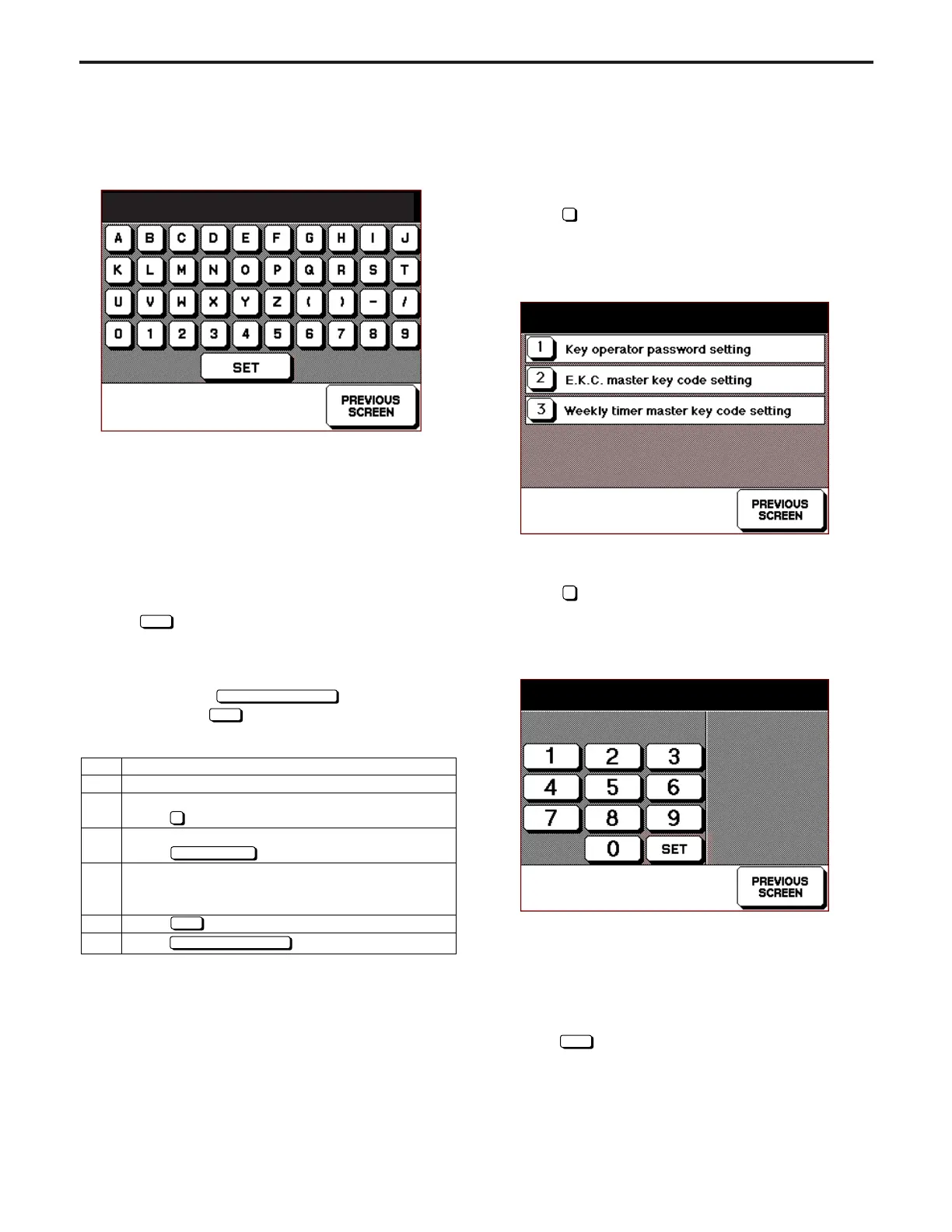
[PART NAME SETTING SCREEN]
Use the numerical keys to input the new part
name.
Press
button
to confirm the input part name.
Press button to end setting.
5
Part Name Setting
SET
PREVIOUS SCREEN
5. Part Name Setting Method
[Part Name Setting Screen]
(1) Using the numeric keys on the screen, enter new parts
name.
• The input characters are displayed in the part name dis-
play area on the 1st line of the message display area.
• The display shifts one space from right to left each time a
character is input.
• When 8 characters have been input, the character on the
farthest left will be deleted each time an additional charac-
ter is input.
(2) Press
SET
key to return to Copy Count Screen by Parts
to be Replaced.
Note:
The screen will also return to Copy Count Screen by Parts
to be Replaced if
PREVIOUS SCREEN
button is pressed
without pressing
SET
key. In this case, no parts name
will be changed.
Parts name setting EX-LAMP
No.15 P/N xxxxxxxxx 000300/050000
ADJUSTMENT-1



 To Next Page