DIAGNOSTICS
4 - 53
[19] Test Pattern Density Setting
Set the density of the test pattern using the procedure de-
scribed below.
If
5
Test Pattern Density Setting Mode is selected using the
36 mode menu screen, the test pattern density setting screen
will be displayed.
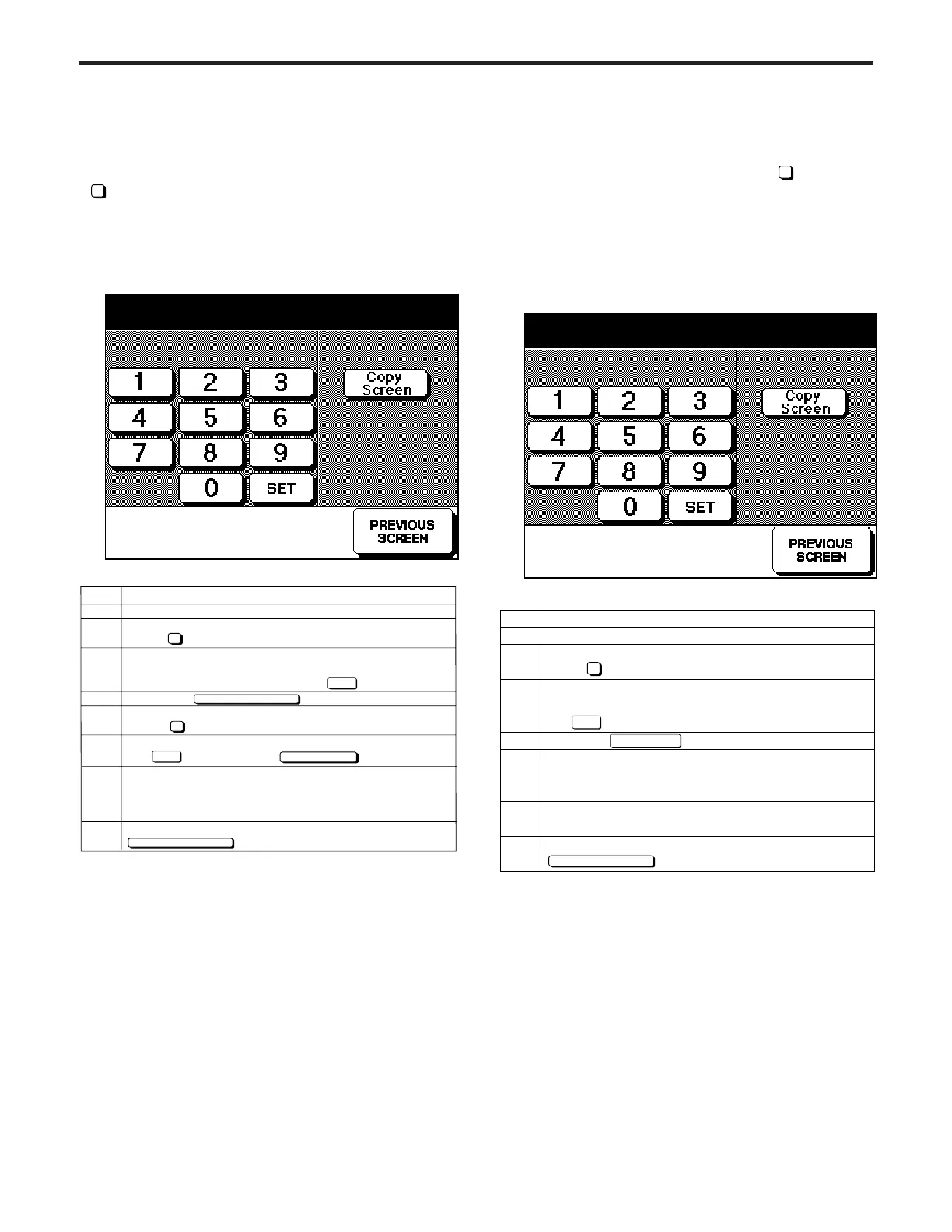
[Test Pattern Density Setting Screen]
Test pattern density setting
255 255 (0~255)
Step
1
2
3
4
5
6
7
Operation
Enter the 36 mode.
[36 MODE SCREEN]
press Test Pattern Density Mode.
[Test Pattern Density Setting Screen]
Enter a value (0 (white) to 255 (black))from the
numeric keypad, then press the key.
Press the key.
[36 Mode Screen]
Press Test Pattern Output.
Enter a value from the numeric key pad, then press
the key. Press the key.
To output a different test pattern, press the C
button while pressing the P button, and repeat steps
3 to 5.
To end the Test Pattern output operation, press the
key.
5
SET
PREVIOUS SCREEN
PREVIOUS SCREEN
4
SET
Copy Screen
8
[20] Service Data Output
Output a service data using the procedure described below.
If the 36 mode menu screen is opened, then
4
Test Pattern
Output Mode selected, the test pattern setting screen will be
displayed.
Caution: Do not operate for any mode that is not particularly
specified.
[Test Pattern Output Screen]
Test pattern output mode
<00>
Step
1
2
3
4
5
6
7
Operation
Enter the 36 mode.
[36 MODE SCREEN]
press Test Pattern Output.
[Test Pattern Output Screen]
Enter a value from the numeric keypad, then press
the key.
Press the key.
[Basic Screen]
Press the START PRINT button, and output a test
pattern.
To output a different test pattern, press the C button
while pressing the P button, and repeat steps 3 to 5.
To end the test pattern output operation, press the
key.
4
SET
Copy Screen
PREVIOUS SCREEN
DIAGNOSTICS-1



 To Next Page