2 - M - 2
LCT-1000 TRAY PAPER FEED/CONVEYANCE SECTION
[3] Disassembly and Re-assembly
1. Removing and Re-installing the 1000 Tray
Paper Feed/Conveyance Section
Caution: Be sure that the power cord has been unplugged
from the power outlet.
a. Procedure
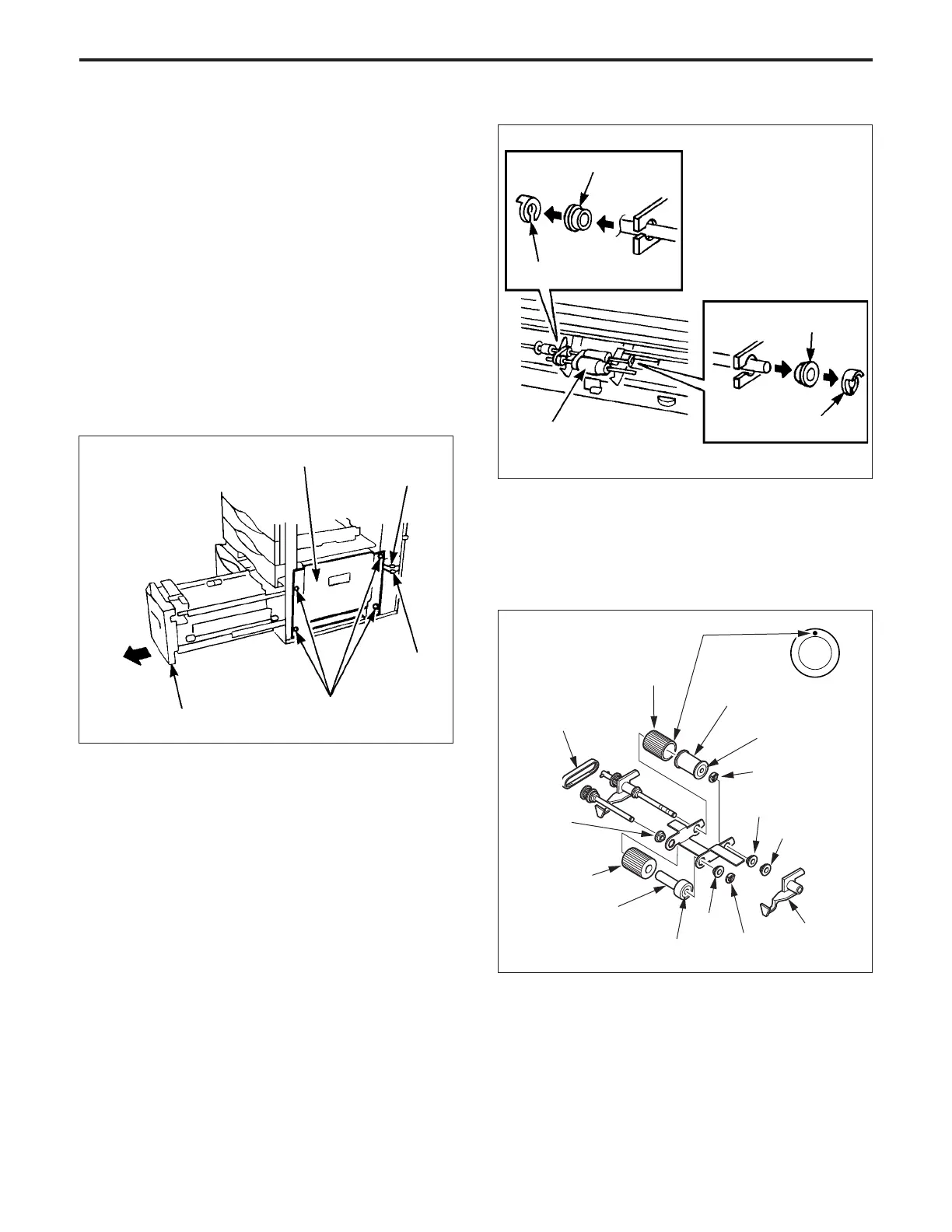
(1) Withdraw the LCT1000 tray tray in the forward direc-
tion.
(2) Slacken the five set screws, then remove the right side
upper cover.
(3) Slacken the two set screws, then remove the right side
lower cover.
(4) Disconnect the two intermediate connectors (CN722,
728).
(5) Remove the four set screws, then remove the LCT1000
paper feed/conveyance section.
LCT1000 tray paper feed/
conveyance section
Set screws
CN722
CN728
Shaft bearing
Stop ring
Paper feed roller
Shaft bearing
LCT 1000 tray
(6) Re-install the 1000 tray paper feed/conveyance sec-
tion in the opposite sequence to removal.
2. Replacing the Rubber of the Paper Feed Roller
and the Feed Roller
a. Procedure
(1) Remove the LCT1000 paper feed/conveyance sec-
tion.
(2) Remove the two stop rings, then shift the left and right
shaft bearings to the outside, and remove the paper
feed roller unit.
Stop ring
Paper feed
reference
actuator
Paper feed roller
Feed rubber/A
Blue mark
Bearing
Stop ring
Stop ring
Bearing
Stop ring
Blue mark
Feed roller
Paper feed drive belt
Double feed prevention rubber
Paint mark
Bearing
(5) Re-install the rubber in the opposite sequence to
removal. (Be careful of the direction of the paint mark
on each rubber.)
(3) Pull out the three E rings, the three shaft bearings, the
paper feed reference actuator and the two shafts of the
paper feed roller unit, then remove each roller.
(4) Remove the rubber from each roller (feed rubber A and
the double feed prevention rubber).



 To Next Page