DIAGNOSTICS
4 - 30
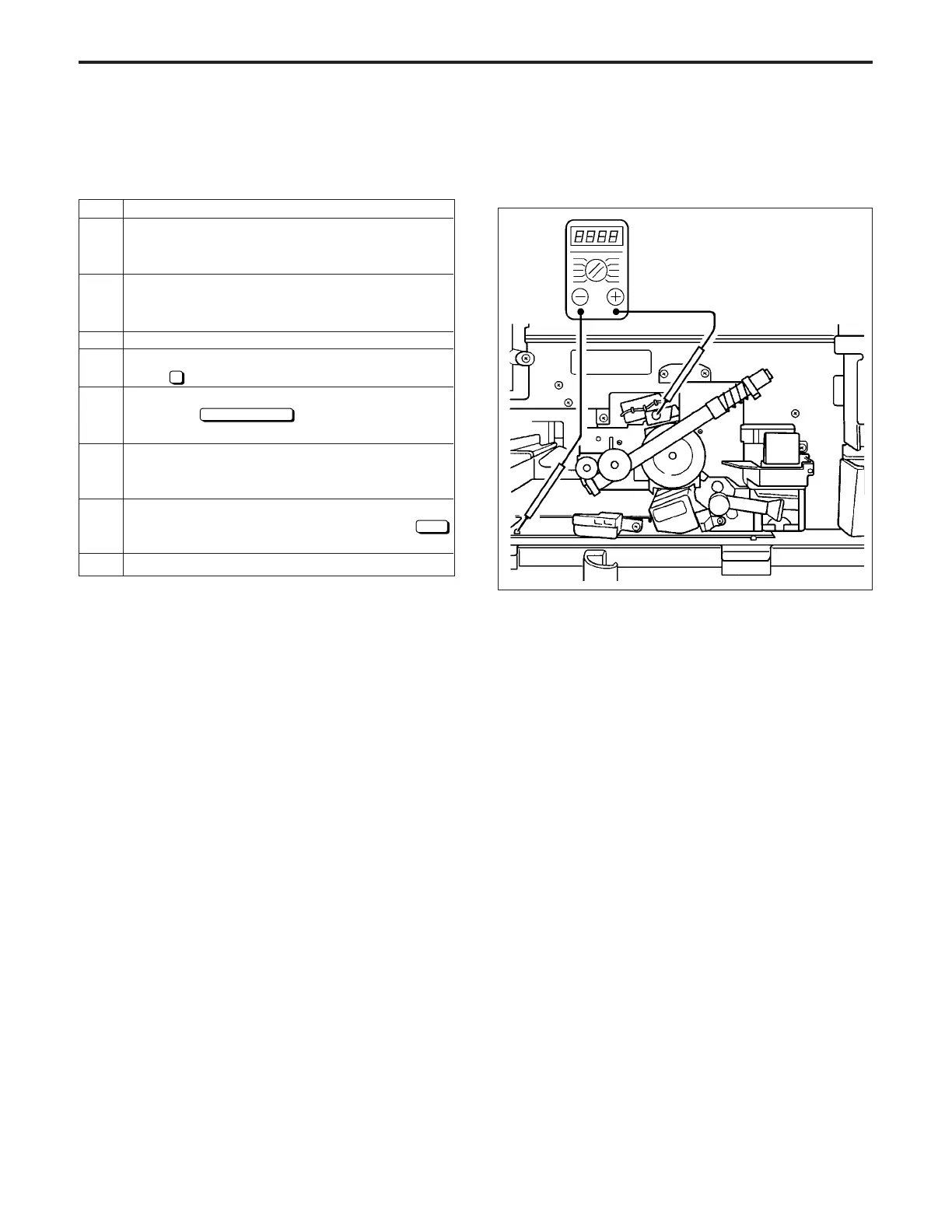
[7] Charging Grid Voltage Adjustment
Adjust the charging grid voltage.
CAUTION: Confirm that the drum counter is zeroed before
performing this adjustment.
Operation (display)
Check the standard value of the grid voltage written at
the drum flange.
Connect the tester as shown below.
+ →Grid pin
- →GND(Earth)
Range
→1000 V DC
Enter the 36 mode.
[36 MODE MENU SCREEN]
Press
1
High voltage auto adjustment.
[
HIGH VOLTAGE ADJUSTMENT (changing) SCREEN
]
Touch the
Next adjustment
key until " Grid voltage"
appears in the message display box.
[
HIGH VOLTAGE ADJUSTMENT (GRID) SCREEN
]
Press the START PRINT and check the tester value.
Then, stop by the stop/clear button.
If the adjustment is necessary, enter a value from the
numeric keypad on the screen, then touch the
SET
key. *1
To end adjustment, turn off the power.
Step
1
2
3
4
5
6
7
8
*1: Standard volage = Drum designate value ± 5 V
Input range = 0~255
1step = 1.6 V
Value written on drum plastic flange.
DIAGNOSTICS-1



 To Next Page