DIAGNOSTICS
4 - 31
[8] Drum Clock / Horizontal Adjustment
When varying the magnification, adjust the vertical magnifica-
tion using the maximum size of copy paper.
1. If
2
Timing Adjustment is selected using the 36 mode menu
screen, the timing adjustment menu screen will appear.
Select
1
Drum clock / Horizontal Adjustment using this
screen.
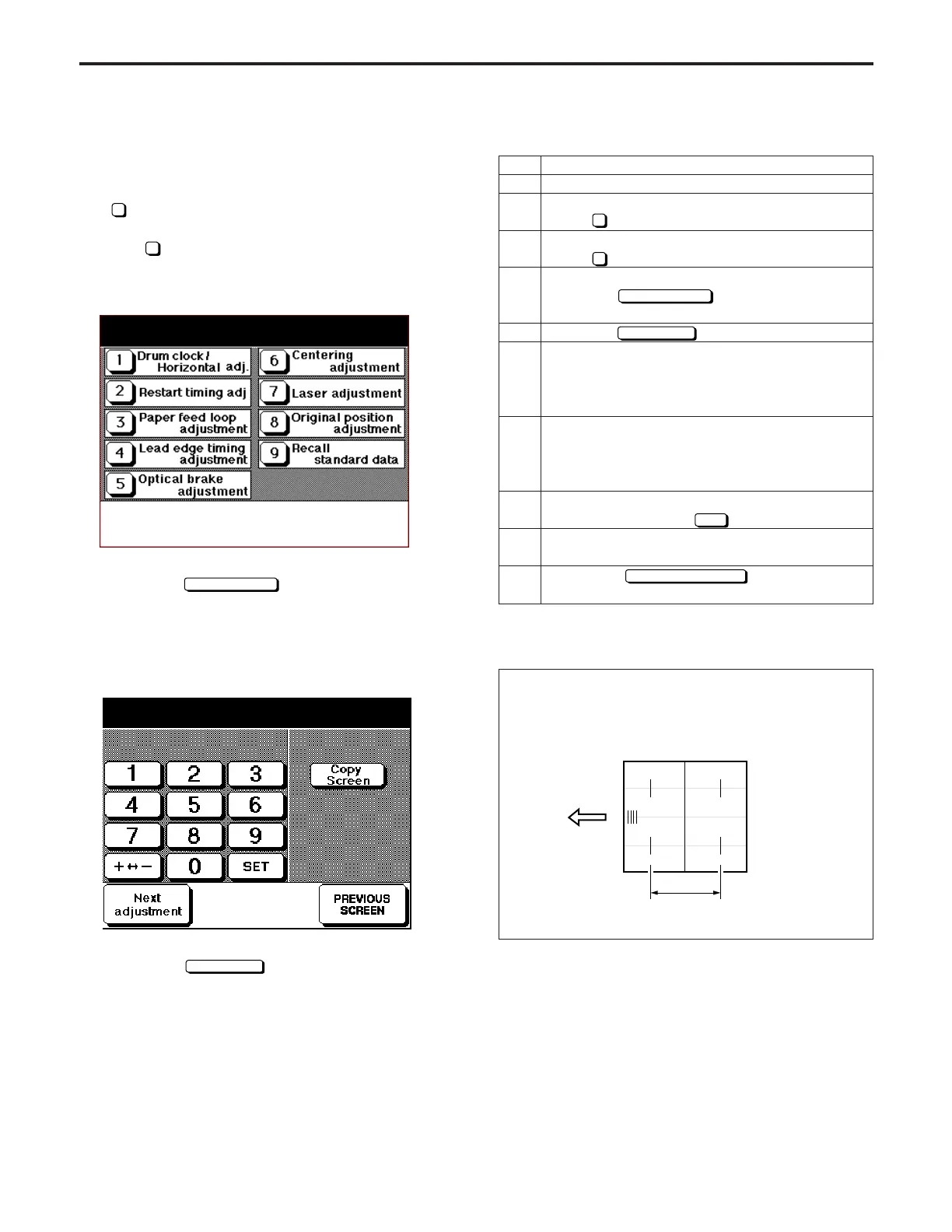
[Timing Adjustment Screen]
By touching the
Next adjustment
key during this adjustment,
the copying system, and printer system adjustments can be
selected.
(Example of printer system adjustment screen)
2. Enter the data from the numeric keypad.
3. Touch the
Copy Screen
key to display the basic screen,
then make a test copy.
4.
To repeat adjustment, first press the C button while
pressing the P button to re-display the original
adjustment screen.
Timing adjustment mode
Select one of following items
Drum clock adjustment (printer)
Select one of following items
(1) Vertical magnification adjustment (Printer)
Standard:
±0.5% max (life size)
Within about ±1 mm with respect to 206 mm
Operation
Enter the 36 mode.
[36 MODE MENU SCREEN]
Press
2
Timing adjustment.
[TIMING ADJUSTMENT SCREEN]
Press
1
Drum clock/Horizontal adjustment.
[DRUM CLOCK ADJUSTMENT SCREEN]
Touch the
Next adjustment
key until "Printer "
appears in the message display box.
Touch the
key.
Press the PRINT START button, make a copy and
measure the vertical magnification with a ruler.
Standard: ±0.5% max (life size); Within about ±1
mm with respect to 206 mm
If the vertical magnification is different to the
standard value, press the C button while pressing
the P button to re-display the vertical magnification
adjustment screen.
Enter a value from the numeric keypad on the
screen, then touch the
SET
key.
Repeat steps 5 to 8 until the vertical magnification
becomes the standard value.
Touch the
PREVIOUS SCREEN
key to re-display
the timing adjustment screen.
Step
1
2
3
4
5
6
7
8
9
10
DIAGNOSTICS-1



 To Next Page