2 - K - 4
CLEANING/TONER RECYCLE UNIT
(6) Clean any toner that has dropped off the guide roller.
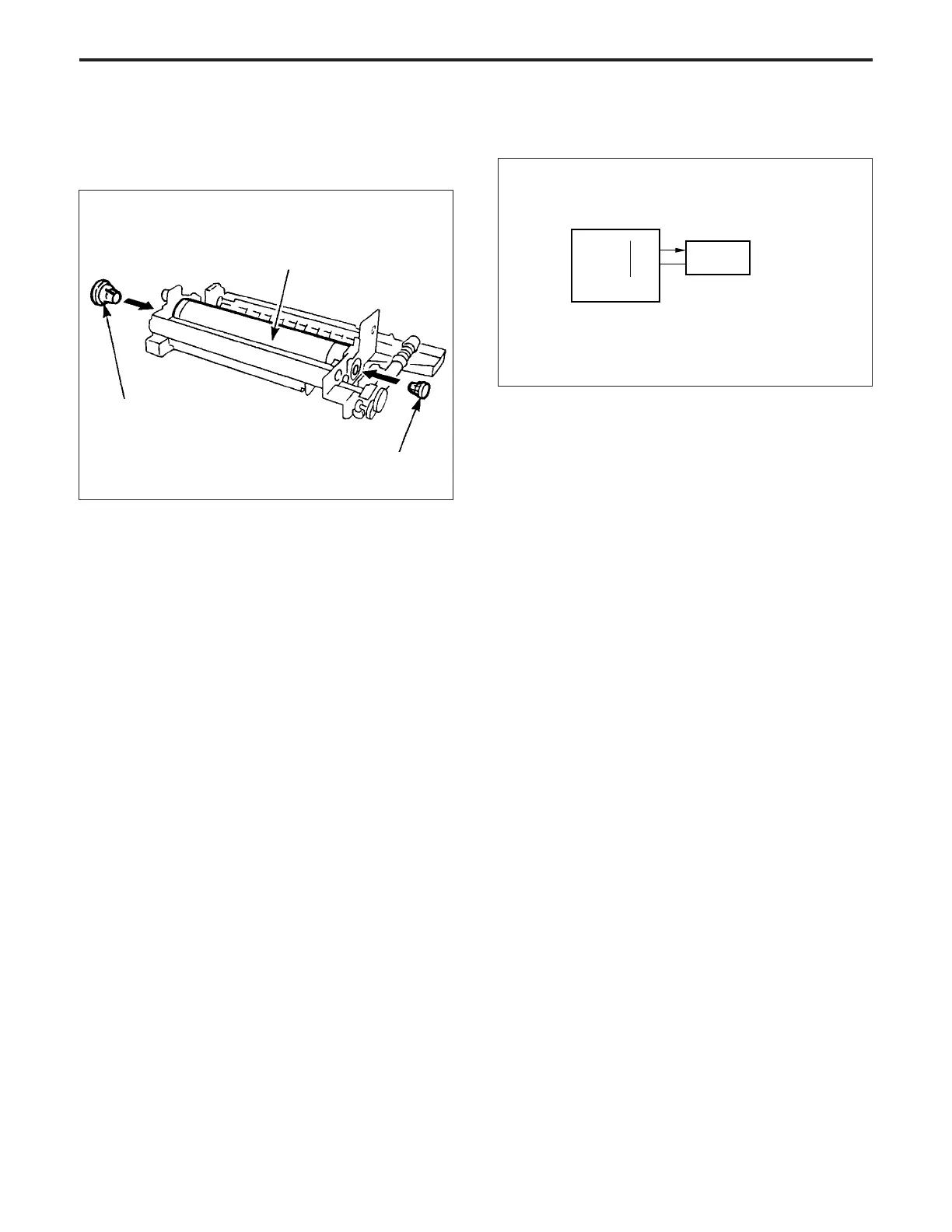
(7) Install the drum, then insert the centering jigs into both
ends of the drum.
Drum
Jig (small)
Jig (large)
(8) Install the guide roller and the two shaft positioning
pieces, and temporarily fix these parts with the two set
screws,
leaving the screws loose.
(9) Install the two springs and bring the guide roller and the
drum into contact with each other, then fully tighten the
two set screws that you temporarily inserted.
(10)Remove the centering jigs from the ends of the drum,
and store them inside the drum cover.
(11)Re-install the above parts in the opposite sequence to
removal.
[4] MC10 (cleaner) Control
MC10
MC10 DRIVE
24VDC
30-B2
30-B1
CB
MC10 (cleaner) is driven by the CB (control board).
1. Operation
MC10 uses a 24 V DC solenoid which goes ON and
OFF in synchronism with M4 (drum).
2. Signal
a. Output signal
(1) MC10 DRIVE (CB→ MC10)
MC10 drive control signal
[L]: MC10 ON
[H]: MC10 OFF
CLEANING/TONER RECYCLE UNIT-1



 To Next Page