2 - O - 2
LCT PAPER TRAY SECTION
[3] Disassembly and Re-assembly
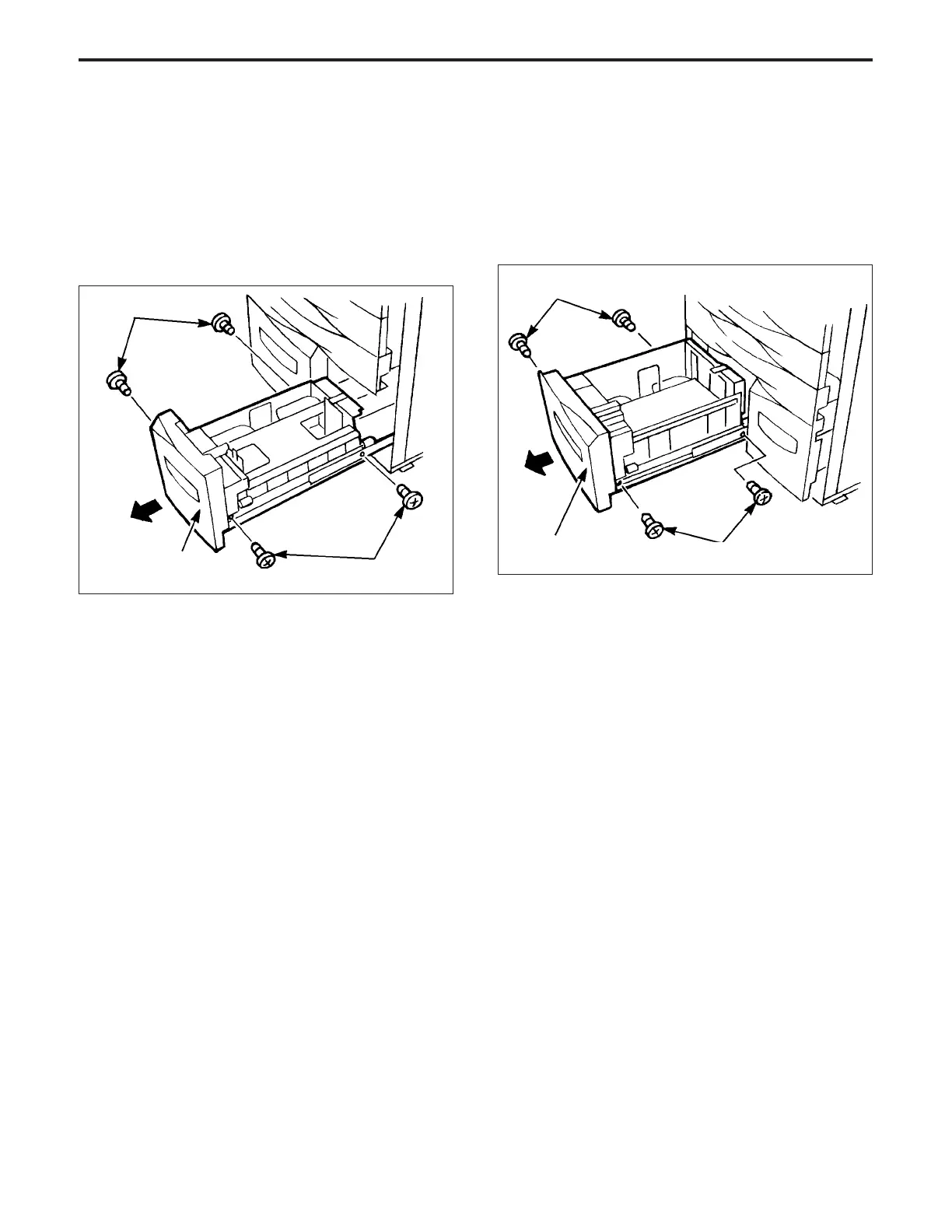
1. Removing and Re-installing the 1000 Tray
Caution: Be sure that the power cord has been unplugged
from the power outlet.
a. Procedure
(1) Withdraw the 1000 tray, then remove the four set
screws.
(2) Lift out the 1000 tray.
2. Removing and Re-installing the 1500 tray
Caution: Be sure that the power cord has been unplugged
from the power outlet.
a. Procedure
(1) Withdraw the 1500 tray, then remove the four set
screws.
(2) Lift out the 1500 tray.
(3) Re-install the 1500 tray in the opposite sequence to
removal.
Caution: Install the front left and right set screws first.
(3) Re-install the 1000 tray in the opposite sequence to
removal.
Caution: Install the front left and right set screws first.
Set screws
1000 tray
Set screws
Set screws
1500 tray
Set screws



 To Next Page