ADJUSTMENT
4 - 25
Reference:
Set the password to "0000" to enter the weekly timer mode
without any password.
In other words, without displaying Weekly Timer Master Key
Code Entry Screen, Weekly Timer Setting Screen will appear
when the weekly timer mode is started.
Step
1
2
3
4
5
6
Operation
Enter the 25 mode.
[25 MODE SCREEN]
Press Password Setting.
[PASSWORD SETTING SCREEN]
Press Weekly Timer Master Key Code Setting.
[KEY OPERATOR PASSWORD SETTING SCREEN]
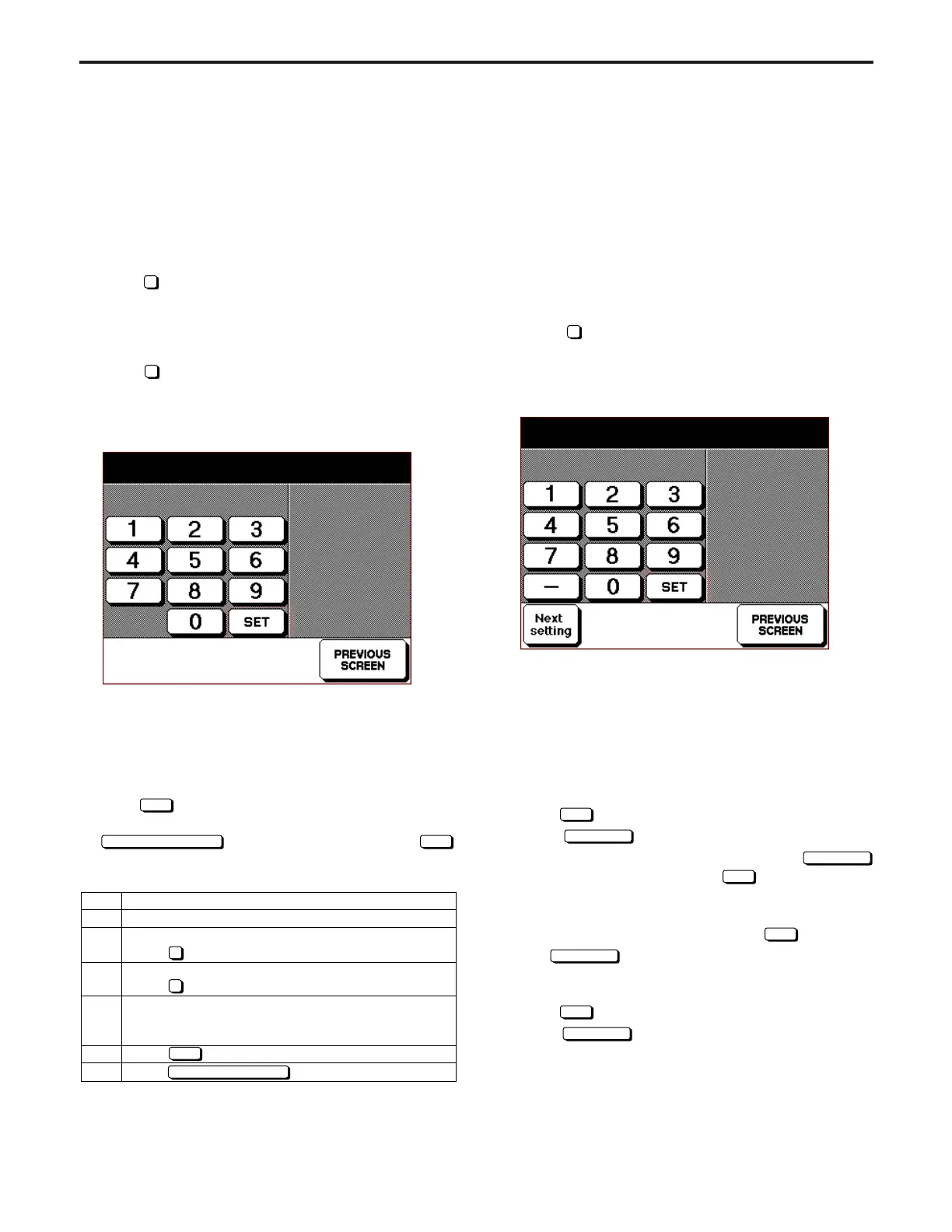
Using the numeric key on the screen, enter 4-digit
new weekly timer master key code.
Press
key
to execute.
Press key to end setting.
6
3
SET
PREVIOUS SCREEN
[11] Specifying Phone Number of Service
Center
This function specifies the phone and fax numbers of the serv-
ice center which is indicated in the screen if the service call is
issued.
These numbers are also indicated as "Contact Number of
Service Center" of the basic help screen in the user's display.
1. Specifying phone and fax number of service
center
Select
7
Telephone Number Setting in the 25 Mode
Screen. Service Center Number Setting Screen will ap-
pear.
[Service Center Number Setting Screen]
(1) Specifying phone number of service center
a. Using the numeric key on the screen, enter 16-digit number.
b. This number must be 16 digits. Arrange the number with
hyphenation if it is less than 16 digits.
c. Newly entered number and hyphen (if any) will be displayed
on the second row of the message area.
d. The firstly entered number will be shifted to the left end.
e. Press
SET
key to execute.
f. Select
Next setting
key to specify the fax number.
g. The new phone number will not be effective if
Next setting
key is pressed without pressing
SET
key.
(2) Specifying fax number of service center
a. After entering the phone number, press
SET
key and se-
lect
Next setting
key to move to the fax number entry
screen. Enter new fax number according to the same pro-
cedure as that for the phone number.
b. Press
SET
key button to execute.
Select
Next setting
key again to return to the phone number
entry screen.
Customer support (Telephone) 1/2
0000000000000000
[
10
] Setting Weekly Timer Master Key
Code
This function sets the weekly timer master key code required
for entering the various weekly timer set mode.
1. Password setting screen selection
Select
6
Password Setting in the 25 Mode Screen to dis-
play Password Setting Screen as an initial screen.
In this screen, select the password to be set.
2. Setting weekly timer master key code
Select
3
Set weekly timer master key code in Password
Setting Screen.
Weekly Timer Master Key Code Screen will appear.
[Weekly Timer Master Key Code Setting Screen]
(1) Using the numeric key on the screen, enter 4-digit new
weekly timer master key code.
• Newly entered number will be displayed on the second
row of the message area.
• The firstly entered number will be shifted to the left end.
(2) Press
SET
key to execute.
(3) The screen will return to Password Setting Screen if
PREVIOUS SCREEN
key is pressed without pressing
SET
key. In this case, no weekly timer master key code will be
changed.
Weekly timer master key code setting
1111
ADJUSTMENT-1



 To Next Page