ADJUSTMENT
4 - 12
Reference:
• Tray number is from 1 to 4. For the tray 2, 3, and 4,
only service personnel can perform setting.
• Availability of paper size depends on the selected tray.
The unavailable paper size will be skipped and not dis-
played.
• New data on tray size will be written in non-volatile RAM
every time it is changed in this screen.
• The following table shows the paper sizes that can be
used in the tray 3.
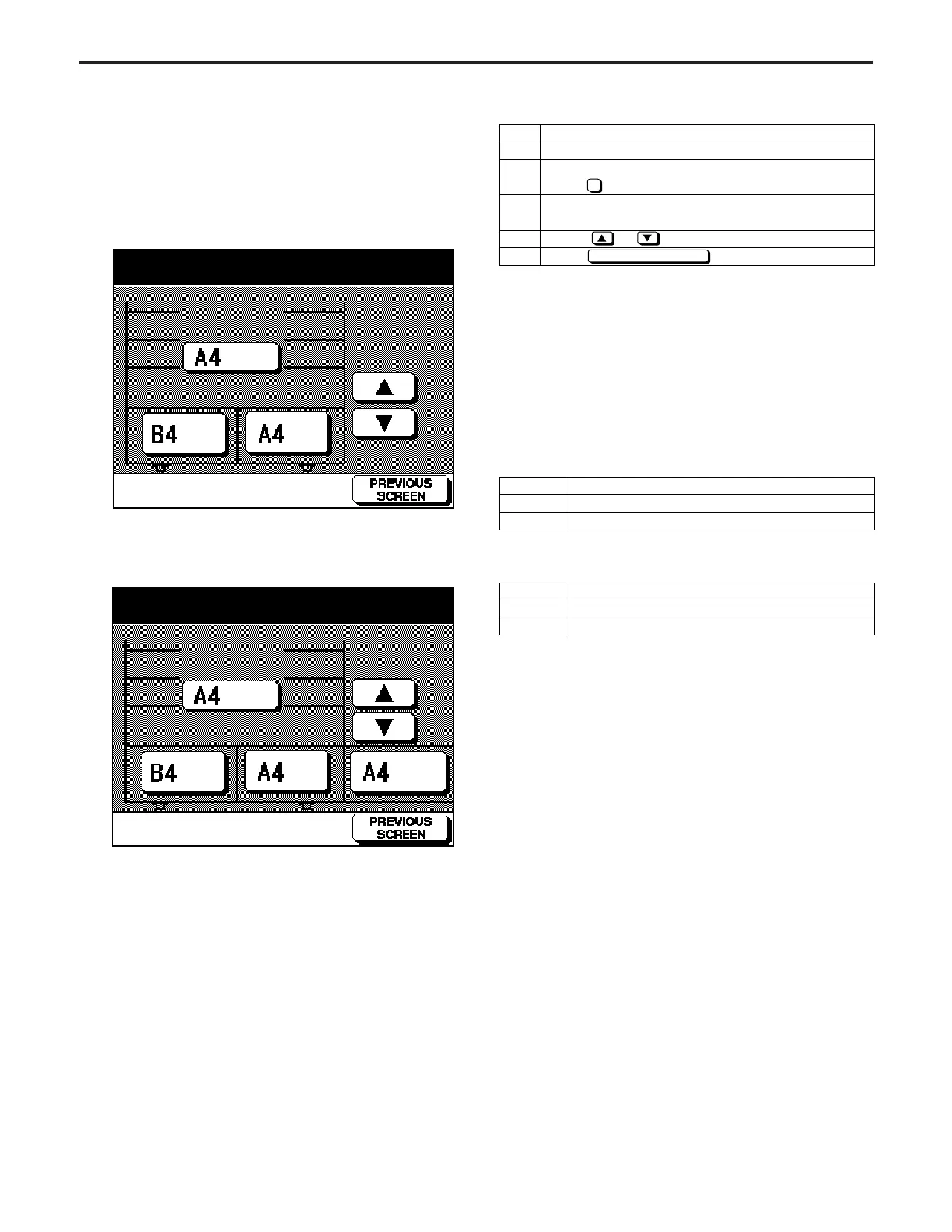
[3] Setting Tray Size
This function stores the paper size in the memory of the main
machine if it has been changed .
[TRAY SIZE SETTING SCREEN]
a. When you do not use any optional tray:
Step
1
2
3
4
5
Operation
Enter the 25 mode.
[25 MODE SCREEN]
Press Tray Size Setting.
[TRAY SIZE SETTING SCREEN]
Press the tray button to be changed.
Press or button to select the paper size.
Press button to end setting.
2
PREVIOUS SCREEN
• The following table shows the paper sizes that can be
used in the tray 4.
Caution:
• For the tray 1 and bypass feed tray, any setting cannot
be performed in the non-volatile RAM.
Tray 1 can read the guide plate position using a sen-
sor.
• The screen is automatically changed from the optional
tray according to the type of trays.
Japan
Europe
U.S.A.
A4, B5, A4R, B5R, 8
1
/
2
" × 11", 8
1
/
2
" × 11"R
A4, B5, A4R, B5R, 8
1
/
2
" × 11", 8
1
/
2
" × 11"R
8
1
/
2
" × 11", 8
1
/
2
" × 11"R, A4, B5, A4R, B5R
Japan
Europe
U.S.A.
A4, B5, 8
1
/
2
"× 11"
A4, B5, 8
1
/
2
" × 11"
8
1
/
2
" × 11", A4, B5
b. When you use an optional tray, large capacity tray;
Paper size setting mode
Paper size setting mode



 To Next Page