ADJUSTMENT
4 - 5
25 MODE
Step
1
2
3
4
5
6
Operation
Enter the 25 mode.
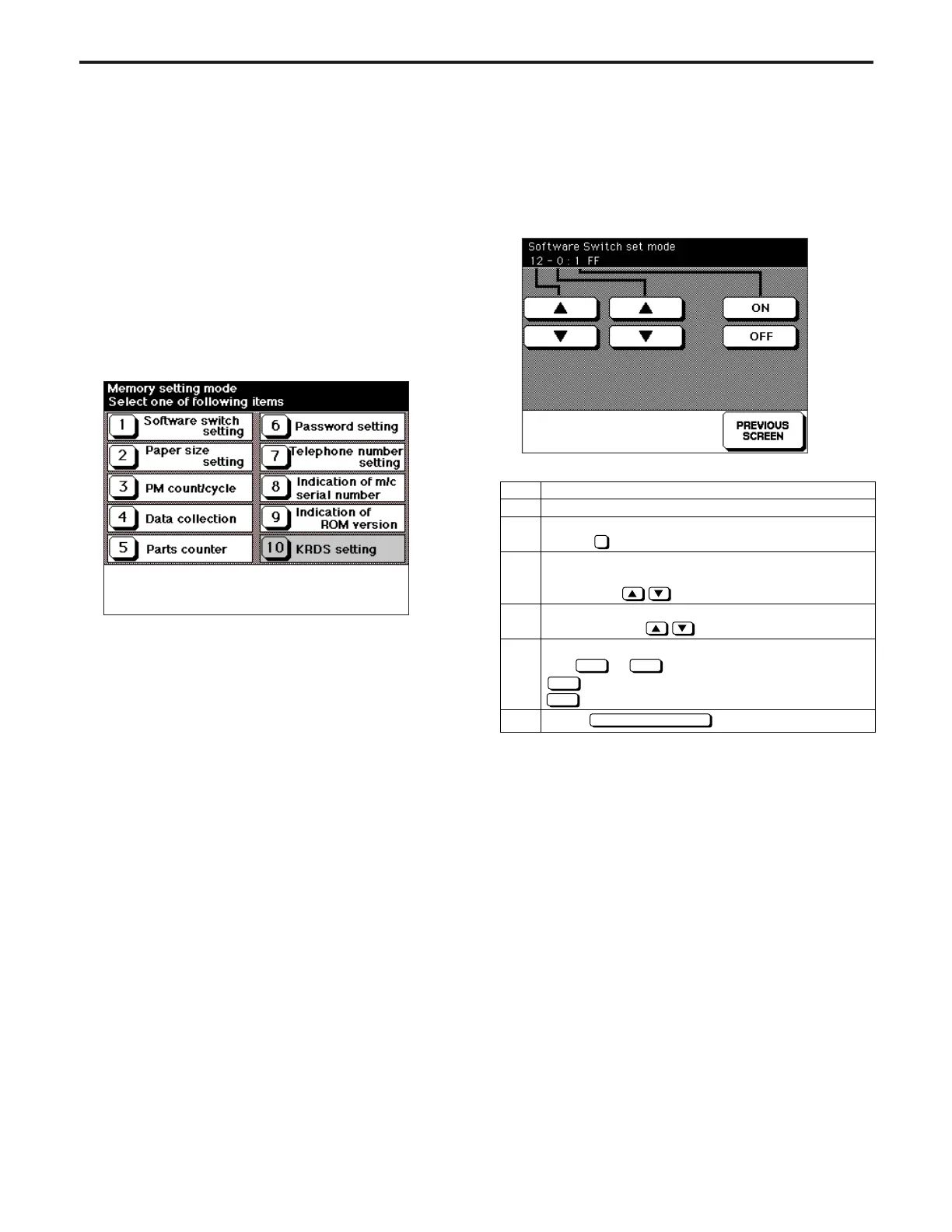
[25 MODE SCREEN]
Press Software DIP SW Setting.
[SOFTWARE SW SETTING SCREEN]
Select DIP switch number.
Use the left key.
Select bit number of the switch.
Use the middle key.
Select ON(=1) or OFF(=0) of switch.
Use or key.
: Set bit.
: Clear bit.
Press key to end setting.
1
ON
ON OFF
OFF
PREVIOUS SCREEN
[1] Setting Method
A special operating mode called "25 Mode" has been provided
with this machine.
This mode enables to rewriting the non-
volatile storage and specify other various settings.
1. Turn off the main switch.
2. Turn the main switch back on while holding down 2 and 5
of the copy quantity setting buttons.
25 Mode Screen will appear.
This is the 25 mode where the normal copy operation be-
comes unavailable.
[25 MODE MENU SCREEN]
3. Press the desired number button.
Each setting screen will appear.
4. Enter data in each selected screen.
5. Press the Previous Screen button to check the data that
has been entered.
6. Turn the main switch off to cancel the 25 mode.
7. New data will be effective after restarted.
[2] Setting Software DIP SW
1. Setting method
This setting specifies the software DIP switch. (*1)
[SOFTWARE SW SETTING SCREEN]
ADJUSTMENT-1



 To Next Page