2 - K - 2
CLEANING/TONER RECYCLE UNIT
a. Procedure
(1) Open the front door, then remove the drum unit.
(2) Remove the charging corona unit.
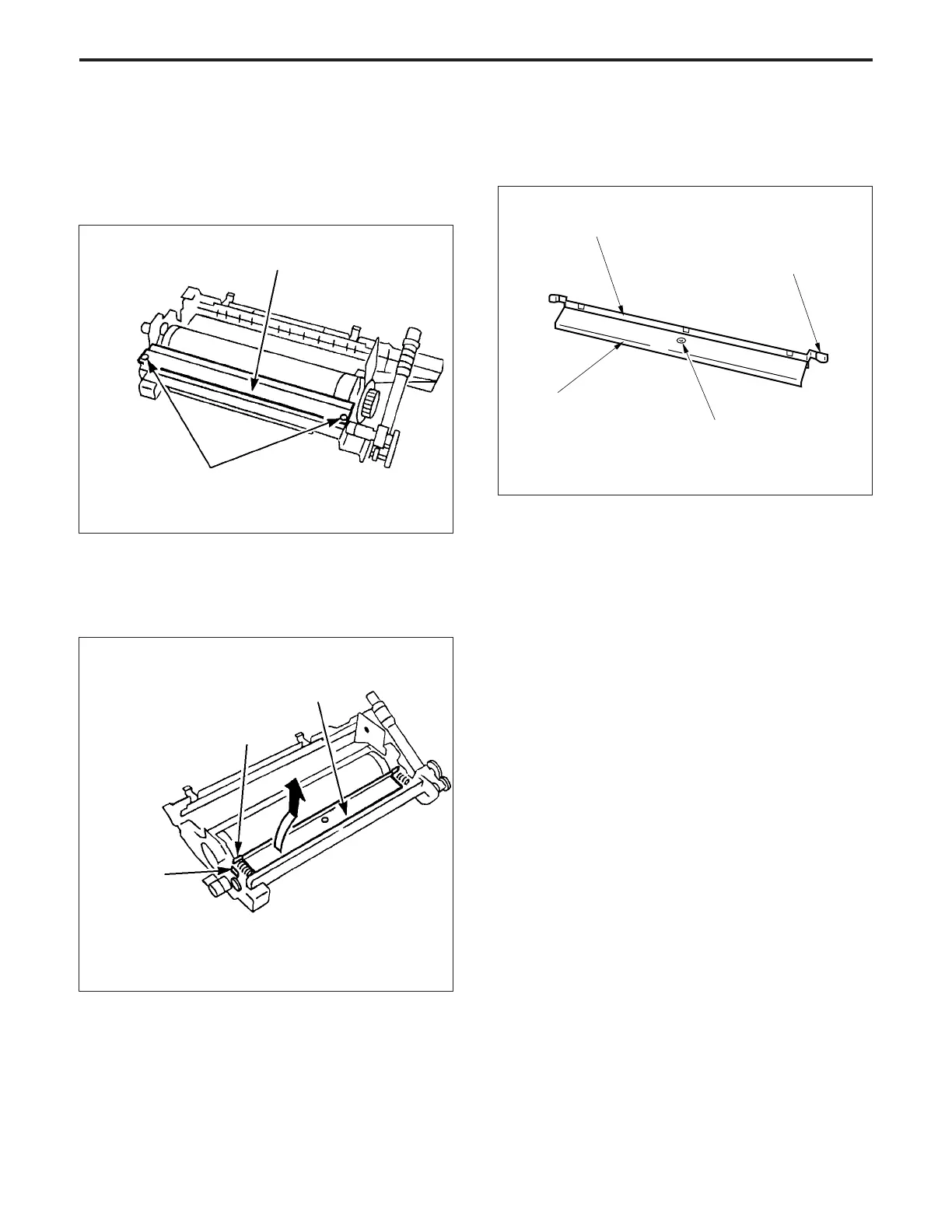
(3) Remove the two set screws, then remove the cleaner
cover.
Cleaner cover
Set screws
Blade spacer
Blade mounting plate
Blade shaft
retainer
(4) Remove the blade shaft retainer.
(5) Lift out the blade mounting plate.
Caution: Take care that the blade spacer does not drop out.
Blade spacer
Cleaning blade
Blade mounting
plate
Set screw
(8) Re-install the cleaning blade in the opposite sequence
to removal.
(6) Remove the set screw, then remove the cleaning blade
from the blade mounting plate.
(7) Remove the blade spacer from the cleaning blade.



 To Next Page