89
C
ONFIGURING SOFTKEYS SPEED DIAL KEY
Key 1 Type: Speed Dial Label: Europe Office Value: 1234567+ Line: 2
Then, after you press key 1 on the phone, the prefix number displays on the phone screen. The phone
proceeds to dial the prefix number automatically and pauses for you to enter the remaining phone number
using the dialpad on the phone.
Use the following procedures to set speed dial on the 6930 IP phone.
Press-and-Hold to Create a Speed Dial (applicable to softkeys, dialpad keys,
ex-pansion module keys)
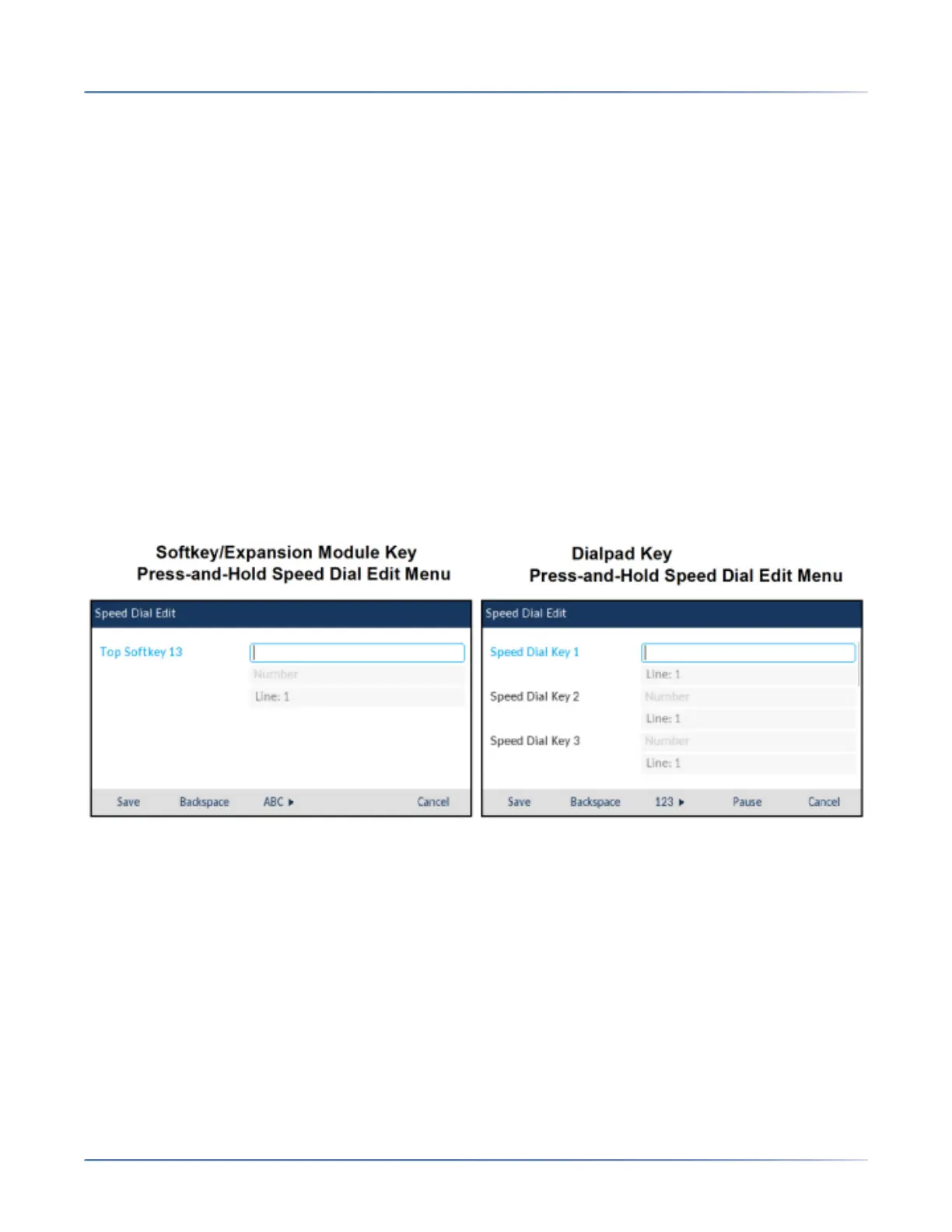
Pressing and holding a softkey, dialpad key, or expansion module key on the phone initiates a speed dial
feature.
1. NOTE: When creating a Speed Dialkey from the IP phone UI, you must select a softkey, dialpad key,
or expansion module key that has no preassigned function (key must be set to Noneor Empty).
2. If there are no empty softkeys on the home screen, you can press and hold the Moresoftkey to
configure the next available softkey with speeddial functionality. If a More softkey is not available, use
the Dialing> Speed Dial Editoption in the Options List to configure a new speeddial key.
1. Press and hold an non-configured softkey, dialpad key, or expansion module key for three seconds.
NOTE: You can press the Cancelsoftkey at any time during the speed dial programming to cancel
and not save the speed dial information.
2. In the Label field (if applicable), enter a label to apply to the key.
NOTE: If necessary, use the ABCsoftkey to specify uppercase letters or lowercase letters when
entering the label.
3. Press the down navigation key to move to the Numberfield (if applicable) and enter a number for the
speed dial key using the dialpad keys.
4. Press the down navigation key to move to the Linefield and select a line to apply to the key. This is
the line that the phone opens to dial the number after you press the respective Speed Dialkey. By
default, the phone uses Line 1 for the Speed Dialkey. If you want to use a different line, press the left
or right navigation keys to select another line.
5. Press the Save softkey to save the speed dial information to the key you selected.





 To Next Page