14
G
ETTING STARTED UI OVERVIEW
To view or edit the Voice Services settings on the Mitel MiVoice 6930 IP phone:
1. Press the (Options) key on the phone to enter the Options menu.
2. Navigate to Voice Services using the navigation keys and press the Select softkey.
3. Use the up and down navigation keys to choose either of the following and then press
the Next softkey.
– MiCloud Connect
– MiVoice Connect
4. Make the required changes.
5. Press the Save/Register softkey to save your changes.
UI Overview
Home Screen
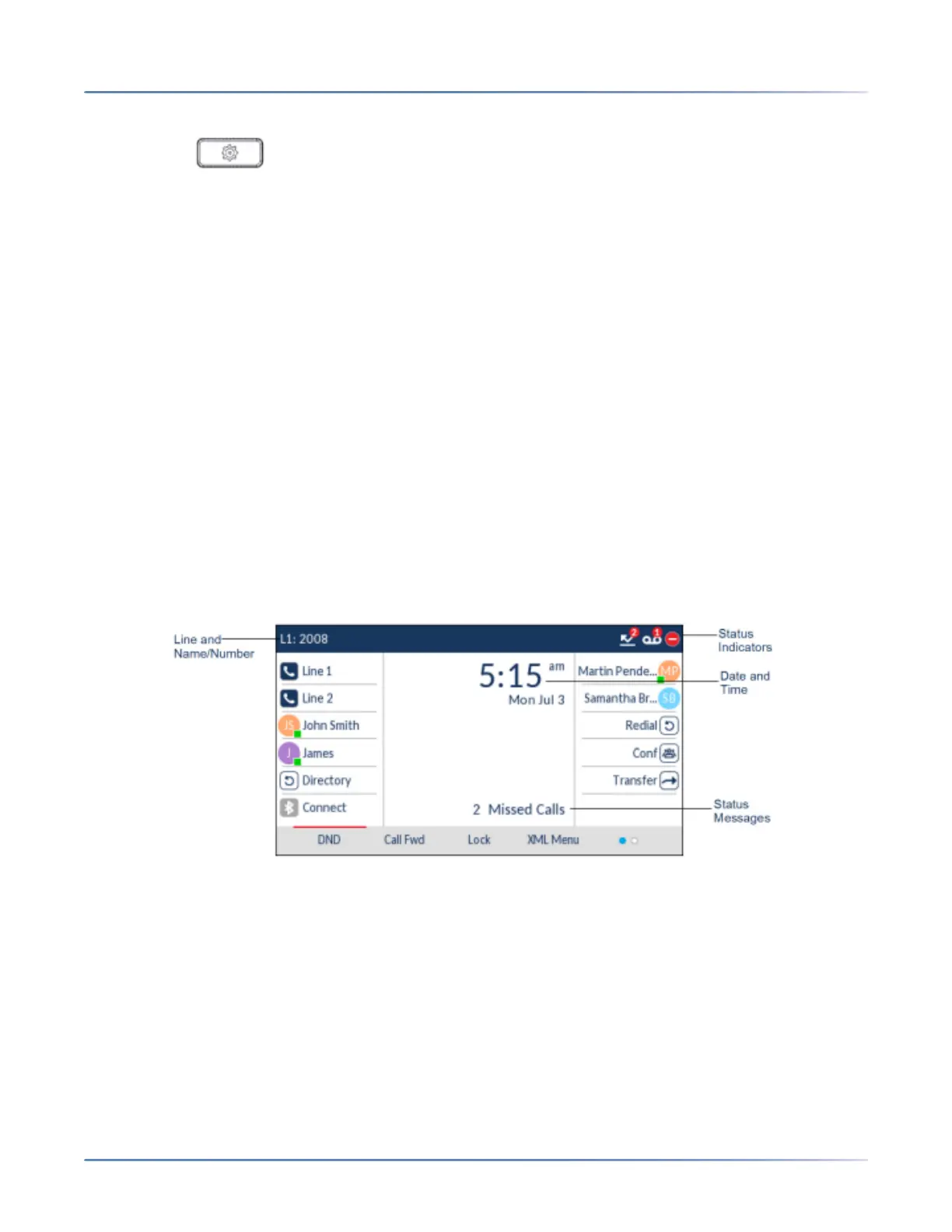
When the phone has successfully updated the configuration and connected to the network, the phone
displays theHome screen. The Home screen displays the current line, your name (SIP screen name), the
date and time, and various important status messages. It is the default screen displayed when the phone
is in an idle state.>
NOTE: Your System Administrator should have configured your SIP screen name, line number, and any
other administrative features required. If your name does not display on the screen, contact your System
Administrator.
Phone/Line Status Indicators and Messages
There are icons that display on the phone to indicate the status of the phone and/or the status of the line.
These icons display on the upper right corner of the Home screen.
The following table identifies and describes the phone/line status indicators on the Home screen.>





 To Next Page